Quick Picks
Short on time? Here are our top recommendations. Tap any pick to jump to the full review:
- Tapo Smart Wi-Fi Power Strip P316M (~$42) — Best overall
- kasa smart Plug Power Strip KP303 (~$25) — Best budget
- Meross Smart Power Strip (HomeKit) (~$32) — Best for Apple HomeKit
- TP-Link Tapo P306 Outlet Extender (~$30) — Best wall-mount extender
- BN LINK Smart Plug Power Strip (~$36) — Best for USB-C charging
- Yozisital Smart Power Strip Charging Station (~$35) — Best for crowded desks
A regular power strip just splits one outlet into several. A smart power strip turns each of those outlets into something you can control from your phone, schedule, or trigger by voice — and the good ones also protect your gear from surges and let you watch how much power each device is pulling. That combination makes them one of the most useful, lowest-cost upgrades you can make to a home office, entertainment center, or nightstand.
But “smart power strip” gets slapped on a lot of products that aren’t really smart. Some are just Wi-Fi strips with a single on/off switch for the whole bank of outlets — handy, but you can’t kill just the space heater without cutting power to everything else. The strips worth buying give you individually controlled outlets, so each socket acts like its own smart plug. This guide focuses on those, with a spread from a $25 three-outlet model up to a fully loaded six-outlet strip with energy monitoring.
If you’re just getting started with connected outlets, you may also want our guide to the best smart plugs of 2026 for single-device control, and our smart plugs for energy saving breakdown if cutting your power bill is the main goal.
What Makes a Power Strip “Smart” in 2026?
The line between a basic surge protector and a genuine smart power strip comes down to a few features. Understanding them up front will save you from buying something that looks smart on the box but barely is.
The single most important feature is individually controlled outlets. On a true smart strip, every outlet is its own switch — you can turn off the lamp on outlet 1 while the router on outlet 2 keeps humming. Many cheaper “Wi-Fi power strips” only give you one switch that controls all the outlets at once, which defeats most of the point. Every strip in this guide has individually addressable outlets unless noted.
From there, the features that separate good strips from great ones are energy monitoring, the strength of the surge protection, USB and USB-C charging built in, and which voice assistants and smart-home platforms the strip works with. We’ll cover each of those in detail in the buying guide further down, but they’re worth keeping in mind as you read the reviews.
Our Top Smart Power Strip Picks for 2026
We focused on strips that are currently available, have real individually controlled outlets (not single-switch fakes), and carry a safety certification. Each pick below leads with a different strength, so there’s a sensible choice whether you’re outfitting an Apple household, a budget dorm setup, or a desk buried in chargers.
Tapo Smart Wi-Fi Power Strip - Matter Compatible, Energy Monitoring, Surge Protection, 6 Individually Controlled Outlets & 3 USB Ports, Works with Alexa, Google Assistant, Siri & Bixby - Tapo P316M — Best Overall
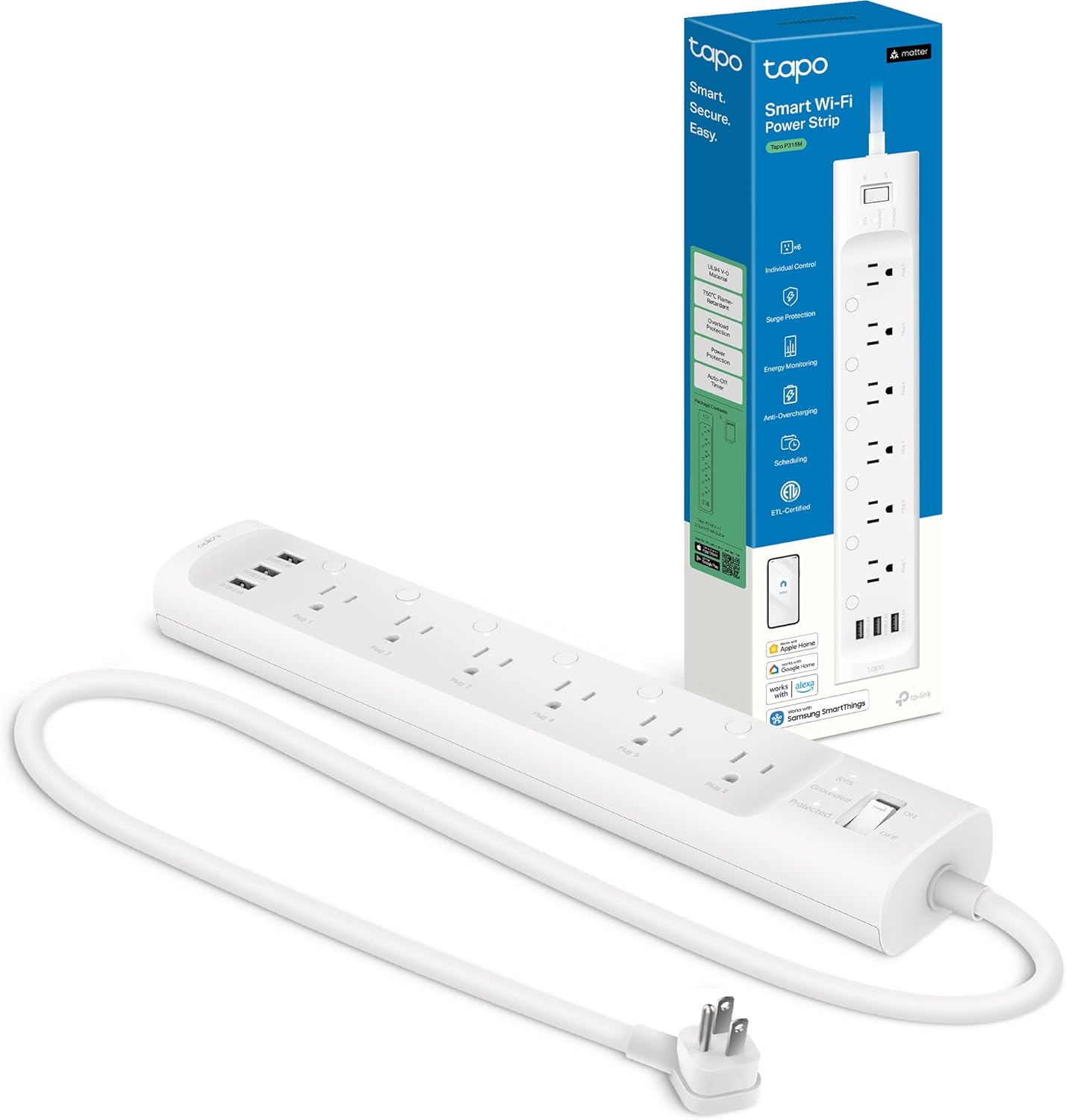
The Tapo P316M is the strip we’d hand to most people. It packs six individually controlled AC outlets and three USB ports (a mix of USB-A and USB-C) into a slim, low-profile body, and every one of those six outlets can be switched, scheduled, and named on its own in the Tapo app. That means you can put your monitor, lamp, fan, phone charger, and two seasonal devices on one strip and control each independently.
What pushes it ahead of the pack is the feature stack. It’s Matter compatible, so it slots into Apple Home, Google Home, Amazon Alexa, and Samsung SmartThings without juggling multiple apps. It has real energy monitoring, so you can see exactly what each outlet is drawing and catch power-hungry devices. And TP-Link rates it with genuine surge protection and ETL certification — TP-Link is one of the most reliable names in budget smart home gear, and the Tapo app has matured into one of the easier ones to live with day to day.
Pros:
- Six individually controlled outlets — the most flexible layout here
- Matter support works across Alexa, Google, Apple Home, and SmartThings
- Per-outlet energy monitoring
- Surge protection with ETL certification
- Slim, flat profile fits behind furniture
Cons:
- 2.4GHz Wi-Fi only (like nearly all smart strips)
- USB ports are not individually switchable, only the AC outlets
- Slightly pricier than three-outlet models
kasa smart Plug Power Strip KP303, Surge Protector with 3 Individually Controlled Smart Outlets and 2 USB Ports, Works with Alexa & Google Home, No Hub Required, White — Best Budget
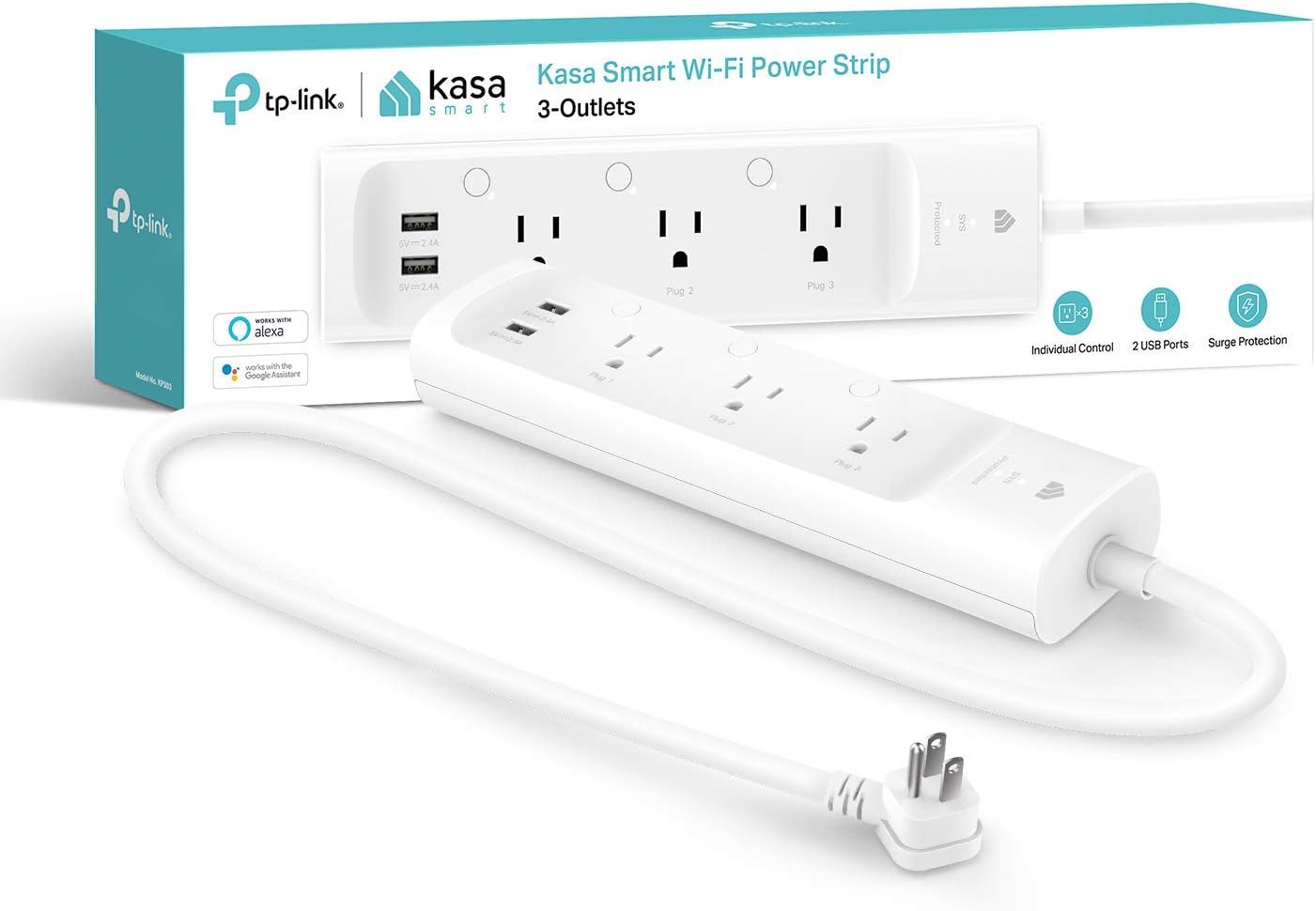
If you want a name-brand smart strip without spending much, the Kasa KP303 is the easy answer. For around $25 you get three individually controlled outlets plus two USB-A ports, all in a compact strip with a flat plug and a short cord that tucks neatly behind a desk or nightstand. Kasa (TP-Link’s smart-home line) has a long track record of rock-solid plugs, and the KP303 inherits that reliability.
Setup takes a couple of minutes in the Kasa app, and no hub is required — it connects straight to your Wi-Fi. Each outlet can be scheduled, set on a timer, or controlled by Alexa or Google Assistant, and there’s surge protection built in to guard whatever you plug in. Three outlets won’t cover a busy entertainment center, but for a desk, a bedside setup, or a coffee station it’s exactly enough, and the price makes it an easy first smart strip.
Pros:
- Three individually controlled outlets at a budget price
- Two USB-A charging ports
- Reliable Kasa app, no hub needed
- Surge protection included
- Compact with a flat, low-profile plug
Cons:
- No USB-C port
- Only three outlets
- No Apple HomeKit support (Alexa and Google only)
Meross Smart Power Strip Compatible with Apple HomeKit, Siri, Alexa, Google Home and SmartThings, WiFi Surge Protector with 4 AC Outlets, 4 USB Ports and 6ft Extension Cord, Voice and Remote Control — Best for Apple HomeKit
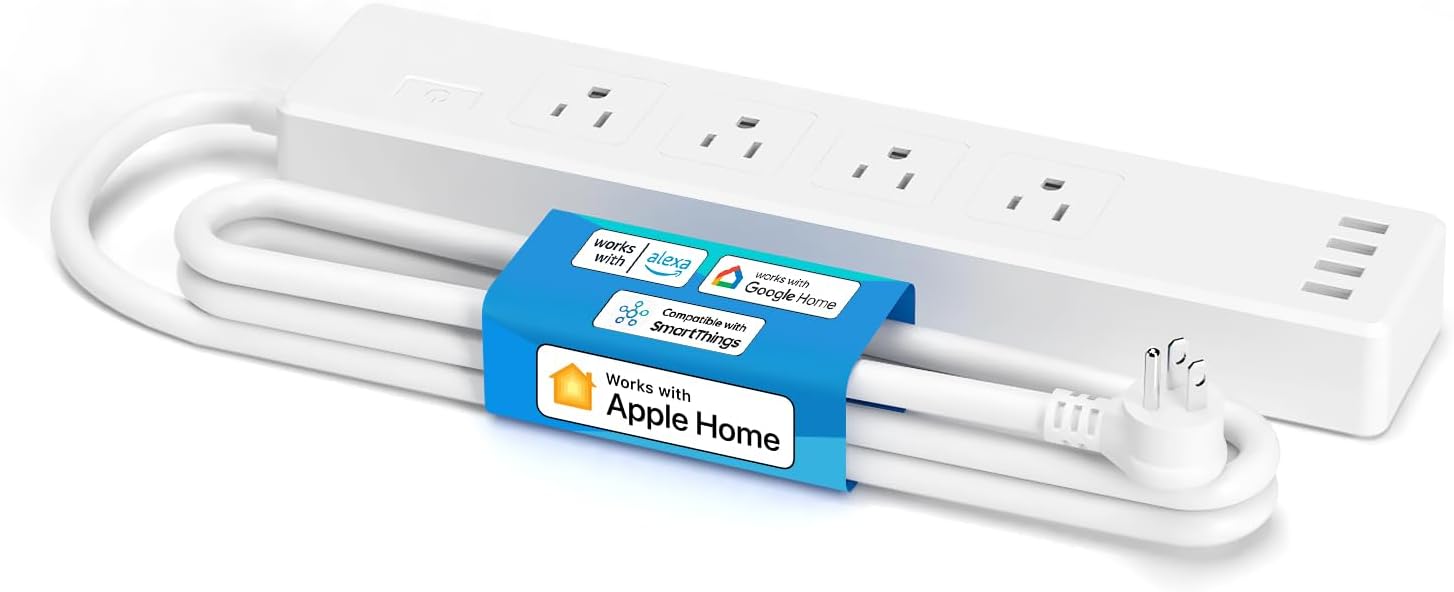
Apple Home users are usually the ones left out when it comes to smart power strips, since most budget brands only support Alexa and Google. The Meross Smart Power Strip fixes that. It works natively with Apple HomeKit and Siri — so you can ask Siri to turn off “the office strip” or fold individual outlets into your HomeKit scenes and automations — while still supporting Alexa, Google Home, and SmartThings for mixed households.
You get four individually controlled AC outlets and four USB ports on a 6-foot cord, which is a generous layout for a desk or media console. The Meross app is straightforward, scheduling and timers work as expected, and HomeKit gives you the local-control reliability Apple users tend to want. If your home runs on iPhones and HomePods, this is the strip that fits in without friction.
Pros:
- Native Apple HomeKit and Siri support — rare at this price
- Four individually controlled AC outlets plus four USB ports
- Also works with Alexa, Google Home, and SmartThings
- Long 6-foot cord
- Surge protection built in
Cons:
- USB ports are shared, not individually switchable
- No energy monitoring
- 2.4GHz Wi-Fi only
TP-Link Tapo Smart Plug Outlet Extender, Surge Protector, 18W Fast Charging, 3 Individual Smart Outlets, 1x USB-C & 2X USB-A, Smart Night Light, Works w/Apple HomeKit, Alexa & Google Home, Tapo P306 — Best Wall-Mount Extender
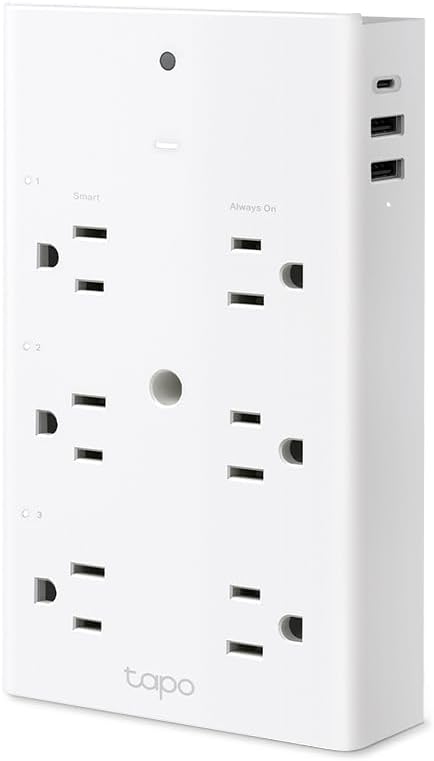
Not every spot calls for a strip on the floor or desk. The Tapo P306 is an outlet extender — it plugs straight into a wall receptacle and fans out into smart outlets and USB ports without any cord to manage. That makes it ideal for a bedroom, hallway, or living-room wall where a trailing strip would look messy. It gives you three individually controlled outlets, one USB-C port with 18W fast charging, two USB-A ports, and even a built-in smart night light.
Like the rest of the Tapo line, it covers Apple HomeKit, Alexa, and Google Home, so it works no matter which ecosystem you’re in. The surge protection guards your devices, and the night light is a genuinely nice touch for a hallway or kid’s room — you can schedule it or trigger it by voice along with the outlets. For a clean, cordless smart upgrade to a single wall outlet, this is the most versatile pick here.
Pros:
- Plugs into the wall — no cord to hide
- Three individual smart outlets plus USB-C (18W) and two USB-A
- Works with Apple HomeKit, Alexa, and Google Home
- Built-in smart night light
- Surge protection included
Cons:
- Fewer outlets than a full strip
- Covers one wall socket, may block the second receptacle
- No energy monitoring
BN LINK Smart Plug Power Strip,Surge Protector with 6 Individually Controlled Smart Outlets, 4 USBs (incl. 20W USB-C), Compatible with Alexa and Google Home — Best for USB-C Charging
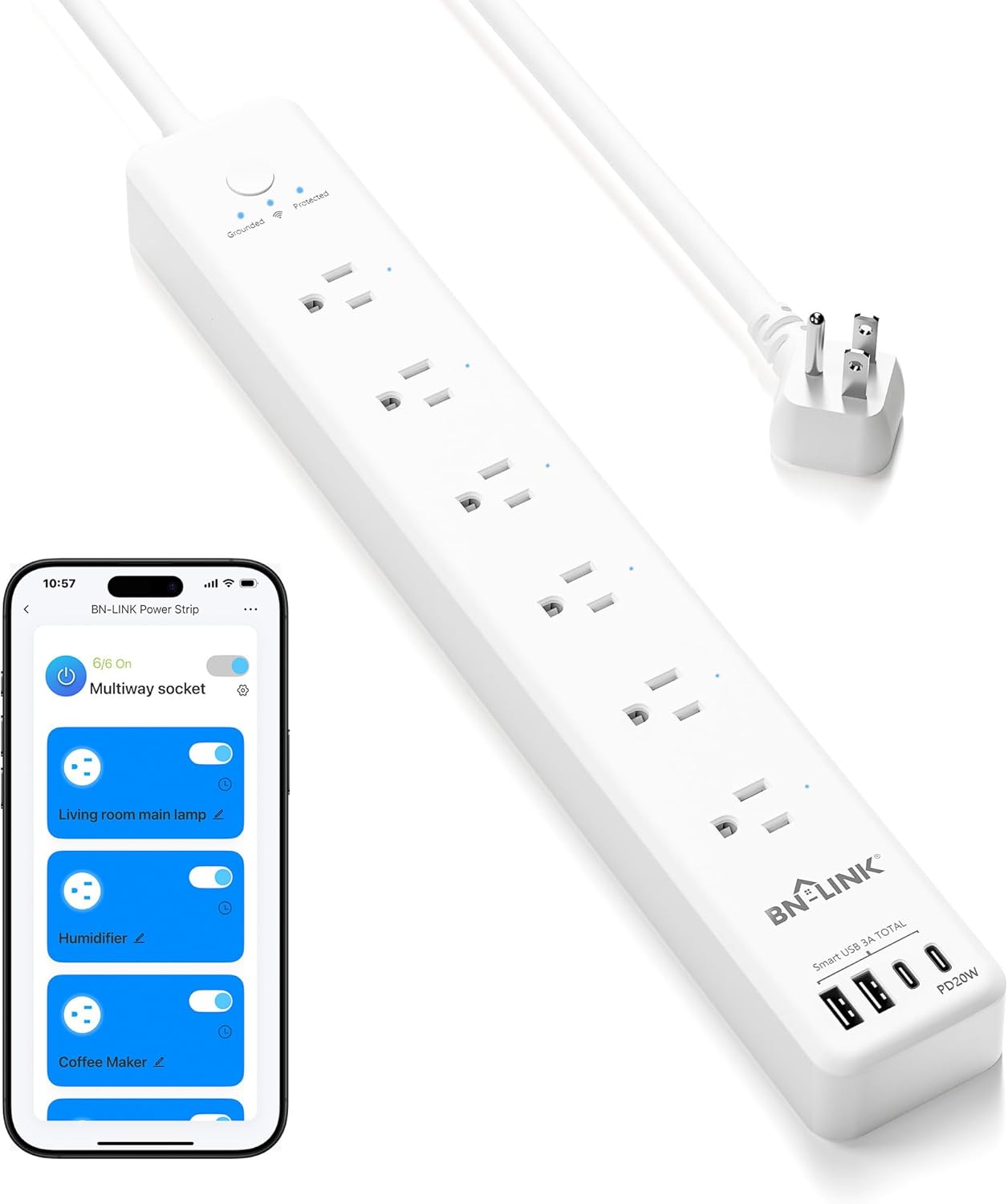
If your desk is more about charging gadgets than running appliances, the BN LINK strip is built for it. Alongside six individually controlled AC outlets, it carries four USB charging ports — including a 20W USB-C PD port that can fast-charge a phone or even top up a tablet at a useful rate. That’s enough to keep a phone, earbuds, a smartwatch, and a tablet charging while your monitor, lamp, and laptop brick share the AC outlets.
Each of the six outlets is switchable and schedulable in the app and through Alexa or Google Home, so you can name them (“Living room main lamp,” “Humidifier,” “Coffee Maker”) and automate each one. Surge protection and an ETL safety certification round it out. It’s a no-frills brand compared to TP-Link, but for the sheer amount of charging it crams onto one strip at this price, it’s hard to beat.
Pros:
- Six individually controlled outlets plus four USB ports
- 20W USB-C PD port for fast phone and tablet charging
- Per-outlet naming, scheduling, and voice control
- Surge protection with ETL certification
- Strong value for the outlet and port count
Cons:
- No Apple HomeKit (Alexa and Google only)
- No energy monitoring
- Lesser-known brand than Kasa or Tapo
Smart Power Strip, Yozisital Charging Station with 6 Smart Outlets and 4 USB Ports, 5FT Flat Plug Extension Cord for Home Office, Compatible with Alexa & Google Home — Best for Crowded Desks
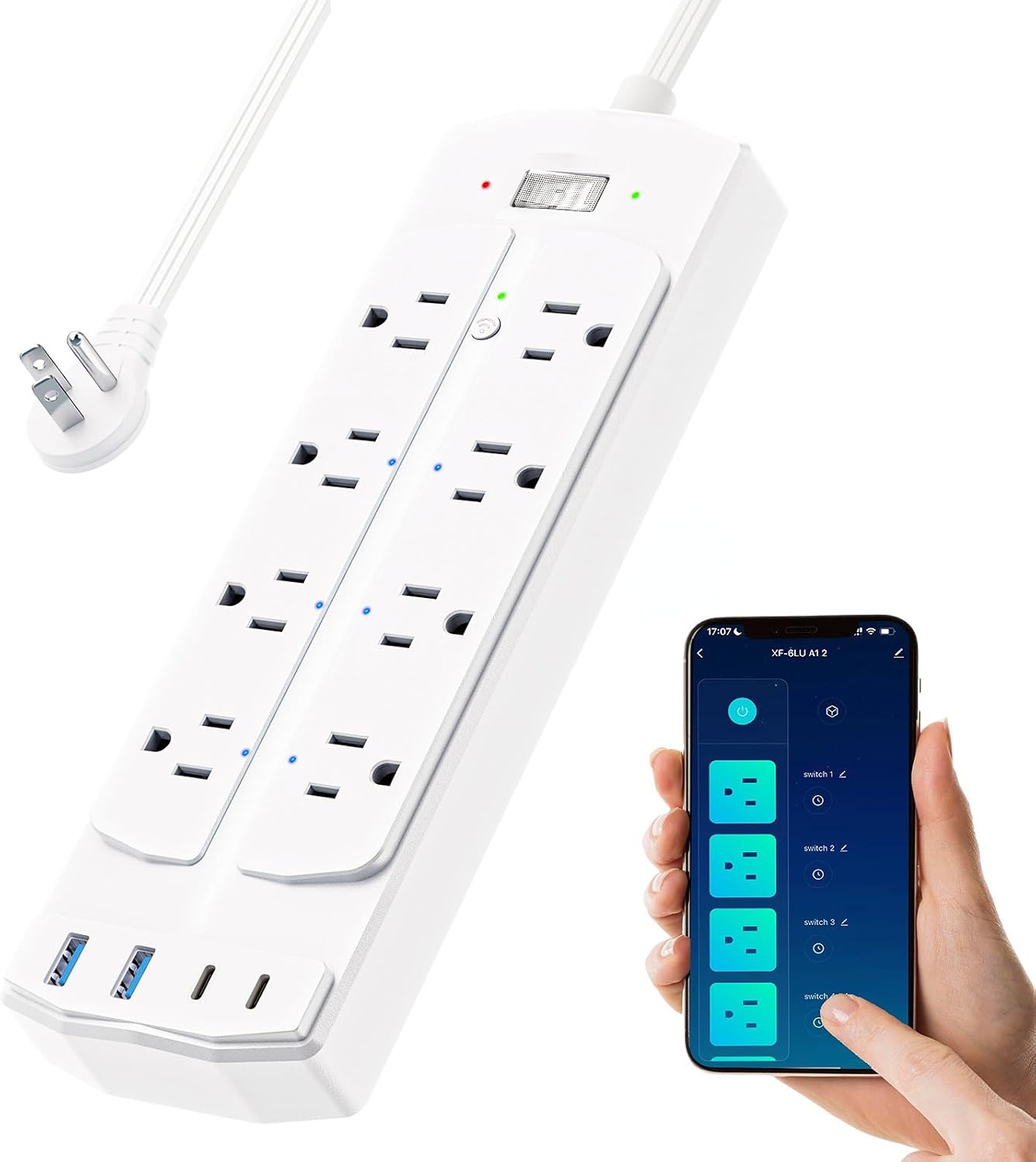
The Yozisital is shaped more like a charging station than a traditional strip, with its outlets spaced to fit bulky wall-wart adapters without blocking their neighbors — a common frustration on tightly packed strips. You get six smart outlets and four USB ports on a 5-foot flat-plug cord, all controllable individually in the app and through Alexa or Google Home. For a desk that’s drowning in chunky power bricks, that spacing makes a real difference.
Each outlet can be named, scheduled, and switched on its own, and the app supports the usual timers and away-mode automations. There’s surge protection built in to keep your electronics safe. It’s a value-oriented pick rather than a premium one, but if your main problem is “I have too many things to plug in and the adapters won’t fit,” this layout solves it for around $35.
Pros:
- Six smart outlets spaced for bulky adapters
- Four USB charging ports
- Individual control, scheduling, and voice support
- Flat plug and 5-foot cord for tidy routing
- Surge protection included
Cons:
- No USB-C noted in the listing
- Alexa and Google only, no HomeKit
- Budget brand with a less polished app
Smart Power Strip Comparison
| Model | Outlets | USB Ports | Energy Monitoring | Voice / Platform | Approx. Price |
|---|---|---|---|---|---|
| Tapo P316M | 6 individual | 3 (A + C) | Yes | Alexa, Google, HomeKit, SmartThings (Matter) | ~$42 |
| Kasa KP303 | 3 individual | 2 (A) | No | Alexa, Google | ~$25 |
| Meross HomeKit Strip | 4 individual | 4 | No | HomeKit, Siri, Alexa, Google, SmartThings | ~$32 |
| Tapo P306 (extender) | 3 individual | 3 (1 C + 2 A) | No | HomeKit, Alexa, Google | ~$30 |
| BN LINK | 6 individual | 4 (incl. 20W C) | No | Alexa, Google | ~$36 |
| Yozisital | 6 individual | 4 | No | Alexa, Google | ~$35 |
Prices fluctuate; check the latest on Amazon via the buttons above.
How to Choose a Smart Power Strip
Picking the right strip comes down to matching a handful of features to how you actually plan to use it. Here’s what each one means and when it matters.
Individually Controlled Outlets vs. a Single Switch
This is the big one. A genuinely smart power strip lets you control each outlet separately — turn off the lamp while the router stays on, schedule the coffee maker without touching anything else, or kill the space heater the moment you leave the room. Cheaper “Wi-Fi power strips” sometimes give you only one switch that controls all the outlets together, which is barely more useful than a timer.
Before you buy, read the listing carefully for the words “individually controlled” or “individual control.” A strip with, say, “6 individually controlled outlets” is what you want. If it just says “Wi-Fi power strip” with no mention of per-outlet control, assume it’s a single switch. Every strip in this guide gives you individual control over the AC outlets.
One caveat: on most strips, the USB ports are not individually switchable — they’re either always on or grouped together. That’s fine for charging, but don’t expect to schedule a single USB port on its own.
Energy Monitoring
Energy monitoring shows you, in real time, how much power each outlet (or the whole strip) is drawing. It’s the feature that turns a smart strip into a tool for cutting your power bill: you can spot the old TV that pulls 20 watts in standby, or confirm a space heater is the reason your electric bill jumped.
Among our picks, the Tapo P316M is the standout for this — it tracks consumption per outlet. If lowering your energy use is a priority, that data is genuinely useful, and you can pair it with the ideas in our smart plugs for energy saving guide. If you just want remote control and scheduling, energy monitoring is a nice-to-have you can skip to save a few dollars.
Surge Protection and the Joules Rating
A surge protector absorbs voltage spikes — from lightning, grid switching, or large appliances cycling on and off — before they reach your electronics. Its capacity is measured in joules: the higher the number, the more energy it can soak up over its lifetime before the protection wears out.
For a desk with a laptop, monitor, and phone, a few hundred to a thousand joules is plenty. For expensive gear like a gaming PC, TV, or AV receiver, look for higher ratings (1,000+ joules). Note that a surge protector is sacrificial — it degrades each time it takes a hit, so after a major surge or a few years of service it’s worth replacing. Also know the difference between a true surge protector and a plain power strip or “outlet extender”: only the former actually protects against spikes, so confirm the listing says surge protection, not just “extension.”
USB and USB-C Ports
Built-in USB ports let you charge phones, tablets, earbuds, and watches without taking up an AC outlet or hunting for a wall brick. In 2026, the port that matters most is USB-C with Power Delivery (PD) — a 20W USB-C port (like the one on the BN LINK and the USB-C on the Tapo P306) can fast-charge a modern phone and trickle-charge a tablet, while older USB-A ports are fine for slower devices.
If your desk is heavy on gadgets, prioritize a strip with at least one USB-C PD port and several USB-A ports. If you mostly run appliances and lamps, USB count matters less and you can focus on the AC outlets.
Alexa, Google Home, and Apple HomeKit
Make sure the strip works with the ecosystem you already use. Almost every smart strip supports Amazon Alexa and Google Home, but Apple HomeKit support is rarer — if you’re an iPhone-and-HomePod household, the Meross strip and the Tapo P306 and P316M are your safest bets. The Tapo P316M’s Matter support is the most future-proof, since Matter lets one device work across all the major platforms at once. If you’re still deciding between voice assistants, our Alexa vs Google Home comparison breaks down the differences.
Don’t overlook this step. Buying a strip that only speaks Alexa when your home runs on Apple Home means you’ll be stuck using the manufacturer’s app for everything, with no voice control through Siri.
Schedules, Timers, and Away Mode
Beyond on/off, the real payoff of a smart strip is automation. Schedules turn outlets on and off at set times — lamps at sunset, the coffee maker at 6:30 a.m. Timers run a device for a set duration, like a heater that shuts off after an hour. Away mode (sometimes called vacation mode) randomizes your lighting while you’re out to make the house look occupied, a simple security boost. All of the strips here support scheduling and timers through their apps; check the app reviews if heavy automation is your goal, since app polish varies a lot between brands.
Safety and ETL / UL Certification
A power strip handles real current, so safety certification isn’t optional. Look for an ETL or UL mark, which means an independent lab tested the strip against U.S. electrical safety standards. The Tapo P316M and the BN LINK both call out ETL certification, and the Kasa line is well-known for meeting these standards. Avoid no-name strips with no listed certification — a few dollars saved isn’t worth a fire risk.
Two more safety basics: never daisy-chain power strips (plug one into another), and never exceed the strip’s wattage rating with high-draw appliances. Most strips top out around 1,800 watts (15 amps total), which is fine for electronics and small devices but not for space heaters or hair dryers running alongside other gear.
Smart Power Strip Use Cases
A smart strip earns its keep fastest in a few specific spots around the house.
The home office is the classic use. Put your monitor, desk lamp, and a small fan on individual outlets, schedule them to power down at the end of the workday, and cut the standby drain from chargers and the monitor overnight. You can flip the whole desk on with one voice command in the morning.
The entertainment center is another. TVs, game consoles, and AV receivers all sip power in standby — a smart strip lets you fully cut that phantom load when nobody’s watching, and the surge protection guards expensive electronics from spikes. Group the streaming box and soundbar so they wake together with a single command.
In the bedroom, a strip or a wall extender like the Tapo P306 can run a lamp, a fan, and a phone charger, with a schedule that powers the fan down after you fall asleep and a night light for late trips to the bathroom. And for seasonal decorations, a smart strip handles holiday lights beautifully — schedule them to come on at dusk and off at bedtime, with no timer to fuss over. For ideas that go beyond outlets, our smart plugs guide covers single-device automations that pair well with a strip.
Frequently Asked Questions
What’s the difference between a smart power strip and a regular surge protector?
A regular surge protector just splits one outlet into several and absorbs voltage spikes. A smart power strip adds Wi-Fi connectivity so you can control the outlets from an app or by voice, set schedules and timers, and — on better models — monitor energy use. The best smart strips combine both: each outlet is individually controllable and the strip provides surge protection. If a product only mentions Wi-Fi but not surge protection, or only surge protection but no app control, it’s only doing half the job.
Do all the outlets on a smart power strip turn on and off separately?
On a true smart strip, yes — each AC outlet is “individually controlled,” meaning you can switch, schedule, and name each one on its own. But watch out: some cheaper Wi-Fi strips have a single switch that controls all outlets together. Always look for “individually controlled outlets” in the listing. One common exception is the USB ports, which are usually grouped and not individually switchable even on strips with separate AC outlets.
Can I use a smart power strip with a space heater or air conditioner?
Be careful. Most smart power strips are rated for around 1,800 watts (15 amps) total across all outlets. A single space heater can draw 1,500 watts on its own, leaving almost no headroom, and high-draw appliances can overheat a strip or trip its protection. Air conditioners and space heaters are generally best plugged directly into a wall outlet on their own circuit. If you do automate a heater, use a heavy-duty smart plug rated for the load rather than crowding it onto a strip with other devices.
Do smart power strips work without Wi-Fi or during an internet outage?
The AC outlets keep delivering power even if your Wi-Fi or internet goes down — nothing plugged in suddenly shuts off. What you lose is the smart control: remote access from your phone, voice commands, and any cloud-based automations may stop working until the connection is restored. Strips with Matter support (like the Tapo P316M) and HomeKit handle local control more gracefully, often letting you control them on your home network even when the internet is out. The physical switch on the strip always works as a fallback.
How many joules of surge protection do I need?
For a desk with a laptop, monitor, and phone chargers, a few hundred to around 1,000 joules is plenty. For higher-value electronics — a gaming PC, a big TV, or an AV receiver — aim for 1,000 joules or more for extra headroom. Remember that surge protection is sacrificial: the strip degrades a little each time it absorbs a spike, so after a major surge or several years of use, it’s worth replacing even if it still powers your devices.
Are smart power strips safe?
Smart strips from reputable brands with an ETL or UL certification are safe when used within their ratings. Stick to certified products, don’t exceed the wattage limit, never daisy-chain strips together, and don’t use them with very high-draw appliances. The biggest real-world risk comes from cheap, uncertified strips overloaded with heaters or chained to other strips — avoid that and a quality smart strip is no riskier than a good traditional surge protector.
The Bottom Line
A smart power strip is one of the highest-value upgrades in the smart home: for the price of a single mid-range gadget, you turn a whole bank of outlets into individually controllable, schedulable, surge-protected sockets. For most people the Tapo P316M is the strip to get — six individual outlets, energy monitoring, Matter support, and genuine surge protection cover nearly every need. If you’re watching the budget, the Kasa KP303 delivers reliable name-brand control for around $25; Apple households should look to the Meross HomeKit strip; and gadget-heavy desks will love the USB-C charging on the BN LINK.
Whichever you choose, look for the words “individually controlled outlets” and an ETL or UL safety mark, and match the voice-assistant support to the ecosystem you already use. From there, the schedules, timers, and energy data will quietly make your home a little more convenient — and, in the case of energy monitoring, a little cheaper to run. To round out your setup, our guides to the best smart plugs and smart plugs for energy saving pair perfectly with a good strip.