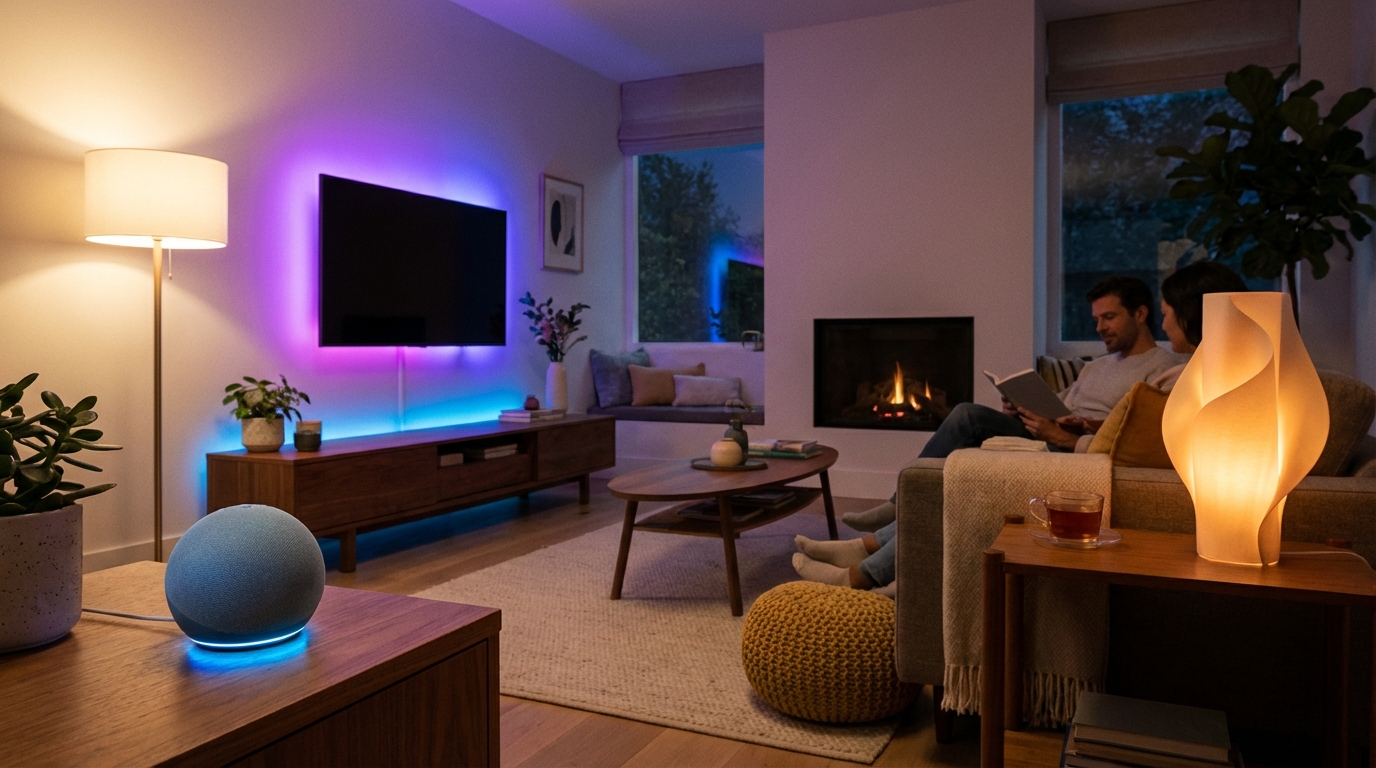
Tired of fumbling for light switches in the dark or forgetting to turn off lights when you leave home? Automating your lights with Alexa transforms your daily routine into a seamless, hands-free experience. Whether you want lights that turn on when you wake up, dim for movie time, or automatically shut off when you’re away, Alexa makes it surprisingly simple.
In this comprehensive guide, you’ll learn everything you need to automate your lights with Alexa—from choosing compatible smart bulbs to creating advanced routines and schedules. We’ll walk you through each step, share budget-friendly options, and help you avoid common pitfalls. By the end, you’ll have a fully automated lighting system that responds to your voice, schedule, and even your presence.
Our Product Picks
Smart Bulbs – Best Overall
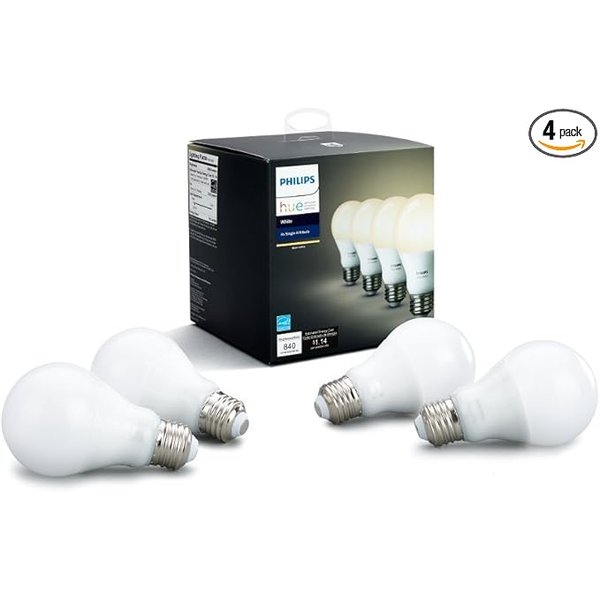
Philips Hue White Smart Bulbs
Philips Hue bulbs are widely regarded as the gold standard for smart lighting, offering reliable performance and seamless Alexa integration. These bulbs work without a hub when connected directly via Bluetooth, though adding the Hue Bridge unlocks more advanced features and better reliability.
Key Features: – Direct Alexa integration (no hub required for basic use) – 800 lumens brightness with dimming capability – 25,000-hour lifespan – Expandable ecosystem with thousands of accessories
Smart Bulbs – Best Budget Option
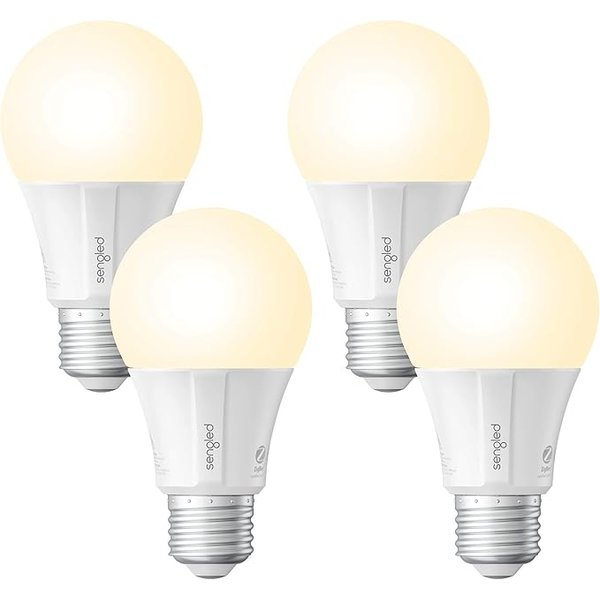
Sengled Smart Bulbs
Sengled bulbs deliver excellent value for budget-conscious buyers without sacrificing essential features. These bulbs connect directly to Alexa devices with built-in Zigbee hubs, eliminating the need for additional hardware while keeping costs low.
Key Features: – No hub required with compatible Echo devices – 800 lumens with full dimming range – Energy-efficient LED technology – Responsive voice control and scheduling
Smart Bulbs – Best Color Option
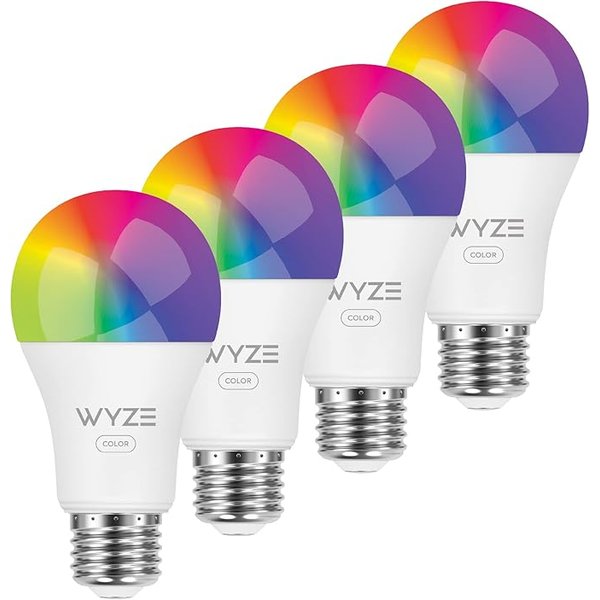
Wyze Bulb Color
For those wanting color-changing capabilities without the premium price tag, Wyze Bulb Color offers 16 million colors and excellent app control. According to user reviews, these bulbs provide vibrant colors and reliable connectivity at a fraction of competitor prices.
Key Features: – 16 million color options plus tunable white – 1100 lumens brightness – Wi-Fi connectivity (no hub needed) – Scheduling and vacation mode built-in
Echo Device – Best for Lighting Control
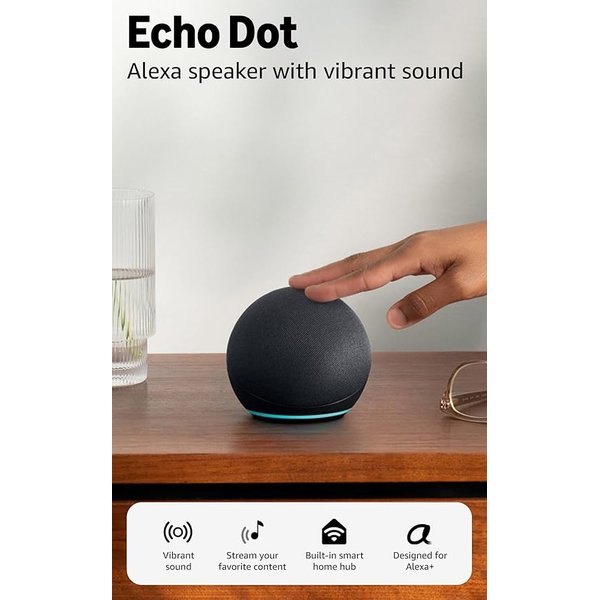
Echo Dot (5th Gen)
The latest Echo Dot serves as an affordable control hub for your smart lighting system. With a built-in Zigbee hub, it can directly connect to compatible bulbs without requiring additional bridges or hubs, making setup incredibly straightforward.
Key Features: – Built-in Zigbee smart home hub – Improved sound quality over previous generations – Temperature sensor for automation triggers – Compact design fits anywhere
What You Need to Get Started
Before diving into automation, let’s cover the essential components you’ll need. The good news? You probably already own some of these items.
Required Items: – An Alexa-enabled device (Echo Dot, Echo, Echo Show, etc.) – Smart bulbs or smart switches compatible with Alexa – Stable Wi-Fi network – The Alexa app on your smartphone
Optional but Helpful: – Smart home hub (like Philips Hue Bridge or SmartThings Hub) for more devices – Smart plugs for making existing lamps “smart” – Motion sensors for presence-based automation
Understanding Your Smart Lighting Options
You have three main approaches to automating lights with Alexa, each with distinct advantages and limitations.
Smart Bulbs
Smart bulbs replace your existing bulbs and connect directly to your Wi-Fi or via a hub. They’re the most popular option because they’re easy to install and offer features like dimming and color changing.
Pros: – Easy installation—just screw in like regular bulbs – Color and dimming capabilities – Works with any fixture
Cons: – Wall switches must stay “on” for smart features to work – More expensive than regular bulbs – Need to replace each bulb individually
Smart Switches
Smart switches replace your existing wall switches, making any connected light “smart.” This approach works well if you have multiple bulbs on one circuit or prefer traditional switches.
Pros: – Controls multiple bulbs with one device – Physical switch still functions normally – Often more cost-effective for multiple bulbs
Cons: – Requires electrical wiring (may need electrician) – No color-changing capability – Typically no per-bulb control
Smart Plugs
Smart plugs turn any lamp into a smart device by controlling the power outlet. They’re perfect for table lamps, floor lamps, and other plug-in lighting.
Pros: – No installation required – Works with any plug-in lamp – Very affordable
Cons: – Limited to plug-in devices only – Takes up an outlet – No dimming unless lamp has built-in dimmer
The Kasa Smart Plug Mini is an excellent budget option that works flawlessly with Alexa and maintains a compact profile.
Step-by-Step: Setting Up Smart Bulbs with Alexa
Let’s walk through the complete setup process for smart bulbs, the most common automation choice.
Step 1: Install Your Smart Bulbs
Screw your smart bulbs into the desired fixtures just like regular bulbs. Make sure the wall switch is in the “on” position—it needs to stay on for the smart features to work.
Important tip: Start with just one or two bulbs in your first room. Once you’re comfortable with the process, expand to other areas.
Step 2: Enable the Bulb’s Skill in Alexa
Open the Alexa app on your smartphone and tap “More” in the bottom right corner. Select “Skills & Games” and search for your bulb manufacturer (Philips Hue, Sengled, Wyze, etc.).
Tap “Enable to Use” and sign in with your account credentials from the bulb manufacturer. This connects your bulbs to Alexa’s ecosystem.
Step 3: Discover Devices
In the Alexa app, tap “Devices” at the bottom of the screen, then tap the “+” icon in the upper right. Select “Add Device” and choose “Light.”
Follow the prompts to search for new devices. Alexa will scan your network and discover your smart bulbs. This process typically takes 20-45 seconds.
Step 4: Name Your Devices
Give each bulb a clear, intuitive name. Use room-based naming like “Bedroom Lamp” or “Kitchen Overhead” rather than generic names like “Light 1.”
Pro tip: Avoid names that sound similar to prevent Alexa confusion. “Living Room Light” and “Dining Room Light” work better than “Front Light” and “Front Right.”
Step 5: Organize into Groups
Create groups to control multiple lights simultaneously. In the Alexa app, go to “Devices,” tap the “+” icon, and select “Add Group.”
Common groups include “Bedroom,” “Living Room,” “Upstairs,” or “All Lights.” Add the relevant bulbs to each group.
Setting Up Voice Commands
Once your bulbs are configured, you can control them with simple voice commands. Here are the most useful commands to get started:
Basic Commands: – “Alexa, turn on [light name]” – “Alexa, turn off [light name]” – “Alexa, dim [light name]” – “Alexa, set [light name] to 50%”
Group Commands: – “Alexa, turn on the bedroom lights” – “Alexa, turn off all lights” – “Alexa, dim the living room”
Color Commands (for color bulbs): – “Alexa, set [light name] to blue” – “Alexa, make the bedroom purple” – “Alexa, set [light name] to warm white”
Scene Commands: – “Alexa, set [light name] to reading mode” – “Alexa, set bedroom to relax” – “Alexa, movie time”
Creating Automated Routines
Routines are where the real magic happens. They let you automate lights based on time, triggers, or voice commands without repeating instructions.
Time-Based Routines
Time-based routines execute actions at specific times. They’re perfect for daily lighting schedules.
Morning Routine Example:
- Open the Alexa app and tap “More” → “Routines”
- Tap the “+” icon to create a new routine
- Tap “When this happens” and select “Schedule”
- Set the time (e.g., 7:00 AM on weekdays)
- Tap “Add action” and select “Smart Home”
- Choose your bedroom lights and set them to turn on at 30% brightness
Evening Routine Example: Set lights to turn off automatically at bedtime. Follow the same steps but set the action to turn lights off at 11:00 PM.
Sunrise/Sunset Routines
Alexa can automatically adjust your schedule based on actual sunrise and sunset times in your location.
- Create a new routine
- Select “Schedule” as the trigger
- Choose “At Sunrise” or “At Sunset”
- Add an offset if desired (e.g., 30 minutes after sunset)
- Add your lighting actions
This is particularly useful for outdoor lights or creating the illusion that someone’s home when you’re traveling.
Voice-Activated Routines
Custom voice commands can trigger multiple actions simultaneously.
Movie Time Routine Example:
- Create a new routine
- Tap “When this happens” → “Voice”
- Enter the phrase “movie time”
- Add actions: – Turn off overhead lights – Dim floor lamp to 10% – Set TV bias lighting to blue
Now saying “Alexa, movie time” executes all actions at once.
Motion-Activated Routines
If you have compatible motion sensors like the Aqara Motion Sensor, you can trigger lights automatically when entering a room.
- Create a new routine
- Select “Smart Home” as the trigger
- Choose your motion sensor
- Select “Detects motion”
- Add lighting actions
Advanced tip: Add a second routine that turns lights off after no motion is detected for 5 minutes, creating a fully automated room.
Advanced Automation Techniques
Once you’re comfortable with basic routines, these advanced techniques take your lighting automation to the next level.
Presence-Based Automation
Using your phone’s location, Alexa can turn lights on when you arrive home or off when you leave.
- Create a routine with “When this happens” → “Location”
- Select “When you arrive” or “When you leave”
- Set your home address
- Add lighting actions
This works particularly well for outdoor lights or ensuring you never leave lights on when away.
Conditional Routines
Use the “Suppress actions” feature to add conditions. For example, only turn on lights if the sun has set.
This prevents your “arriving home” routine from turning on lights unnecessarily during daylight hours.
Integration with Other Smart Devices
Combine lighting with other smart devices for sophisticated automation:
- Turn on lights when your Ring Doorbell detects motion
- Sync lights with your Amazon Smart Thermostat for energy savings
- Flash lights when your smart lock is unlocked
Color Temperature Scheduling
Adjust your bulb’s color temperature throughout the day to match natural light patterns:
- Morning: Cool white (5000K-6500K) for alertness
- Afternoon: Neutral white (3500K-4500K)
- Evening: Warm white (2700K-3000K) for relaxation
Create separate routines for each time period to support your circadian rhythm naturally.
Troubleshooting Common Issues
Even with straightforward setup, you might encounter occasional hiccups. Here’s how to resolve the most common problems.
Lights Not Responding to Voice Commands
Solution steps:
- Check if the bulb’s power switch is on
- Verify your Wi-Fi connection is stable
- Restart your Echo device by unplugging for 30 seconds
- Rediscover devices in the Alexa app
- Disable and re-enable the bulb’s skill
Delayed Response Times
If there’s a noticeable lag between commands and actions, your Wi-Fi network might be overwhelmed.
Solutions: – Move your router closer to smart devices – Reduce the number of devices on your network – Upgrade to a mesh Wi-Fi system for better coverage – Use bulbs with a dedicated hub (like Philips Hue Bridge)
Routines Not Triggering
When routines fail to execute:
- Check if the routine is enabled (easy to accidentally disable)
- Verify the time zone setting in your Alexa app
- Ensure your phone has location permissions for the Alexa app (for location-based routines)
- Test individual actions to identify which component is failing
Bulbs Becoming Unresponsive
Smart bulbs can lose connection, especially after power outages.
Quick fix: Turn the light switch off for 10 seconds, then back on. Most bulbs will reconnect automatically within 30 seconds.
Preventive measure: Consider using smart switches instead of bulbs in frequently problematic areas, as they maintain constant power.
Choosing Between Wi-Fi, Zigbee, and Bluetooth Bulbs
Understanding connection protocols helps you choose the right bulbs for your situation.
Wi-Fi Bulbs
Examples: Wyze Bulb Color, many budget brands
Wi-Fi bulbs connect directly to your home network without requiring a hub. They’re simple to set up but can congest your network if you have many devices.
Best for: Small setups (5-10 bulbs), renters who want simple installation
Zigbee Bulbs
Examples: Philips Hue, Sengled, IKEA TRÅDFRI
Zigbee bulbs require a hub but create their own mesh network, reducing Wi-Fi congestion. They’re more reliable for larger installations and respond faster.
Best for: Whole-home automation (10+ bulbs), maximum reliability
Compatible Echo devices with built-in Zigbee hubs include the Amazon Echo (4th Gen) and Echo Show models.
Bluetooth Bulbs
Examples: Some Philips Hue bulbs support both Zigbee and Bluetooth
Bluetooth bulbs connect directly to your Echo device without Wi-Fi or hubs. They have limited range (typically 30-50 feet) and can’t be controlled when you’re away from home.
Best for: Single rooms, apartment dwellers, minimal automation needs
Expanding Your Smart Lighting System
Once you’ve mastered basic automation, consider these additions to enhance your system.
LED Light Strips
The Govee RGBIC LED Strips add ambient lighting behind TVs, under cabinets, or along staircases. They integrate seamlessly with Alexa for voice control and routines.
Popular applications: – TV bias lighting that adjusts with movie routines – Under-cabinet kitchen lighting – Accent lighting for shelving or artwork – Stairway safety lighting triggered by motion
Smart Switches for Multi-Bulb Fixtures
For ceiling fixtures with multiple bulbs, replacing individual bulbs becomes expensive. A smart switch controls all bulbs at once while preserving standard bulb use.
Motion Sensors for Hands-Free Control
The Aqara Motion Sensor triggers lights automatically in hallways, bathrooms, closets, and other spaces where hands-free operation makes sense.
Ideal locations: – Hallways and staircases – Bathrooms (especially at night) – Pantries and closets – Garages and utility rooms
Door/Window Sensors
The Aqara Door Sensor can trigger lights when doors open. Create a routine that turns on your entryway light when your front door opens, perfect for arriving home with arms full of groceries.
Energy Savings and Cost Benefits
One of the most practical benefits of automated lighting is reduced energy consumption.
Estimated Savings
According to Department of Energy data, lighting accounts for approximately 15% of home electricity use. Smart automation typically reduces lighting energy consumption by 30-50% through:
- Automatic shut-off when rooms are unoccupied
- Dimming capabilities that reduce power draw
- Scheduling that prevents lights left on accidentally
- LED technology that uses 75% less energy than incandescent bulbs
Example calculation: A household spending $100/month on electricity with $15 going to lighting could save $4.50-$7.50 monthly through smart automation—$54-$90 annually.
Bulb Longevity
LED smart bulbs typically last 15,000-25,000 hours compared to 1,000 hours for incandescent bulbs. Combined with automation that reduces unnecessary usage, your bulbs will last significantly longer.
Payback Period
Most users recoup their smart lighting investment within 2-3 years through electricity savings alone, not counting the convenience value.
Privacy and Security Considerations
Smart lighting involves internet-connected devices, so it’s worth considering privacy and security.
Best Practices
Secure your Wi-Fi network: – Use WPA3 encryption (or WPA2 if unavailable) – Create a strong, unique password – Change default router login credentials – Consider a separate network for smart home devices
Manage device permissions: – Review which apps have access to your Alexa account – Regularly update bulb firmware through manufacturer apps – Disable skills you no longer use
Voice recording concerns: Alexa only listens actively after hearing the wake word, but recordings are stored for service improvement. You can: – Review and delete voice recordings in the Alexa app – Enable auto-delete for recordings older than 3-18 months – Mute your Echo device when privacy is paramount
Vacation Mode Security
Use lighting automation to create the appearance of occupancy when traveling:
- Create routines that randomly turn lights on/off in different rooms
- Vary the timing slightly each day
- Include lights visible from outside
- Combine with other devices (TV, smart plugs for radios)
Who Is This For?
Beginners to smart homes will find automated lighting the perfect entry point. The setup is straightforward, requiring no special technical skills or tools. If you can screw in a light bulb and use a smartphone app, you can automate your lights with Alexa.
Budget-conscious users can start with a single Echo Dot ($50) and a couple of Sengled bulbs ($15-20 each) for under $100. Expand gradually as budget allows rather than committing to expensive whole-home systems upfront.
Tech enthusiasts ready for advanced automation will appreciate the depth of customization possible through routines, integrations, and third-party skills. The system grows with your expertise.
Renters benefit especially from smart bulbs and plugs that require no permanent installation or electrical work. Take everything with you when you move.
Accessibility needs users find voice control transformative. Eliminating the need to reach switches or navigate in the dark improves independence and safety significantly.
Frequently Asked Questions
Do smart bulbs work with regular light switches?
Yes, smart bulbs work with regular switches, but the switch must remain in the “on” position for smart features to function. When the switch is off, the bulb has no power and can’t respond to voice commands or routines. Many users place covers over switches or train household members to leave them on and use voice/app control instead.
Can I control lights when away from home?
Yes, as long as your smart bulbs connect to Wi-Fi (not just Bluetooth) and your Echo device has internet access. The Alexa app lets you control all devices remotely from anywhere. This is perfect for adjusting lights while traveling, checking if you left lights on, or turning on lights before arriving home.
Do smart bulbs work during power outages?
No, smart bulbs require electricity to function, just like regular bulbs. However, many bulbs remember their last state and return to it when power is restored. Some brands offer “power loss recovery” settings that let you choose whether bulbs turn on or stay off after outages.
How many smart bulbs can Alexa control?
Alexa supports hundreds of smart home devices per account, with no practical limit on bulbs specifically. Most users find organization becomes the limiting factor before device count—managing 30+ individual bulbs without proper grouping becomes unwieldy. Using groups and rooms keeps everything organized even in large installations.
Do I need a hub for smart bulbs?
It depends on the bulbs. Wi-Fi bulbs like Wyze don’t require hubs. Zigbee bulbs like Philips Hue and Sengled need either their manufacturer’s hub OR an Echo device with a built-in Zigbee hub (Echo 4th gen, Echo Show, Echo Plus, or Echo Dot 5th gen). Bluetooth-only bulbs connect directly to nearby Echo devices without hubs but have limited range.
Conclusion
Automating your lights with Alexa transforms daily lighting from a manual chore into an intelligent system that adapts to your lifestyle. Whether you start with a single smart bulb in your bedroom or dive into whole-home automation, the setup process is straightforward and the benefits are immediate.
The key is starting simple—install a few bulbs in your most-used spaces, create basic voice commands, then gradually add routines and expand to other rooms. Within weeks, you’ll wonder how you ever managed without automated lighting.
For most users, we recommend starting with budget-friendly options like Sengled bulbs paired with an Echo Dot. Once you experience the convenience, expanding to color bulbs, light strips, and motion sensors becomes a natural progression.
Ready to take your smart home further? Check out our related guides below for more automation ideas.
Related Articles
- Best Smart Home Devices for Alexa in 2026 – Discover which devices integrate perfectly with your Alexa ecosystem
- How to Create Advanced Alexa Routines – Master complex automations that handle multiple devices and conditions
- Smart Home Setup for Beginners: Complete Guide – New to smart home technology? Start here with the fundamentals