
Quick Picks
Short on time? Here are the best streaming devices for 2026:
- Roku Ultra 2024 (~$100) — Best overall
- Amazon Fire TV Stick 4K Max (~$60) — Best for Alexa homes
- Apple TV 4K (3rd Gen) (~$130) — Best premium / HomeKit
- Google TV Streamer (4K) (~$100) — Best for Google Home
- Amazon Fire TV Stick HD (~$35) — Best budget
A good streaming device is the cheapest upgrade you can make to your TV, and in 2026 it does double duty: it’s your gateway to every app you actually watch, and — increasingly — the hub that ties your smart home together. The same little box that streams your shows can also run Alexa, Google Home, or Apple HomeKit, control your lights and cameras from the couch, and pull up your video doorbell right on the big screen. Whether you’re cutting the cord, replacing a sluggish built-in TV interface, or setting up a den for football season, the right streamer makes everything faster and friendlier.
The market has settled into four big ecosystems — Roku, Amazon Fire TV, Apple TV, and Google TV — plus a spread of prices from about $35 to $130. The best pick for you depends less on raw specs and more on which voice assistant and phone you already use, and how much you care about speed and premium features. Below we’ve matched the top device in each lane to the person it’s right for, and every recommendation is a current model we’ve verified is available right now.
What to Look For in a Streaming Device
A few things separate a great streamer from a frustrating one.
Match it to your smart home. This is the underrated factor. If you’re an Alexa household, a Fire TV streams and becomes an Alexa screen. Apple users get a HomeKit hub built into Apple TV. Google Home folks should look at the Google TV Streamer, which even includes a Matter/Thread smart home hub. Roku stays neutral and works alongside all of them.
4K, HDR, and your TV. Nearly every device here does 4K with HDR10+ and Dolby Vision. If you have a 1080p TV, you can save money with an HD stick; if you have a nice 4K/OLED set, get a 4K player that can actually feed it Dolby Vision and Atmos.
Speed and storage. The pricier boxes (Roku Ultra, Apple TV) have faster chips and more memory, so apps launch instantly and menus never stutter. Budget sticks are fine but can feel slower over time as apps get heavier.
Stick vs. box. A stick tucks behind the TV and is great for wall-mounted sets or travel. A box sits on the console, usually runs faster, and often adds ethernet, better Wi-Fi, and extras like a lost-remote finder.
The Best Streaming Devices for 2026
Roku Ultra 2024 — Best Overall
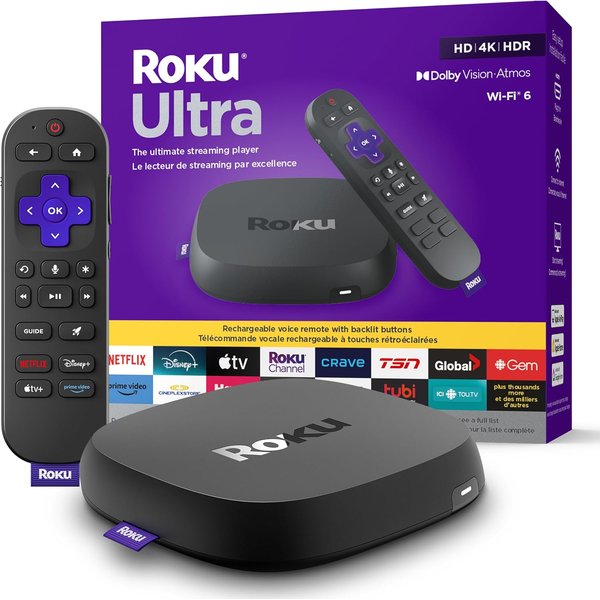
The Roku Ultra 2024 is the streamer we’d hand to almost anyone, because it nails the two things that matter most: it’s fast, and its platform is neutral. Roku doesn’t care whether you use Alexa, Google, or Apple — it just gives you a clean, no-nonsense grid of every app, and this model is the quickest Roku yet with Wi-Fi 6 and instant app launches. You get the full premium picture stack too: 4K with HDR10+, Dolby Vision, and Dolby Atmos audio.
The standout extra is the Roku Voice Remote Pro, which is rechargeable (no more AAA batteries), has a headphone jack for private late-night listening, hands-free voice control, and a lost-remote finder — genuinely useful features you’ll miss on cheaper devices. Roku’s search is also refreshingly even-handed, showing you where a movie is cheapest across services rather than pushing one store. If you want one device that’s fast, fuss-free, and works with whatever smart home gear you own, this is it.
Pros:
- Fast Wi-Fi 6 performance with instant app launches
- Ecosystem-neutral — works alongside Alexa, Google, and HomeKit
- Rechargeable Voice Remote Pro with headphone jack and finder
- 4K, HDR10+, Dolby Vision, and Dolby Atmos
- Unbiased search across streaming services
Cons:
- Pricier than a basic stick
- No deep single-ecosystem smart home hub (it’s neutral by design)
- Remote’s extra features are wasted if you never use them
Amazon Fire TV Stick 4K Max — Best for Alexa Homes
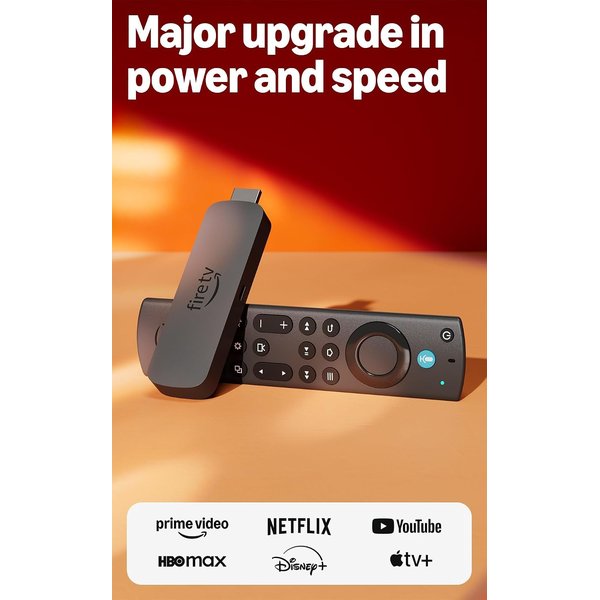
If your home already runs on Alexa, the Fire TV Stick 4K Max is the natural pick. It’s the fastest Fire TV stick, with Wi-Fi 6E for smoother 4K streaming in busy households, and it plugs your TV straight into the Alexa ecosystem. Ask the remote to dim the lights, show the front-door camera, or start a show, and it just happens on screen. Its Ambient Experience can even turn an idle TV into a smart display showing photos, the weather, or your calendar.
For anyone with Prime, Echo devices, and Ring gear, this stick makes the TV feel like the biggest screen in your Alexa setup — and it does full 4K with Dolby Vision and Atmos. The tradeoff is that the interface leans hard on promoting Amazon content, which some people find cluttered. But at around $60 for this much speed and this level of Alexa integration, it’s excellent value and the obvious choice for Alexa-first homes.
Pros:
- Fastest Fire TV stick, with Wi-Fi 6E
- Deep Alexa integration — control smart home from the remote
- Ambient Experience turns an idle TV into a smart display
- 4K with Dolby Vision and Dolby Atmos
- Great value for the performance
Cons:
- Interface heavily promotes Amazon content
- Best features assume you’re in the Alexa/Prime ecosystem
- No ethernet without an adapter
Apple TV 4K (3rd Generation) — Best Premium & for HomeKit
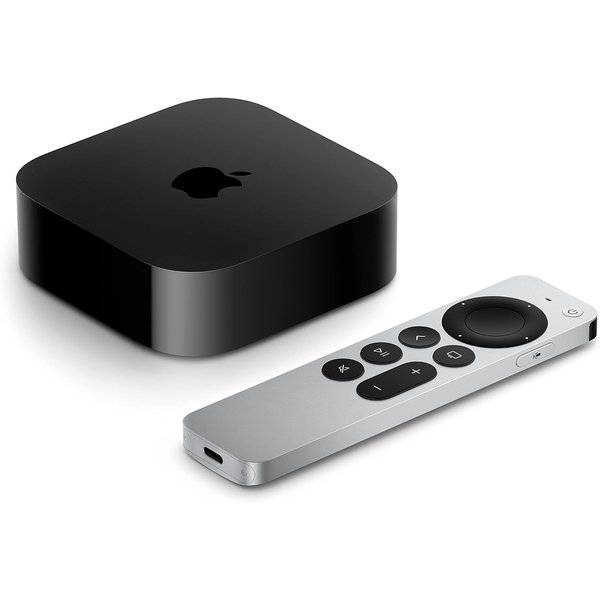
The Apple TV 4K is the most powerful, polished streamer on this list, and if you live in Apple’s world it’s a no-brainer. Its A15 chip makes every other box feel a step slow — menus and apps are instant, and it handles demanding games well too. The interface is clean and refreshingly free of ads, and AirPlay lets you throw anything from your iPhone, iPad, or Mac straight to the TV. It’s the premium experience, and it feels like it.
For smart homes, the 64GB Wi-Fi model doubles as a HomeKit hub: it lets you control your Apple Home accessories remotely and run automations even when you’re away, and the Siri Remote is the nicest clicker in the category. It’s the priciest pick here at around $130, and it only truly shines for Apple users — but for them, nothing else comes close. If you’ve got iPhones and a HomeKit setup, this is the one to buy.
Pros:
- Fastest, most fluid interface of any streamer
- Clean, ad-free menus
- Doubles as a HomeKit hub for Apple Home automations
- Excellent AirPlay integration with iPhone, iPad, and Mac
- Premium Siri Remote
Cons:
- Most expensive option here
- Only worth it inside the Apple ecosystem
- Overkill if you just want to stream a few apps
Google TV Streamer (4K) — Best for Google Home
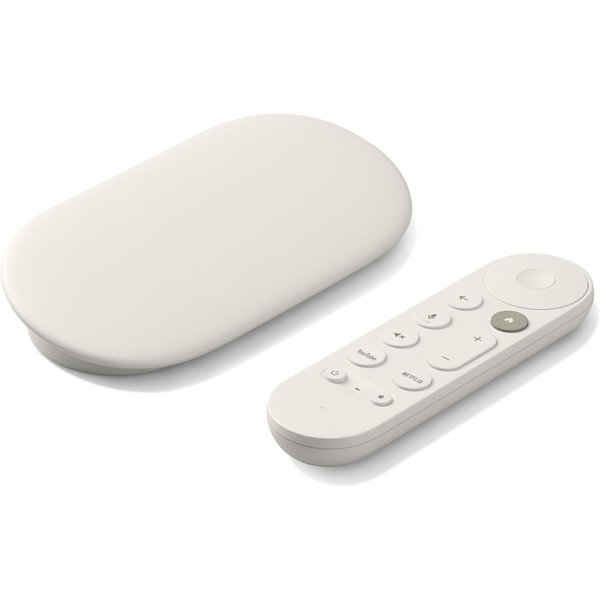
The Google TV Streamer is Google’s replacement for the old Chromecast, and it’s a real upgrade — a proper box rather than a dongle, with more speed, more storage, and ethernet. For anyone in the Google/Android world it’s the best fit: the Google TV interface pulls all your services into one personalized “For You” feed with genuinely good recommendations, and the remote has a built-in Google Assistant for voice search and smart home control.
Its smart home credentials are the strongest here: it includes a built-in smart home hub with Matter and Thread support, so it can act as the central controller for compatible lights, locks, and sensors, and you can pull up camera feeds and device controls right on the TV. At around $100 it sits alongside the Roku Ultra on price, and the decision between them comes down to ecosystem — if your phone is Android and your smart home leans Google, this is your pick.
Pros:
- Built-in Matter/Thread smart home hub
- Excellent, personalized Google TV recommendations
- Google Assistant voice search and control from the remote
- Faster than the old Chromecast, with ethernet and more storage
- 4K with Dolby Vision and Atmos
Cons:
- Best value only inside the Google/Android ecosystem
- Interface surfaces a lot of recommendations some find busy
- Pricier than a basic Chromecast-style dongle
Amazon Fire TV Stick HD — Best Budget
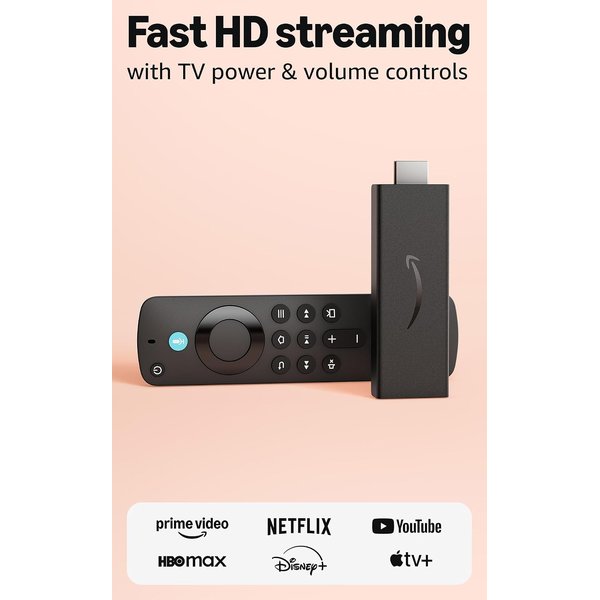
Not every TV needs a $100 box. The Fire TV Stick HD is the smart, cheap way to make an older or secondary 1080p TV — a bedroom, a dorm, a guest room — genuinely smart. For around $35 you get the full Fire TV app library, an Alexa Voice Remote, and the same smart home controls as the pricier Fire sticks, just at HD resolution instead of 4K. On a 1080p screen you won’t miss the 4K anyway.
It’s the pick when you want to add streaming to a second TV without overspending, or need an easy, packable option to bring on trips. It won’t feel as snappy as the 4K Max and it tops out at 1080p, but for the price and for the right TV, it does exactly what it should. Pair it with the room’s existing setup and you’ve got a fully capable smart TV for the cost of a couple of takeout meals.
Pros:
- Very affordable — ideal for secondary or older TVs
- Full Fire TV app library and Alexa Voice Remote
- Same smart home controls as pricier Fire sticks
- Compact and travel-friendly
Cons:
- 1080p only — no 4K
- Slower than the 4K Max
- Interface still pushes Amazon content
Streaming Device Comparison
| Product | Best For | Approx. Price | Resolution | Smart Home Angle |
|---|---|---|---|---|
| Roku Ultra 2024 | Overall | ~$100 | 4K Dolby Vision | Neutral (works with all) |
| Fire TV Stick 4K Max | Alexa homes | ~$60 | 4K Dolby Vision | Alexa control + Ambient |
| Apple TV 4K (3rd Gen) | Premium / Apple | ~$130 | 4K Dolby Vision | HomeKit hub |
| Google TV Streamer | Google homes | ~$100 | 4K Dolby Vision | Matter/Thread hub |
| Fire TV Stick HD | Budget / 1080p TVs | ~$35 | 1080p HD | Alexa control |
The short version: pick by your ecosystem. Apple house → Apple TV 4K. Alexa house → Fire TV Stick 4K Max. Google house → Google TV Streamer. No strong allegiance, or you want the fastest neutral option → Roku Ultra. Second TV on a budget → Fire TV Stick HD.
How to Choose the Right Streaming Device
Start with the phone in your pocket and the voice assistant on your counter. That single fact answers most of the question: your streamer should match the ecosystem you already use, because that’s where it stops being just a video player and starts being a genuinely useful part of your smart home. An iPhone-and-HomeKit household gets far more from an Apple TV than from anything else; an Echo-filled home gets more from a Fire TV.
If you’re ecosystem-agnostic — you just want to watch stuff without a box nagging you — the Roku Ultra is the easy answer, fast and neutral. Then factor in your TV: a 4K or OLED set deserves a 4K player that can push Dolby Vision, while a 1080p TV in a spare room is perfectly happy with the cheap HD stick. Finally, decide if speed matters to you; if you hate waiting for apps to load, the pricier boxes (Roku Ultra, Apple TV) are worth the premium.
Once your TV is streaming smartly, it’s worth rounding out the setup. Our guides to the best smart soundbars and best smart home hubs pair naturally with a new streamer, and if you’re still deciding which voice ecosystem to commit to, our Alexa vs Google Home comparison will help you choose.
Frequently Asked Questions
Do I still need a streaming device if I have a smart TV?
Often, yes. Built-in smart TV platforms tend to get slow and outdated within a couple of years, drop app support, and show more ads over time. A dedicated streaming device is faster, gets updated longer, has a better remote, and gives you a consistent interface you can move to your next TV. It’s a cheap way to make an aging smart TV feel new again.
Which streaming device is best for smart home control?
It depends on your ecosystem. Fire TV devices integrate deeply with Alexa; the Apple TV 4K (64GB) doubles as a HomeKit hub for Apple Home; and the Google TV Streamer includes a Matter/Thread hub for Google Home setups. Roku is the neutral option that works alongside any of them without being a hub itself. Pick the one that matches the voice assistant you already use.
Do I need 4K, or is an HD streaming stick enough?
If your TV is 4K, get a 4K device so you can actually see the higher resolution plus HDR and Dolby Vision. If your TV is 1080p — common on older sets and secondary TVs — an HD stick like the Fire TV Stick HD saves money and looks identical on that screen, since the TV can’t display 4K anyway. Match the device to the TV, not the other way around.
Are streaming devices worth it for cord-cutting?
Absolutely. A streaming device is the foundation of cutting the cord: it gives you access to free and live TV apps, subscription services, and rentals all in one place, usually for a one-time cost of $35–$130. Combined with a couple of streaming subscriptions or free ad-supported channels, it typically costs far less than a cable bill while giving you far more to watch.
Can I move my streaming device between TVs?
Yes, and it’s one of their best perks. Because your apps and logins live in your account, you can unplug a stick or box, plug it into another TV, sign in, and everything’s exactly as you left it. That portability makes them great for travel too — bring a stick to a hotel and your home streaming setup comes with you.
The Bottom Line
The best streaming device for you is the one that matches the ecosystem you already live in — that’s when it graduates from a simple video player into a fast, useful hub for your whole living room. Apple households should get the Apple TV 4K, Alexa homes the Fire TV Stick 4K Max, and Google homes the Google TV Streamer, while the Roku Ultra 2024 is the fast, neutral pick for everyone else and the Fire TV Stick HD is the no-brainer budget choice for a second TV. Any of them will make your TV quicker, smarter, and better connected to the rest of your home — for less than the cost of a single month of cable.