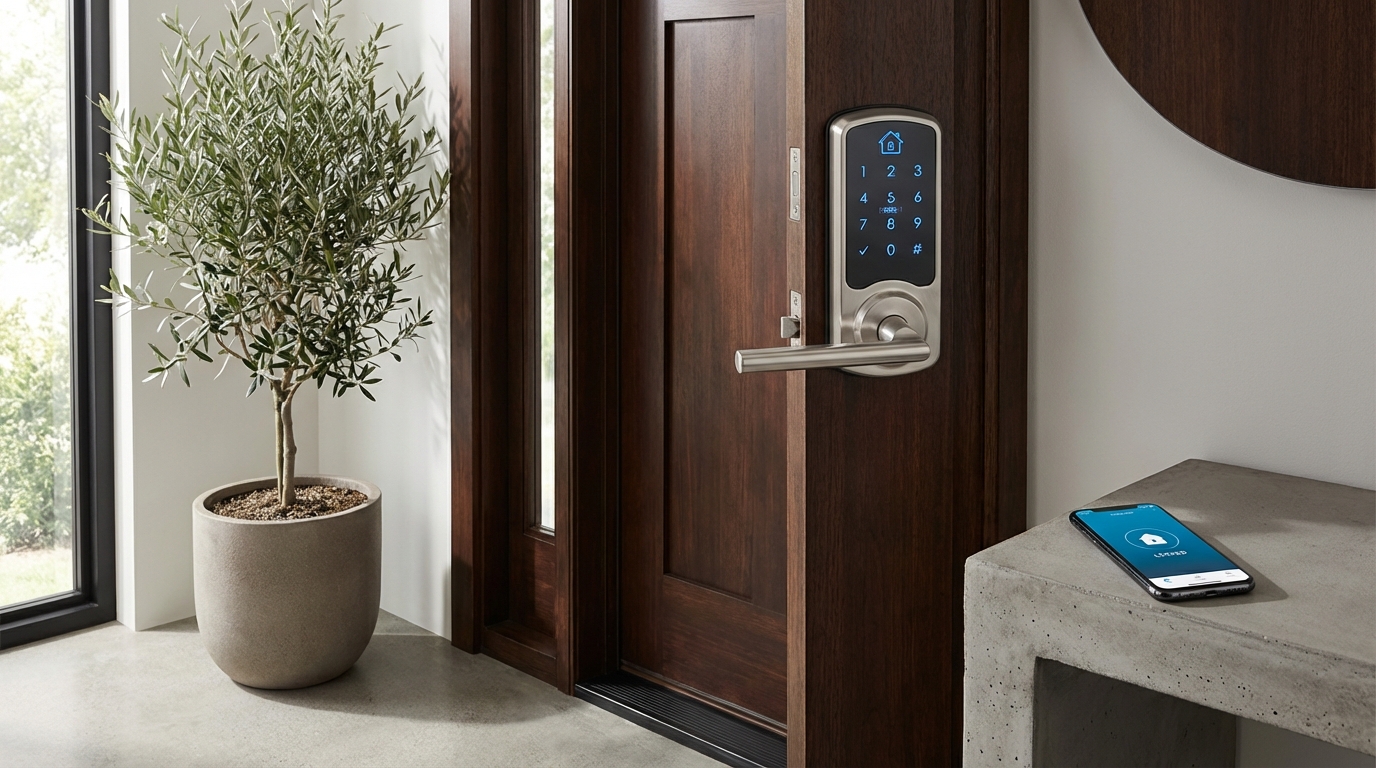
Quick Picks
Short on time? Here are the top smart locks worth buying right now:
- Yale Assure Lock 3 Ultra ($349) — Best overall. UWB hands-free unlocking is the real deal, and Matter support means it works with everything.
- Aqara Smart Lock U200 ($229) — Best value. Fingerprint reader, keypad, USB-C rechargeable battery, and Matter support at a mid-range price.
- Schlage Encode Plus ($339) — Best for Apple users. BHMA Grade 1 security (commercial-grade) with Apple Home Key built in.
- Eufy Smart Lock E31 ($189) — Best budget pick. Fingerprint + keypad under $200 with zero subscription fees.
Introduction
Fumbling for keys in the dark or worrying whether you remembered to lock the door are problems that belong in the past. Smart locks have evolved dramatically, and the best smart locks 2026 brings to market combine bulletproof security with convenience features that genuinely make your life easier.
In this comprehensive guide, you’ll discover the top smart locks available right now, based on verified user reviews, manufacturer specifications, and expert analysis from security professionals. Whether you’re looking for a budget-friendly option under $100 or a premium lock with every bell and whistle, we’ll help you find the perfect fit for your home’s security needs.
Let’s dive into what makes a smart lock worth your investment in 2026.
What Makes a Smart Lock “Smart” in 2026?
The smart lock landscape has matured significantly. Today’s best models go far beyond simple remote locking and unlocking.
Matter Protocol Support has become the baseline expectation. This universal smart home standard means your lock works seamlessly with Apple Home, Google Home, Alexa, and Samsung SmartThings without choosing sides. According to industry reports, over 85% of smart locks released in 2025-2026 include Matter support.
Ultra-Wideband (UWB) Technology represents the biggest leap forward. This technology allows your phone to detect precisely where you are relative to your door, enabling true hands-free unlocking as you approach — without the false triggers that plagued earlier Bluetooth-based auto-unlock features.
AI-Powered Security Features are becoming standard in mid-range and premium models. These include anomaly detection that alerts you to unusual access patterns, temporary codes that expire automatically, and integration with video doorbells for visual verification before remote unlocking.
Top 8 Best Smart Locks in 2026
1. Yale Assure Lock 3 Ultra with UWB
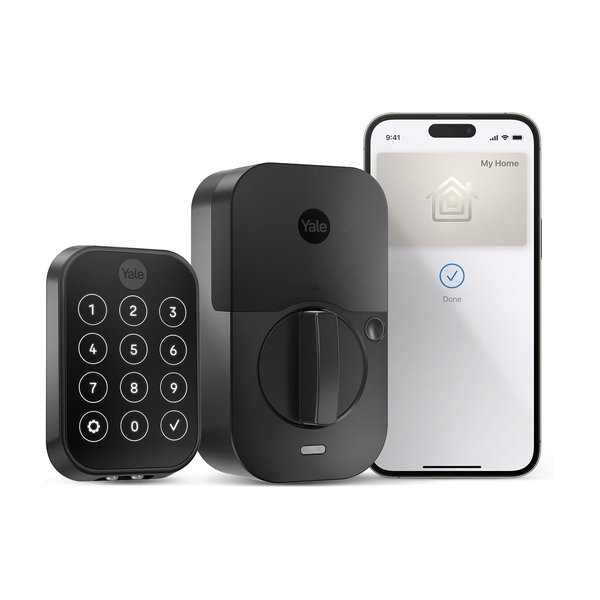
Price: $349
The Yale Assure Lock 3 Ultra consistently receives top ratings from users and security experts alike. This third-generation model addresses every complaint about its predecessors while adding cutting-edge features.
Key Features:
- Ultra-Wideband hands-free unlocking (works with iPhone 11 and newer, select Android devices)
- Matter-certified for universal smart home compatibility
- Built-in Wi-Fi (no bridge required)
- Tamper-resistant design with alarm
- Battery life up to 12 months
Pros:
- Installation takes under 15 minutes according to user reviews
- UWB unlocking is remarkably reliable based on verified owner feedback
- Works with existing deadbolts on most standard doors
- Sleek touchscreen keypad with privacy shield
Cons:
- Premium price point
- UWB features limited to compatible smartphones
- Touchscreen can be harder to see in direct sunlight (per user reports)
Verdict: If you want the most advanced smart lock technology available in 2026 and have a compatible smartphone, the Yale Assure Lock 3 Ultra represents the gold standard. The UWB technology delivers on the promise of truly seamless entry.
2. August Wi-Fi Smart Lock
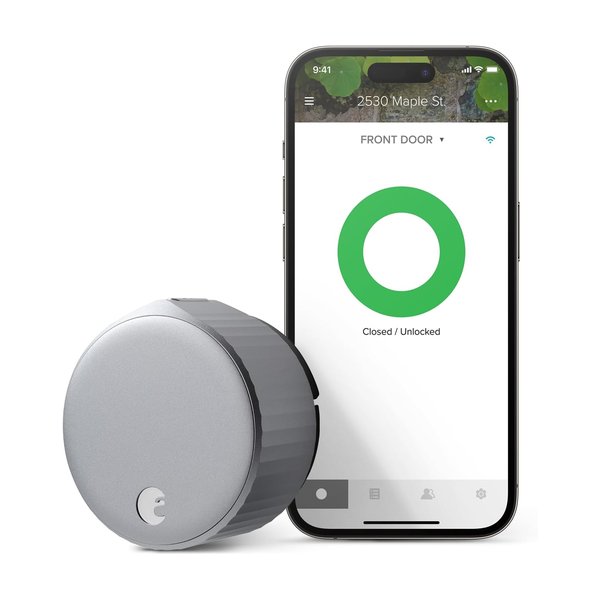
Price: $279
August built its reputation on retrofit simplicity, and this model maintains that advantage while finally adding the features power users demanded.
Key Features:
- Installs on interior side only — exterior remains unchanged
- Built-in Wi-Fi and Matter support
- DoorSense technology confirms door is fully closed
- Auto-lock and auto-unlock with geofencing
- Works with existing keys and deadbolt
Pros:
- Easiest installation — no removal of exterior hardware
- Ideal for rentals where exterior modifications aren’t allowed
- Compact design that doesn’t protrude excessively
- Activity log tracks all entries and exits
Cons:
- No keypad option (must use phone or existing keys)
- Slightly bulkier than some competing interior-only designs
- Battery life around 8 months (shorter than some competitors)
Verdict: Perfect for renters or anyone who wants smart lock convenience without changing their door’s exterior appearance. The installation simplicity is unmatched, though the lack of a keypad may be a dealbreaker for some households.
3. Schlage Encode Plus
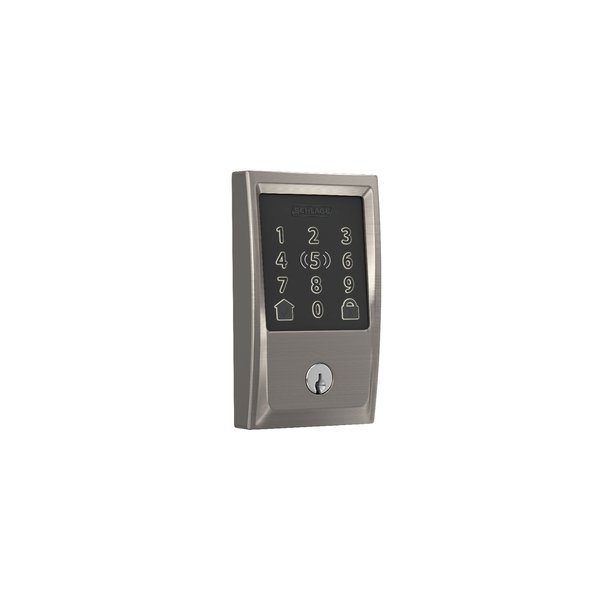
Price: $339
Schlage’s commercial-grade security reputation translates beautifully to residential smart locks. The Encode Plus targets security-conscious homeowners who won’t compromise on build quality.
Key Features:
- Apple Home Key support for unlocking with Apple Watch or iPhone
- Built-in alarm with 15 triggered alerts
- BHMA Grade 1 security rating (highest residential rating)
- Built-in Wi-Fi with Matter compatibility
- Fingerprint-resistant touchscreen
Pros:
- Exceptionally solid build quality noted consistently in reviews
- Apple Home Key integration works flawlessly according to Apple ecosystem users
- Alarm features provide additional security layer
- Weather-resistant coating handles extreme temperatures
Cons:
- Apple Home Key limited to Apple devices (Android users miss key features)
- Slightly more complex installation than some competitors
- Bulkier profile may not suit all door styles
Verdict: The best choice for Apple users who prioritize security above all else. The BHMA Grade 1 rating means this lock meets the same standards as commercial buildings, and user reviews consistently praise its tank-like construction.
4. Aqara Smart Lock U200
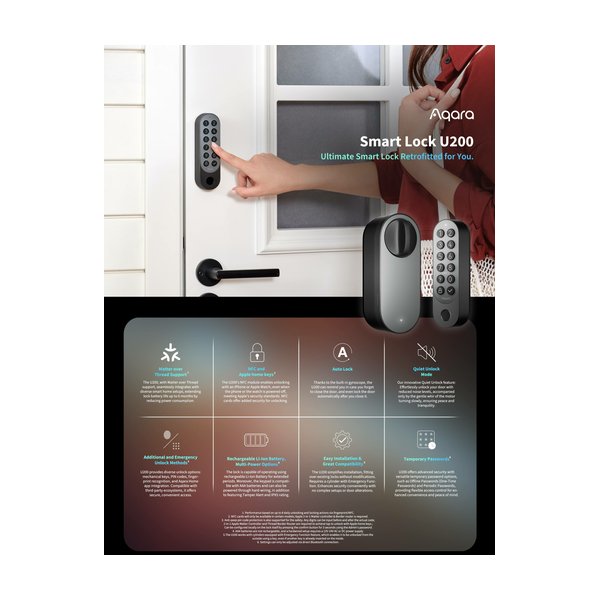
Price: $229
Aqara’s U200 brings premium features to a mid-range price point, earning it “best value” recognition from multiple tech review outlets in early 2026.
Key Features:
- Fingerprint reader, keypad, and smartphone access
- Matter support with Thread connectivity
- Built-in rechargeable battery (USB-C charging)
- IPX5 water resistance
- Works with Aqara Home and all major platforms
Pros:
- Multiple entry methods provide excellent flexibility
- Fingerprint sensor receives praise for speed and accuracy
- Rechargeable battery eliminates ongoing battery costs
- Competitive pricing for the feature set
Cons:
- Requires Aqara Hub for full smart home integration
- Some users report occasional app connectivity hiccups
- Limited finish options compared to competitors
Verdict: Outstanding value proposition for budget-conscious buyers who don’t want to sacrifice features. The fingerprint sensor alone often costs extra on competing models, making this an excellent deal based on specifications and user feedback.
5. Level Lock+ (2026 Model)
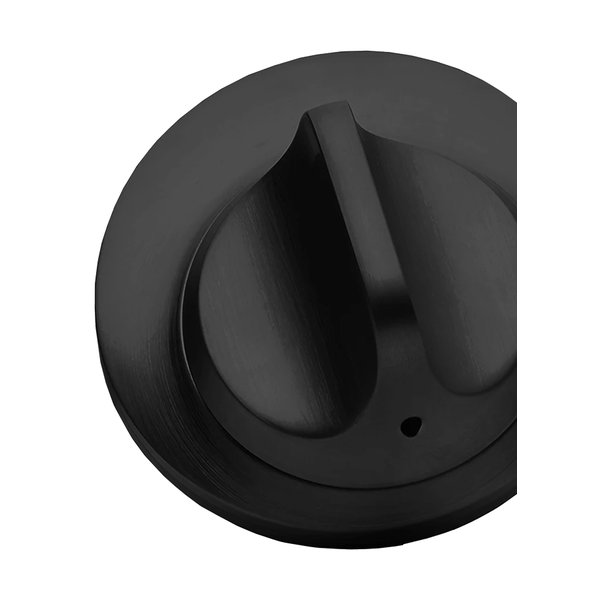
Price: $329
Level Lock+ maintains the company’s signature invisible design while finally adding the connectivity options users requested.
Key Features:
- Completely invisible from exterior — fits inside door edge
- Apple Home Key and Matter support
- Built-in Wi-Fi (new for 2026)
- Works with existing keys and deadbolt
- Premium metal construction
Pros:
- Absolutely no visible exterior changes to your door
- Premium aesthetics appeal to design-conscious homeowners
- Intuitive Level app interface widely praised
- No batteries to change in deadbolt position (powered by interior component)
Cons:
- Most expensive option per feature
- Installation more complex — professional installation recommended
- Requires specific door thickness and deadbolt compatibility
- Limited to standard deadbolt positions
Verdict: The ultimate choice for those who want smart lock functionality without any visible hardware changes. According to architectural and design forums, this is the preferred option for high-end homes where aesthetics are paramount.
6. Eufy Security Smart Lock E31
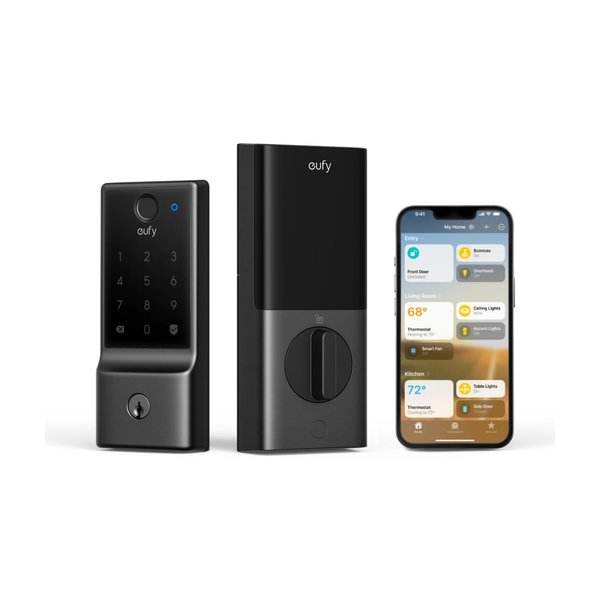
Price: $189
Eufy brings its security camera expertise to smart locks with an impressively featured budget option.
Key Features:
- Fingerprint reader and touchscreen keypad
- Matter compatible with local processing
- Bluetooth and Wi-Fi connectivity
- No subscription required for any features
- Weatherproof design rated for outdoor use
Pros:
- Excellent value at under $200
- All features work without monthly fees (unlike some competitors)
- Fingerprint storage up to 100 users
- Fast fingerprint recognition based on user reports
Cons:
- Plastic construction feels less premium than metal alternatives
- Basic app interface lacking some advanced scheduling features
- Customer support receives mixed reviews
Verdict: Best budget smart lock for 2026 if you want fingerprint access without breaking the bank. Eufy’s commitment to no subscription fees makes this particularly attractive for long-term value according to cost analysis.
7. Google Nest x Yale Lock (2026 Edition)
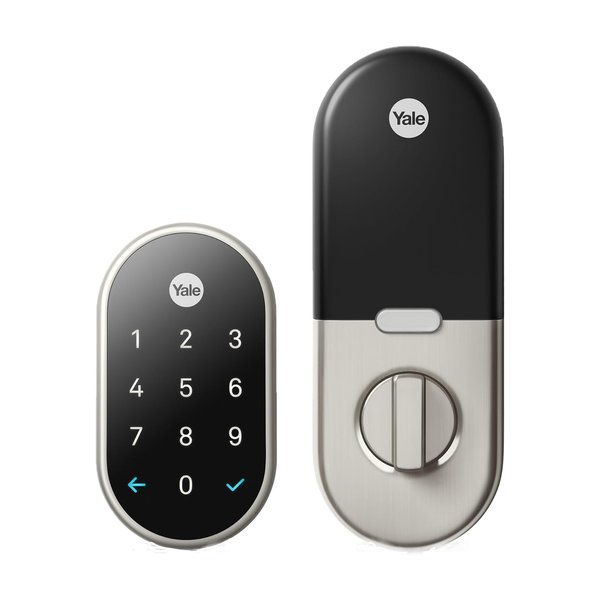
Price: $299
The collaboration between Google and Yale continues with improved integration into the Google Home ecosystem.
Key Features:
- Deep Google Home integration with Nest cameras
- Tamper-proof touchscreen keypad
- Built-in Wi-Fi with Matter support
- Private access codes with scheduling
- Works with Google Assistant voice commands
Pros:
- Exceptional integration if you use Nest cameras and Google Home
- Touchscreen keypad receives consistent praise for reliability
- Clean, modern design suits contemporary homes
- Voice commands through Google Assistant work reliably
Cons:
- Best features require Google Home ecosystem investment
- No fingerprint reader option
- Limited finish choices (only two colors)
Verdict: The obvious choice if you’re already invested in the Google Home and Nest ecosystem. The camera-lock integration allows you to see who’s at the door before remotely unlocking, which user reviews identify as genuinely useful for deliveries and guests.
8. Lockly Vision Elite
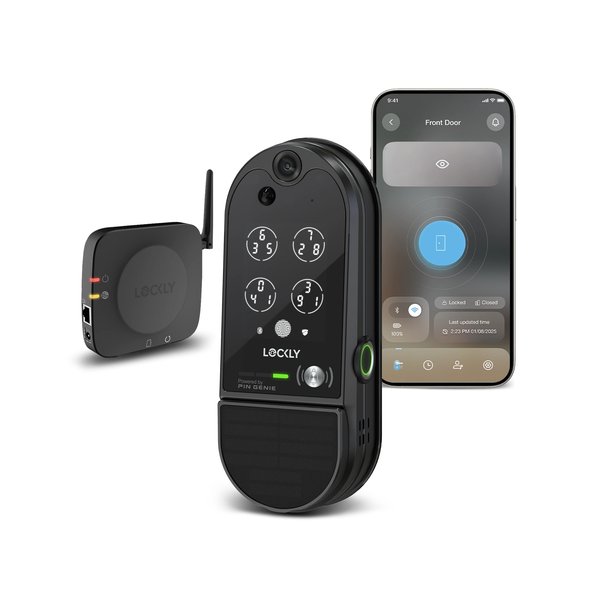
Price: $399
Lockly’s Vision Elite combines a smart lock with a video doorbell, targeting users who want an all-in-one security solution.
Key Features:
- Integrated 1080p HD camera with two-way audio
- PIN Genie keypad with changing button positions (anti-peep technology)
- Fingerprint reader
- Offline access codes work even without connectivity
- Built-in rechargeable battery
Pros:
- Two devices in one saves door space and installation time
- PIN Genie technology provides extra security against shoulder surfing
- Video doorbell integration works seamlessly
- Multiple biometric options maximize flexibility
Cons:
- Highest price point on this list
- Bulkier design due to camera integration
- Rechargeable battery requires more frequent charging than battery models
- Optional cloud storage requires subscription for video history
Verdict: Best for security-focused users who want an integrated solution and don’t mind the premium price. The combined lock-camera design receives positive feedback from users who appreciate the unified design, though the subscription requirement for video storage adds to long-term costs.
Smart Lock Feature Comparison Table
| Model | Price | UWB | Fingerprint | Built-in Wi-Fi | Matter | Battery Life |
|---|---|---|---|---|---|---|
| Yale Assure Lock 3 Ultra | $349 | Yes | No | Yes | Yes | 12 months |
| August Wi-Fi Smart Lock | $279 | No | No | Yes | Yes | 8 months |
| Schlage Encode Plus | $339 | No | No | Yes | Yes | 10 months |
| Aqara U200 | $229 | No | Yes | No* | Yes | Rechargeable |
| Level Lock+ | $329 | No | No | Yes | Yes | N/A** |
| Eufy E31 | $189 | No | Yes | Yes | Yes | 9 months |
| Google Nest x Yale | $299 | No | No | Yes | Yes | 10 months |
| Lockly Vision Elite | $399 | No | Yes | Yes | No | Rechargeable |
*Requires hub for Wi-Fi connectivity **Powered by interior component
How to Choose the Right Smart Lock for Your Home
Consider Your Smart Home Ecosystem
Your existing smart home setup should heavily influence your decision. According to smart home adoption statistics, most households are committed to either Apple, Google, or Amazon ecosystems.
For Apple Users: The Schlage Encode Plus or Level Lock+ offer the best Apple Home Key integration, allowing you to unlock with your iPhone or Apple Watch even when your phone battery dies (using power reserve mode).
For Google Users: The Google Nest x Yale Lock provides the deepest integration, especially if you already use Nest cameras and thermostats.
For Universal Compatibility: Look for Matter-certified locks like the Yale Assure Lock 3 Ultra or Aqara U200, which work across all platforms without favoring one ecosystem.
Installation Complexity Matters
Smart lock installation ranges from “5-minute retrofit” to “call a professional.”
Easiest Installation: August Wi-Fi Smart Lock wins this category. It attaches to your existing interior deadbolt mechanism without removing exterior hardware. User reviews consistently mention 10-15 minute installation times.
Moderate Installation: Most smart locks replacing your entire deadbolt (Yale, Schlage, Eufy) require basic tools and 20-30 minutes. If you can install a regular deadbolt, you can handle these.
Professional Installation Recommended: Level Lock+ requires installation inside your door’s edge, which demands precise drilling. The Lockly Vision Elite’s integrated camera also benefits from professional installation to ensure proper alignment and weatherproofing.
Budget Considerations Beyond Purchase Price
The sticker price isn’t your only cost consideration.
Battery Costs: Models using standard AA batteries (most locks) cost roughly $10-15 annually in batteries. Rechargeable models like the Aqara U200 and Lockly Vision Elite eliminate this ongoing cost but require periodic charging.
Subscription Fees: Some advanced features require subscriptions. The Lockly Vision Elite charges $3-10/month for cloud video storage. However, locks like the Eufy E31 explicitly promise no subscription requirements for any features.
Hub Requirements: Locks requiring separate hubs (like some Aqara models) add $50-70 to your total investment. Many 2026 models now include built-in Wi-Fi to eliminate this cost.
Smart Lock Security: What You Need to Know
Are Smart Locks Actually Secure?
This question dominates online forums and review comment sections. According to security researchers and locksmith associations, modern smart locks meet or exceed traditional lock security when properly configured.
Physical Security: Look for locks with BHMA ratings. Grade 1 (like the Schlage Encode Plus) indicates the highest residential security. Most quality smart locks achieve Grade 2, which exceeds the security of many traditional locks already on your door.
Digital Security: All locks on this list use AES 128-bit or 256-bit encryption for communication. Security experts note that properly configured smart locks are significantly harder to hack than traditional locks are to pick — and lock picking takes seconds for skilled individuals.
The Weak Link: According to security analyses, the most common smart lock vulnerabilities aren’t in the locks themselves but in weak user passwords and shared access codes that aren’t regularly updated.
Best Security Practices for Smart Lock Users
Based on recommendations from security professionals and common vulnerabilities identified in user reviews:
Use Strong Passwords: Your smart home app password should be unique and complex. Enable two-factor authentication wherever available.
Update Firmware Regularly: Most breaches exploit outdated firmware. Enable automatic updates if available, or check monthly for updates.
Audit Access Regularly: Review who has access codes or app access quarterly. Delete codes for former house guests, contractors, or service providers who no longer need access.
Enable Tamper Alerts: Most smart locks can alert you to forced entry attempts or excessive failed access attempts. Actually configure these features — many users never enable them according to app usage data.
Installation Tips and Common Issues
Before You Buy: Compatibility Checks
Door compatibility issues generate the most returns and negative reviews. Check these specifications before purchasing:
Door Thickness: Most smart locks accommodate 1-3/8” to 1-3/4” thick doors. Thicker or thinner doors require specific models or adapter kits.
Backset Measurement: This is the distance from your door edge to the center of the deadbolt hole. Standard is 2-3/8” or 2-3/4”. Measure yours before purchasing.
Door Material: Metal or steel doors may require longer screws (usually included) or different installation approaches than wood doors.
Existing Deadbolt Configuration: Retrofit models like August require your existing deadbolt to be in good working condition. If your current lock sticks or doesn’t turn smoothly, address that first.
Common Installation Mistakes
User reviews and installation videos reveal these frequent errors:
Over-Tightening Screws: This is the #1 cause of operational issues. Smart locks contain sensitive electronics — gorilla-tightening screws causes misalignment and motor strain.
Skipping Calibration: Most smart locks require calibration after installation to learn your door’s lock/unlock positions. Skipping this step leads to incomplete locking.
Ignoring Alignment: The exterior and interior components must align precisely. Rushing this step causes jamming and excessive battery drain as motors work harder.
Poor Wi-Fi Signal: Smart locks installed on exterior doors far from routers often experience connectivity issues. Check signal strength before installation or consider a Wi-Fi extender.