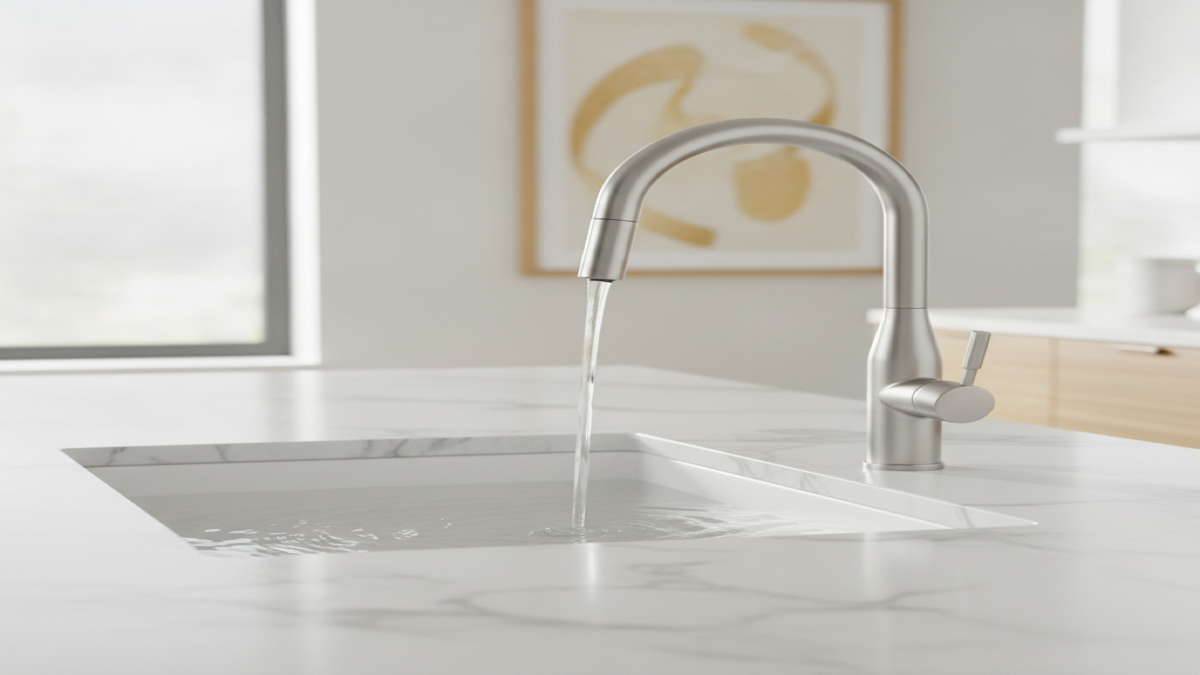
Quick Picks
Short on time? Here are our top picks. Click any pick to jump to the full review:
- Moen 7864EVBLS Sleek Smart Faucet (~$650) — Best overall smart faucet (voice + app + motion)
- KOHLER Sensate Smart Kitchen Faucet 72218-WB-CP (~$550) — Best for Apple HomeKit and whole-home water tracking
- Delta Trinsic VoiceIQ (Matte Black 9159TV-BL-DST) (~$460) — Best for precise voice-measured water
- Delta Essa VoiceIQ (Chrome 9113TV-DST) (~$370) — Best value smart faucet with voice control
- Moen 7594EWSRS Arbor MotionSense Wave (~$280) — Best touchless faucet without an app
- Kohler Mistos Touchless Bathroom Faucet (K-R32930-4D-BL) (~$160) — Best touchless bathroom faucet
There’s a real difference between a faucet that’s touchless and a faucet that’s smart, and most articles blur the line on purpose. A touchless faucet turns on when you wave a hand near a sensor — useful, but that’s where it ends. A genuinely smart faucet connects to your Wi-Fi, takes voice commands through Alexa or Google Assistant, pours measured amounts of water on request, and often tracks your usage in an app. Some do both.
This guide is honest about which is which. Three of our six picks are fully connected smart faucets (Moen Sleek, Kohler Sensate, and the two Delta VoiceIQ models). The other two are touchless motion faucets with no app or voice control at all — and we say so plainly, because a $280 motion faucet and a $650 voice faucet are not the same product even though both let you skip the handle.
We back-engineered this list from products that are actually for sale right now, verified each one on Amazon, and matched every link to the exact model named. Here’s what’s worth your money in 2026, from a $160 touchless bathroom faucet to a $650 full-feature smart kitchen faucet.
Our Top Picks Reviewed
Moen 7864EVBLS Sleek Smart Faucet — Best Overall Smart Faucet
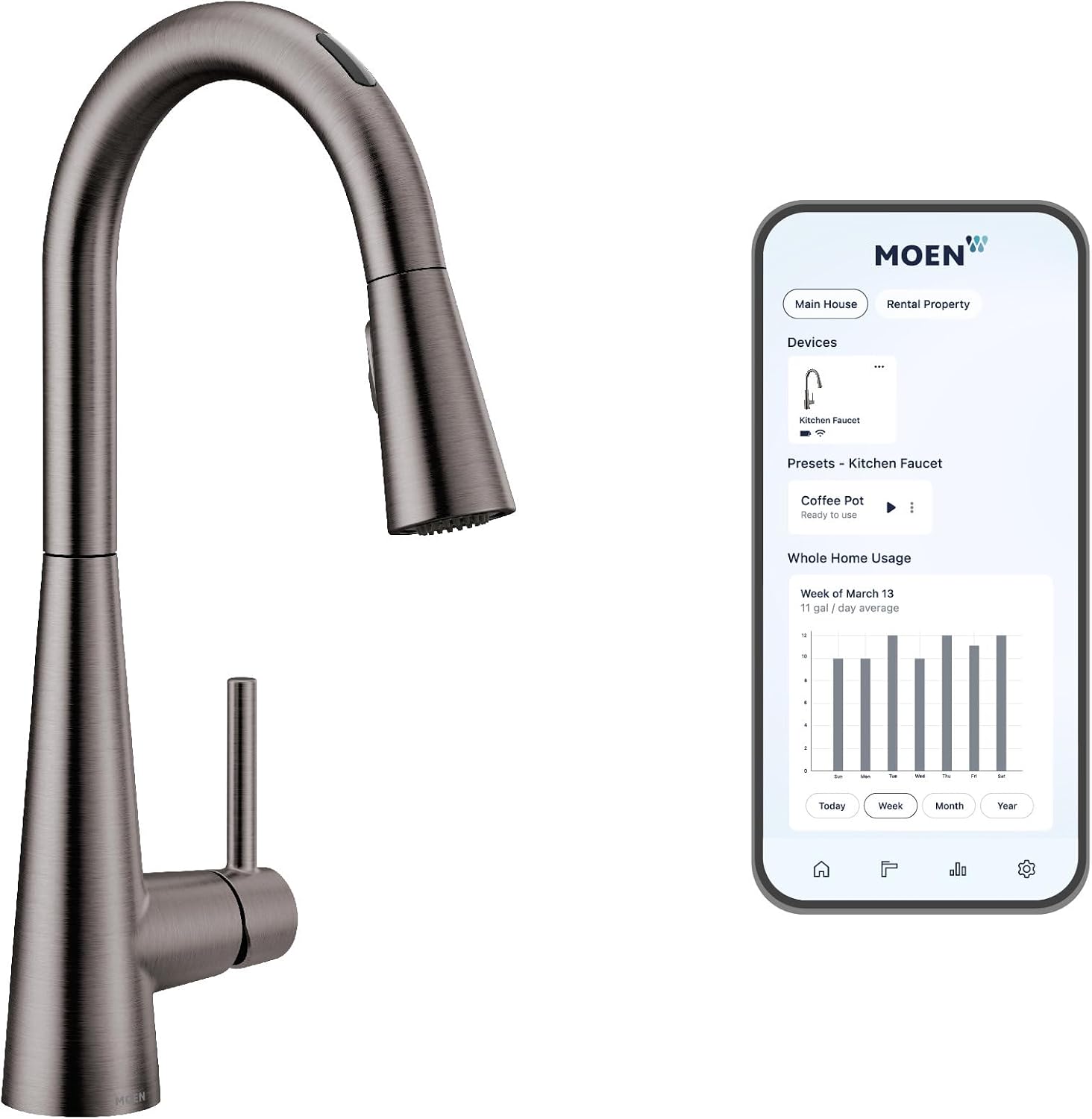
The Moen Sleek Smart Faucet is the most complete smart faucet you can buy, because it doesn’t make you choose between control methods. You get four ways to turn it on: voice commands through Alexa or Google Assistant, hands-free motion via the MotionSense wave sensor, the Moen app, and the traditional handle. Most “smart” faucets do one or two of these. This one does all of them.
What makes it genuinely smart — not just touchless — is the Wi-Fi connection and the Moen app. You can say “Alexa, dispense two cups of water” and it pours an exact measured amount, which is genuinely useful for cooking and baking. You can preset commands like “fill the coffee pot” or “warm water for hands,” and the app even tracks daily water usage so you can see how much you’re going through. Power Boost temporarily increases flow for filling pots or rinsing the sink faster.
The Spot Resist Black Stainless finish resists fingerprints and water spots, which matters on a faucet you’ll touch (or wave at) dozens of times a day. The pull-down sprayer uses Moen’s Reflex docking system so the hose retracts cleanly every time.
At around $650 it’s the most expensive pick here, and it does need a power source — it ships with a battery pack but you can hardwire it. If you want one faucet that does literally everything a smart faucet can do, this is it.
Key Features:
- Voice control via Alexa and Google Assistant
- Hands-free MotionSense wave-to-activate
- Wi-Fi with the Moen app — presets, scheduling, usage tracking
- Voice-dispensed measured amounts of water
- Power Boost for faster filling
- Spot Resist Black Stainless finish
- Battery pack included; hardwiring optional
Pros:
- The only faucet here with voice + motion + app + handle all together
- Measured water pours are accurate and genuinely handy
- Excellent fingerprint-resistant finish
- Works with both Alexa and Google
- Reflex docking pulls the sprayer back smoothly
Cons:
- Most expensive faucet in this guide
- Needs power (battery pack or hardwire) under the sink
- Setup and app account take some time
- Overkill if you only want hands-free motion
KOHLER Sensate Smart Kitchen Faucet 72218-WB-CP — Best for Apple HomeKit
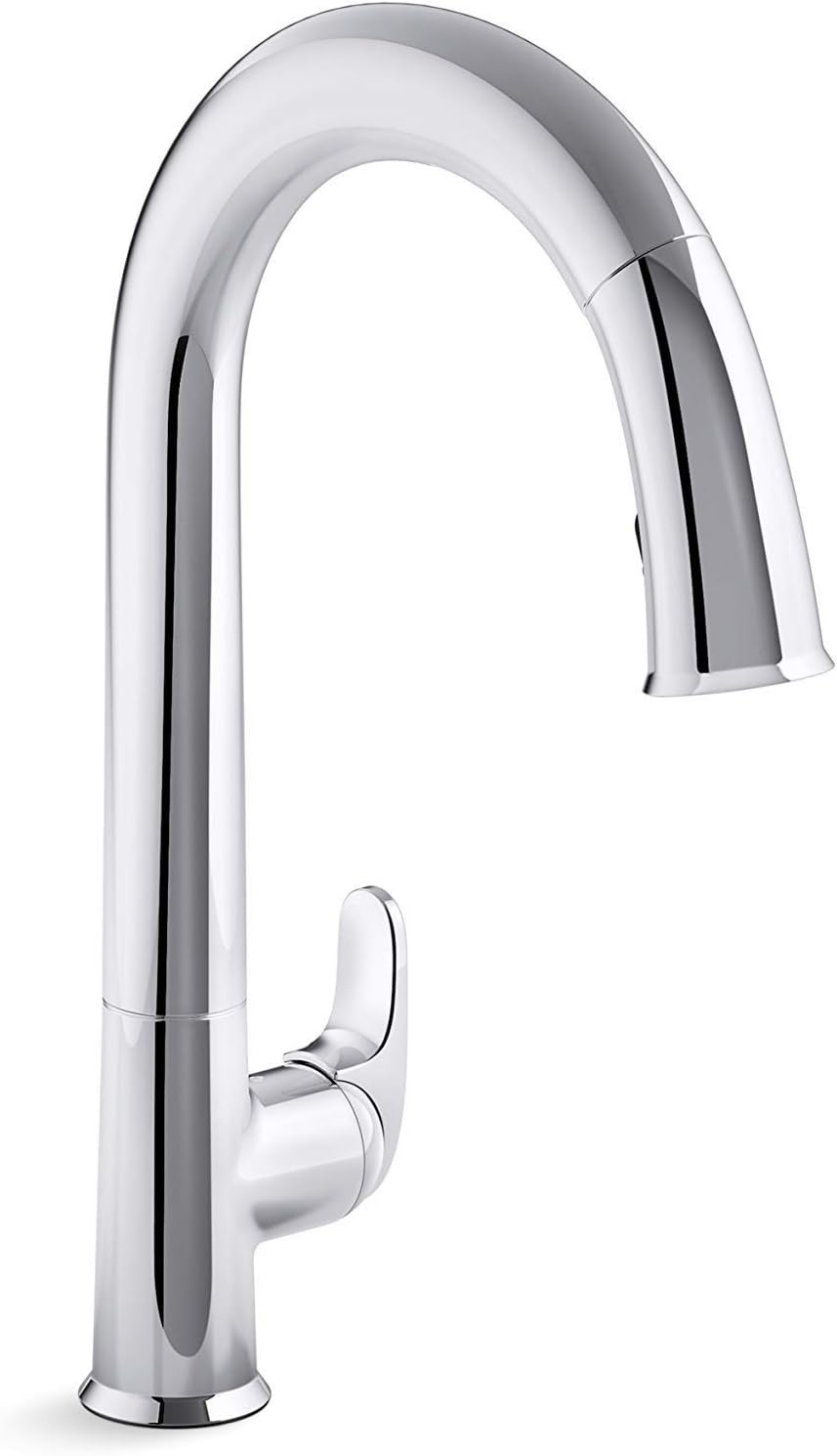
The Kohler Sensate is the smart faucet to get if you live in the Apple ecosystem. Through KOHLER Konnect, it’s one of the very few faucets that pairs with Amazon Alexa, Google Home, AND Apple HomeKit — so “Hey Siri, turn on the kitchen faucet” actually works, which is rare in this category.
It’s a true smart faucet, not just touchless. Response touchless technology lets you wave a hand to start and stop the water, but the Konnect app adds the connected layer: voice commands, measured fills (“dispense one cup”), and — the standout — water usage monitoring with leak detection. The app tracks how much water you use and can alert you to unusual flow, which ties nicely into a broader water-safety setup. If that interests you, see our guide to the best smart water leak detectors.
On the hardware side, the DockNetik magnetic docking system snaps the sprayer firmly back into place, and the two-function sprayhead switches between a regular stream and Kohler’s wide Sweep spray for rinsing the whole sink. The Polished Chrome finish is classic and easy to match to existing fixtures.
At around $550 it’s a premium faucet, and like all connected faucets it needs power under the sink. But the HomeKit support and the leak-detecting water tracking make it the smartest choice for Apple households.
Key Features:
- KOHLER Konnect with Alexa, Google Home, and Apple HomeKit
- Response touchless wave activation
- Voice-dispensed measured water amounts
- Water usage monitoring and leak alerts in the app
- DockNetik magnetic sprayer docking
- Two-function sprayhead with Sweep spray
- Polished Chrome finish
Pros:
- One of the few faucets with full Apple HomeKit support
- Water tracking + leak detection is genuinely useful
- Magnetic docking is the most secure here
- Sweep spray is great for rinsing the sink
- Works with all three major voice platforms
Cons:
- Expensive at ~$550
- Konnect app setup can be finicky on some networks
- Needs power under the sink
- Polished chrome shows water spots more than matte finishes
Delta Trinsic VoiceIQ (Matte Black 9159TV-BL-DST) — Best for Measured Water by Voice
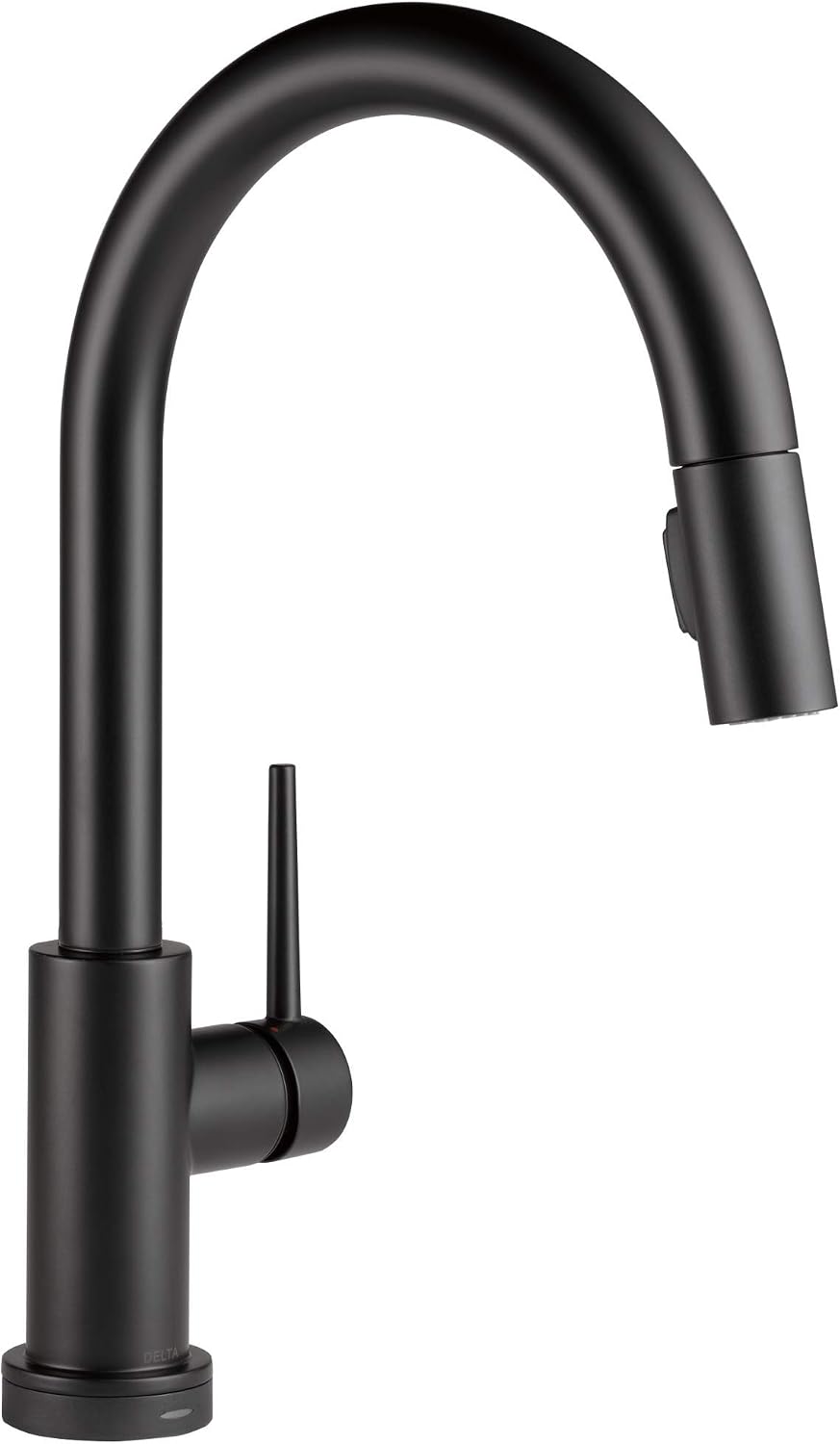
Delta’s VoiceIQ system is the most cooking-focused smart faucet feature out there, and the Trinsic is its best-looking home. The headline trick: you can say “Alexa, pour one cup of water” and it dispenses exactly that — or set custom commands like “fill my dog bowl” or “warm water for the coffee pot.” If you cook or bake regularly, hands-free measured water is the kind of feature you don’t know you wanted until you have it.
It’s a fully connected smart faucet that works with both Alexa and Google Assistant. On top of the voice features, it uses Delta’s Touch2O technology — tap anywhere on the spout or handle with your wrist or forearm to start the flow, which is handy when your hands are covered in raw chicken or dough. A TempSense LED on the base glows different colors to show water temperature so you’re not guessing.
The Trinsic’s slim, minimalist gooseneck in Matte Black is one of the cleanest-looking faucets here — it suits modern kitchens especially well. The pull-down sprayer has a MagnaTite magnetic dock to keep it from drooping over time.
At around $460 it sits in the upper-mid range. One install note: VoiceIQ requires a standard (unswitched) wall outlet under the sink for power. If voice-measured water is your priority, this is the pick.
Key Features:
- VoiceIQ — voice-dispensed measured water amounts
- Works with Alexa and Google Assistant
- Touch2O tap-anywhere activation
- TempSense LED temperature indicator
- MagnaTite magnetic docking
- Slim Matte Black gooseneck design
Pros:
- Best-in-class voice-measured water for cooking
- Custom voice commands (“fill the coffee pot”)
- Touch2O is great when your hands are messy
- Striking minimalist matte black look
- Works with both major voice assistants
Cons:
- Requires an unswitched wall outlet under the sink
- No standalone wave/motion sensor (it’s touch, not wave)
- Matte black shows hard-water buildup over time
- App/voice setup needs a Delta account
Delta Essa VoiceIQ (Chrome 9113TV-DST) — Best Value Smart Faucet
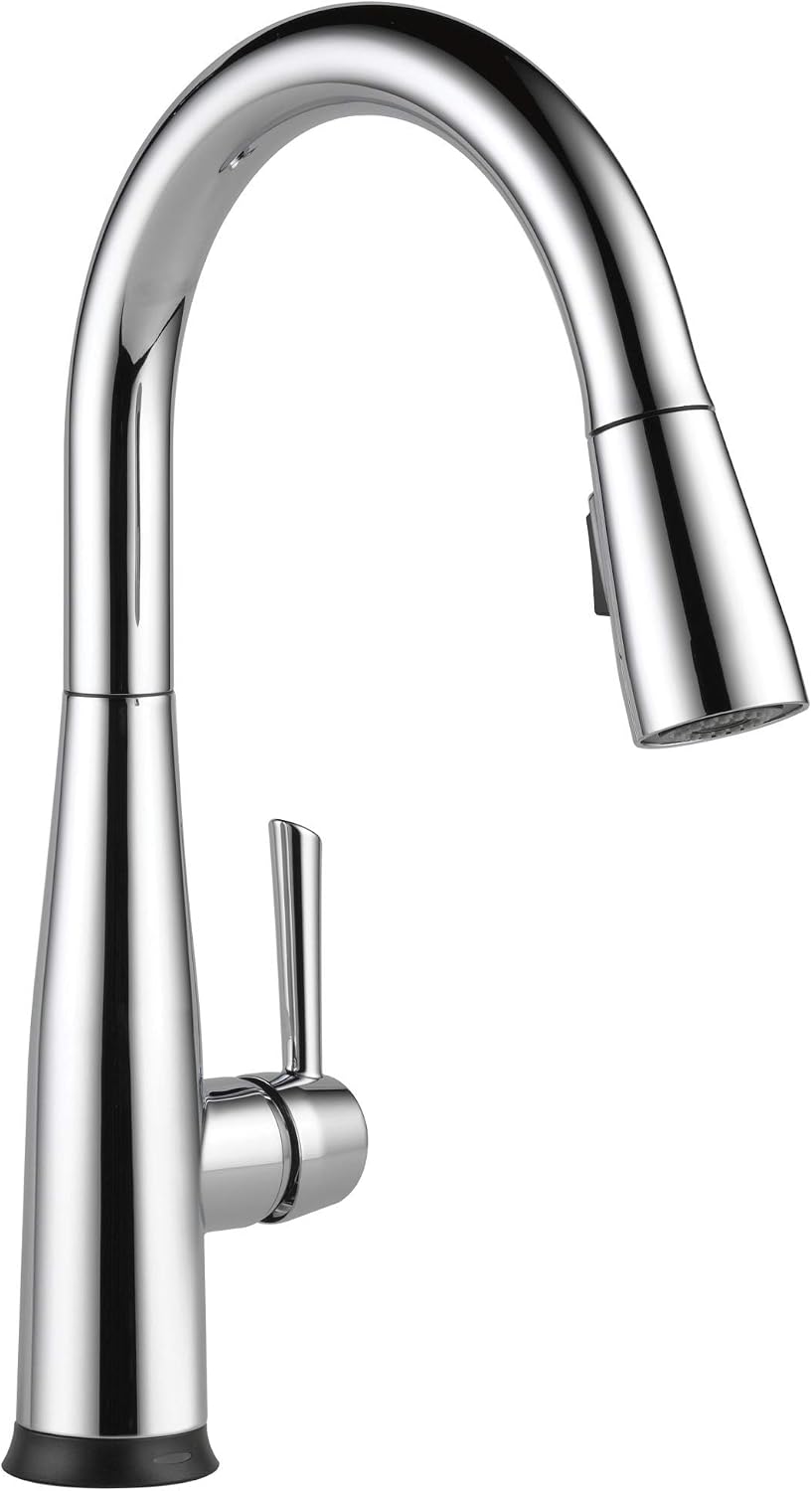
The Delta Essa VoiceIQ gives you nearly everything the pricier Trinsic does for noticeably less money. It runs the same VoiceIQ system — voice-dispensed measured water, custom voice commands, and the same Alexa and Google Assistant support — plus Touch2O tap activation and the TempSense LED temperature indicator. Feature for feature on the smart side, it’s the same brain in a different (and slightly more curvy, traditional) body.
The Essa’s high-arc gooseneck in Chrome is a more classic shape than the Trinsic, which makes it an easier fit for transitional and traditional kitchens. You still get the MagnaTite magnetic docking sprayer and Delta’s DIAMOND Seal valve technology, which Delta rates for long-term leak-free performance.
Where it saves you money is finish and styling rather than smarts — Chrome is the value finish, and the Essa is positioned as the workhorse of the VoiceIQ line. At around $370 it’s the cheapest genuinely smart (voice + app) faucet in this guide, and it’s the one we’d point most people to who want real voice control without spending $500+.
Like the Trinsic, it needs an unswitched wall outlet under the sink for the VoiceIQ module to run.
Key Features:
- VoiceIQ voice-dispensed measured water
- Works with Alexa and Google Assistant
- Touch2O tap-anywhere activation
- TempSense LED temperature indicator
- MagnaTite magnetic docking
- DIAMOND Seal valve technology
- Chrome finish
Pros:
- Cheapest true voice/app smart faucet here
- Same VoiceIQ features as the $460 Trinsic
- Classic gooseneck shape fits most kitchens
- Touch2O + voice covers all hands-free needs
- Chrome is durable and easy to match
Cons:
- Requires an unswitched wall outlet under the sink
- No wave/motion sensor (touch and voice only)
- Chrome finish is less distinctive than matte black
- VoiceIQ setup requires a Delta account
Moen 7594EWSRS Arbor MotionSense Wave — Best Touchless Faucet (No App)
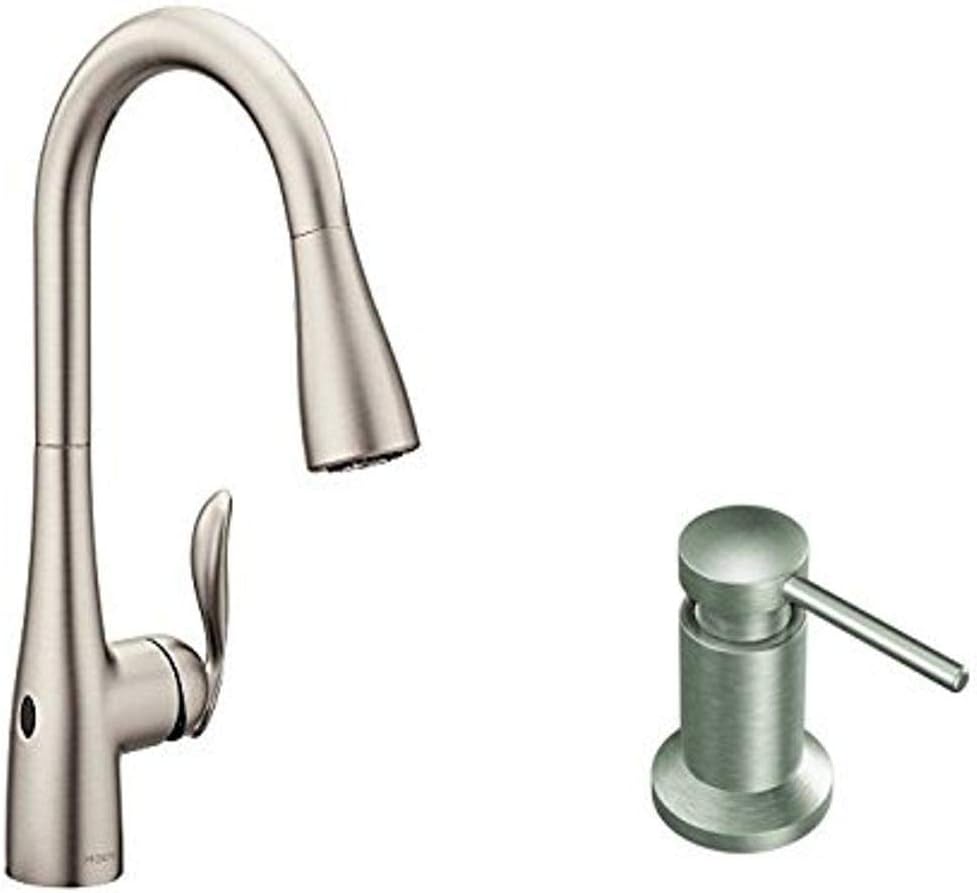
Here’s where we’re being honest: the Moen Arbor MotionSense Wave is touchless, not smart. There’s no Wi-Fi, no app, and no voice control. What it does is the single most-used “smart faucet” feature — hands-free on/off — without any of the complexity, the under-sink outlet, or the $400+ price tag.
The MotionSense Wave sensor sits on top of the faucet; wave your hand over it and the water starts, wave again and it stops. That’s the whole interaction, and for a lot of people it’s 90% of why they wanted a touchless faucet in the first place. It runs on batteries, so there’s no electrician and no hunting for an outlet under the sink — a genuine advantage if your kitchen isn’t wired for it. This particular bundle also includes a matching soap/lotion dispenser.
You still get Moen’s good hardware: Power Clean spray for 50% more spray power, the Reflex docking system for smooth pull-down retraction, and the fingerprint-resistant Spot Resist Stainless finish. The Duralock quick-connect makes installation about as easy as a faucet gets.
At around $280 it’s the value-touchless pick. Just go in knowing what it is — if you want voice commands or app water-tracking, you need one of the connected faucets above. If you just want to wave your hand and have water, this is the smart move.
Key Features:
- MotionSense Wave hands-free activation (single sensor)
- Battery powered — no under-sink outlet needed
- Power Clean spray (50% more power)
- Reflex pull-down docking system
- Spot Resist Stainless finish
- Includes matching soap/lotion dispenser
- Duralock quick-connect install
Pros:
- Wave-to-activate without any wiring or outlet
- Much cheaper than connected smart faucets
- Battery power means flexible installation
- Reliable Moen hardware and finish
- Soap dispenser included
Cons:
- NOT smart — no Wi-Fi, app, or voice control
- Single sensor (wave only; no second under-spout sensor)
- Batteries need occasional replacement
- No measured-water or usage-tracking features
Kohler Mistos Touchless Bathroom Faucet (K-R32930-4D-BL) — Best Touchless Bathroom Faucet
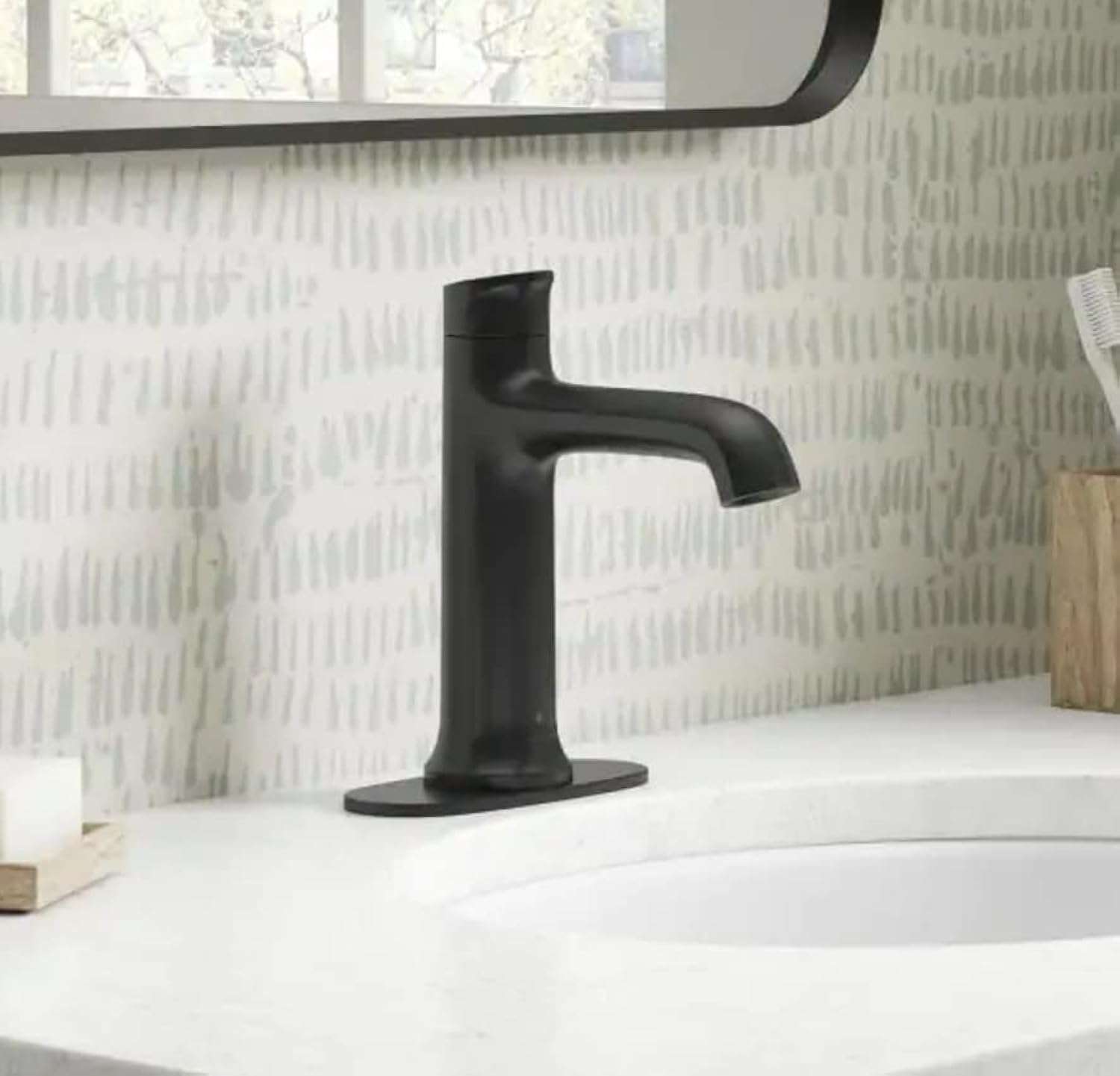
Most of this guide is kitchen faucets, but touchless makes a lot of sense in the bathroom too — especially for kids, for guests, and for keeping the faucet handle clean. The Kohler Mistos is the easy, affordable way to get there. Like the Moen Arbor, it’s touchless, not smart — there’s no app or voice — but for a bathroom sink, hands-free on/off is usually all you actually want.
A motion sensor at the base of the spout turns the water on when your hands approach and off when they leave, which also quietly saves water (no faucet left running while you brush). It’s battery powered, so installation is a straightforward single-hole job with no electrical work — a great DIY upgrade for a powder room or kids’ bathroom. The included deck plate lets it cover a 3-hole sink if needed.
The Matte Black finish is on-trend and pairs well with black bathroom hardware. At around $160 it’s the most affordable pick in this guide and the only bathroom-specific one — a low-risk way to try touchless before committing to a $500 connected kitchen faucet.
If you’re building out the rest of the room hands-free, our best smart bidets guide covers the natural companion upgrade.
Key Features:
- Touchless motion-sensor activation
- Battery powered — no electrical work
- Single-hole install (deck plate for 3-hole included)
- Matte Black finish
- Designed for bathroom sinks
- Automatic shutoff saves water
Pros:
- Most affordable faucet in this guide
- Easy DIY install, no outlet required
- Hands-free is great for kids and guest baths
- Saves water with auto shutoff
- On-trend matte black look
Cons:
- NOT smart — no app, Wi-Fi, or voice
- Bathroom only — not a kitchen faucet
- Batteries need periodic replacement
- Single spray pattern (it’s a bathroom faucet, not a sprayer)
Comparison Table
| Feature | Moen Sleek | Kohler Sensate | Delta Trinsic | Delta Essa | Moen Arbor | Kohler Mistos |
|---|---|---|---|---|---|---|
| Type | Kitchen | Kitchen | Kitchen | Kitchen | Kitchen | Bathroom |
| Truly Smart? | Yes (full) | Yes (full) | Yes (voice/app) | Yes (voice/app) | No (touchless) | No (touchless) |
| Voice Control | Alexa, Google | Alexa, Google, Siri | Alexa, Google | Alexa, Google | None | None |
| Wave / Motion | Yes | Yes | No (Touch2O) | No (Touch2O) | Yes | Yes |
| App | Moen | KOHLER Konnect | Delta | Delta | None | None |
| Measured Water | Yes | Yes | Yes | Yes | No | No |
| Power | Battery / hardwire | Outlet | Outlet | Outlet | Battery | Battery |
| Finish (this model) | Black Stainless | Polished Chrome | Matte Black | Chrome | Spot Resist Stainless | Matte Black |
| Price | ~$650 | ~$550 | ~$460 | ~$370 | ~$280 | ~$160 |
How to Choose a Smart or Touchless Faucet
Smart vs. touchless — know which you’re buying
This is the most important distinction, and it’s the one marketing tends to hide:
- Touchless (motion) faucets like the Moen Arbor and Kohler Mistos start and stop the water when you wave a hand or your hands approach a sensor. No Wi-Fi, no app, no voice. They’re cheaper, often battery powered, and easier to install. For most people, hands-free on/off is the feature they actually wanted.
- Smart (connected) faucets like the Moen Sleek, Kohler Sensate, and both Delta VoiceIQ models add Wi-Fi, a phone app, and voice control through Alexa or Google. They can pour exact measured amounts (“dispense two cups”), run custom commands, and some track water usage. They cost more and usually need power under the sink.
If you’re not going to use voice or the app, don’t pay for them — a good touchless faucet does the hands-free part just as well.
Which voice assistant do you use?
- Alexa + Google Assistant: Moen Sleek, Delta Trinsic, Delta Essa
- Alexa + Google + Apple HomeKit: Kohler Sensate (the only HomeKit option here)
- No voice (touchless only): Moen Arbor, Kohler Mistos
If you’re an Apple household and want Siri to control the faucet, the Kohler Sensate is effectively your only choice in this lineup. For more on picking a platform, see our Alexa vs. Google Home comparison.
Wave/motion vs. touch activation
Not all hands-free faucets work the same way:
- Wave/motion (Moen Sleek, Moen Arbor, Kohler Sensate, Kohler Mistos): a sensor detects your hand near the faucet — truly no contact.
- Touch (Delta Trinsic, Delta Essa via Touch2O): you tap the spout or handle with your wrist or forearm. Great when your hands are messy, but it’s contact, not wave.
If “never touch the faucet” is the goal (raw meat, dirty hands), prioritize a wave-sensor model. If you just want easy activation with the back of your hand, Touch2O is excellent.
Battery vs. hardwired / outlet
- Battery powered (Moen Arbor, Kohler Mistos, Moen Sleek with its included pack): no electrician, flexible install, but you replace batteries occasionally.
- Wall outlet required (Kohler Sensate, Delta Trinsic, Delta Essa): these need an unswitched outlet under the sink. Check that you have one before buying — adding an outlet means an electrician.
This is the single most common install surprise. Look under your sink first.
Installation and plumbing
All of these are standard single-hole or 3-hole deck-mount faucets, and most include a deck plate so they fit either configuration. The plumbing connections are typical 3/8” supply lines. The extra steps versus a normal faucet are: routing the control box/solenoid (for connected models), connecting power, and pairing the app. Budget an hour or two more than a basic faucet swap. If you’re not comfortable with the electrical/outlet side, a connected faucet is worth a plumber’s visit.
Finish options
Across these models you can find Matte Black, Spot Resist / Black Stainless, Polished Chrome, and more. Spot-resist and matte finishes hide fingerprints and water spots best — worth considering on a faucet you’ll wave at constantly. Polished chrome looks classic but shows spots more.
Are smart faucets worth it?
If you cook a lot, the measured-water and custom voice commands genuinely speed things up, and the hands-free activation is a real hygiene win. If you mostly want to stop touching the handle with messy hands, a $280 touchless faucet delivers that without the connected-faucet premium or the under-sink outlet. Spend up for “smart” only if you’ll actually use voice and the app. Building out the whole room? Our complete smart kitchen guide shows how a smart faucet fits alongside the rest.
FAQ
What’s the difference between a smart faucet and a touchless faucet?
A touchless faucet uses a motion sensor to turn water on and off when you wave or approach — that’s all it does. A smart faucet adds Wi-Fi, an app, and voice control (Alexa/Google/Siri), so it can pour measured amounts, run custom commands, and sometimes track water usage. Every smart faucet is effectively touchless, but not every touchless faucet is smart. In this guide, the Moen Sleek, Kohler Sensate, and both Delta VoiceIQ models are truly smart; the Moen Arbor and Kohler Mistos are touchless only.
Do smart faucets need to be plugged in?
It depends on the model. The Kohler Sensate and both Delta VoiceIQ faucets require an unswitched wall outlet under the sink to power the voice/Wi-Fi module. The Moen Sleek and the two touchless picks (Moen Arbor, Kohler Mistos) can run on batteries, though the Moen Sleek can also be hardwired. Always check whether you have an under-sink outlet before buying a connected faucet.
Can a smart faucet work with Apple HomeKit?
Among these picks, only the KOHLER Sensate with KOHLER Konnect supports Apple HomeKit, so you can control it with Siri. The Moen and Delta smart faucets work with Alexa and Google Assistant but not HomeKit. If Siri/HomeKit control matters to you, the Sensate is the one to get.
Will a touchless or smart faucet still work if the power or Wi-Fi goes out?
Yes. Every faucet here has a manual handle that works like a normal faucet regardless of power or internet. If Wi-Fi drops, you lose the voice and app features but the faucet still runs. Touchless models keep their wave/motion sensor working as long as the batteries (or outlet) have power, even with no internet.
Are touchless faucets good for saving water?
Generally yes. Because the water shuts off the moment you move your hand away, touchless and smart faucets tend to reduce the “left running” waste — for example while you lather your hands or scrub a dish. The smart models with usage tracking (Sensate, Moen Sleek) let you actually see your consumption and spot leaks, which can lead to bigger savings over time.
Can I install a smart faucet myself?
The plumbing side is the same as any deck-mount faucet and is DIY-friendly. The added steps are mounting the control box, connecting power, and pairing the app. Battery-powered touchless models (Moen Arbor, Kohler Mistos) are the easiest — no electrical work at all. Connected models that need an under-sink outlet are still doable for a confident DIYer, but if you’d need to add an outlet, hire an electrician for that part.
Upgrading the whole room? Start with our complete smart kitchen guide for how a smart faucet fits with the rest of your kitchen tech. If you’re worried about water damage, pair it with one of the best smart water leak detectors. And if you’re choosing a voice platform to tie it all together, our Alexa vs. Google Home guide breaks down which assistant fits your home.