Quick Picks
Short on time? Here are our top recommendations:
- Aqara Door and Window Sensor P2 (~$23) — Best overall, Matter over Thread, works with every major platform
- WiFi Door Sensor (Tuya Smart, No Hub) 4-Pack (~$30 for 4) — Best no-hub WiFi, connects straight to your router
- THIRDREALITY Zigbee Contact Sensor 4 Pack (~$33 for 4) — Best budget multi-pack, ultra-cheap per sensor
- SwitchBot Door Alarm Contact Sensor (3-Pack) (~$40 for 3) — Best for automations, built-in motion + light sensor
- Ring Alarm Contact Sensor 2-Pack (2nd Gen) (~$40 for 2) — Best for a Ring Alarm security system
- YoLink LoRa Smart Door & Window Sensor 3-Pack (~$60 for 3) — Best long range, 1/4-mile LoRa for big properties
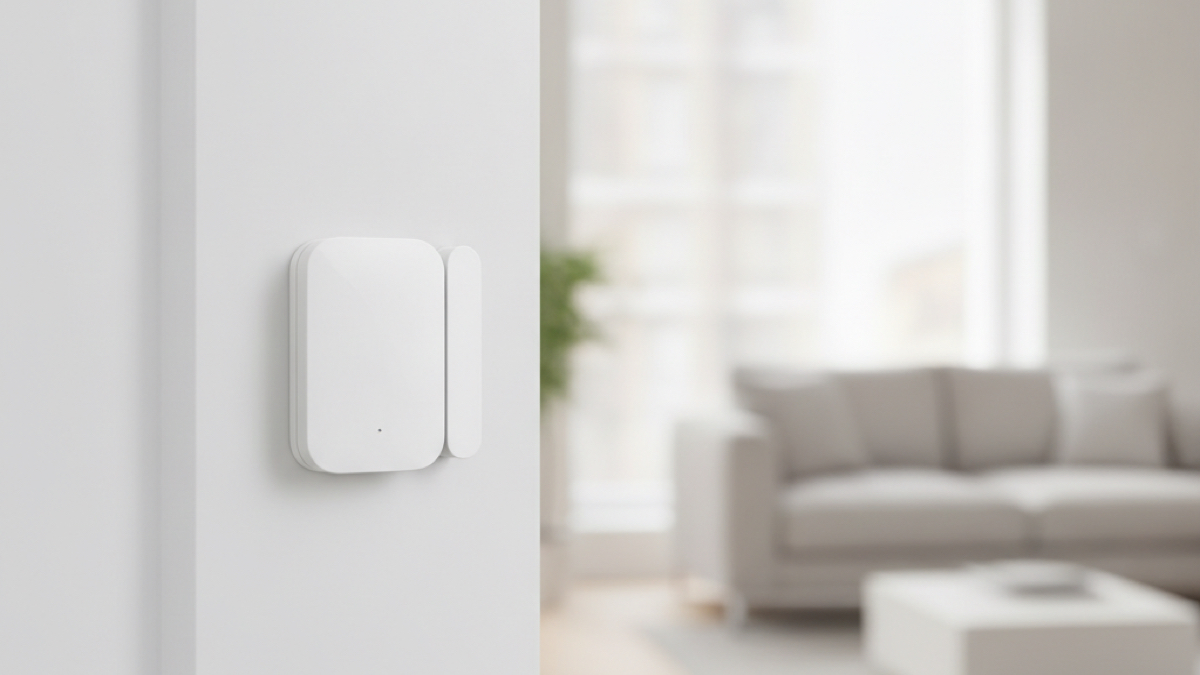
A smart door and window sensor is one of the cheapest, highest-impact upgrades you can make to your home. For the price of a few coffees, you get an instant phone alert the moment a door or window opens — whether that’s an intruder at 2 AM, a teenager sneaking out, or a kid wandering toward the pool gate.
These little contact sensors are also the secret sauce behind smart home automation. Open the front door and the entry lights turn on. Crack a window and the thermostat pauses the AC so you stop cooling the neighborhood. Leave the garage door ajar and your phone nags you about it. Once you have a few, you find a new use every week.
The catch is that they come in several flavors — some plug straight into your WiFi with no extra hardware, others need a hub (Aqara, SwitchBot, Ring, SmartThings), and a few use specialized radio like Zigbee or long-range LoRa. We sorted through the noise to find the best smart door and window sensors of 2026 across every budget and ecosystem, then verified each one is currently available so the links actually go where you expect.
Our Top Picks Reviewed
Aqara Door and Window Sensor P2 — Best Overall
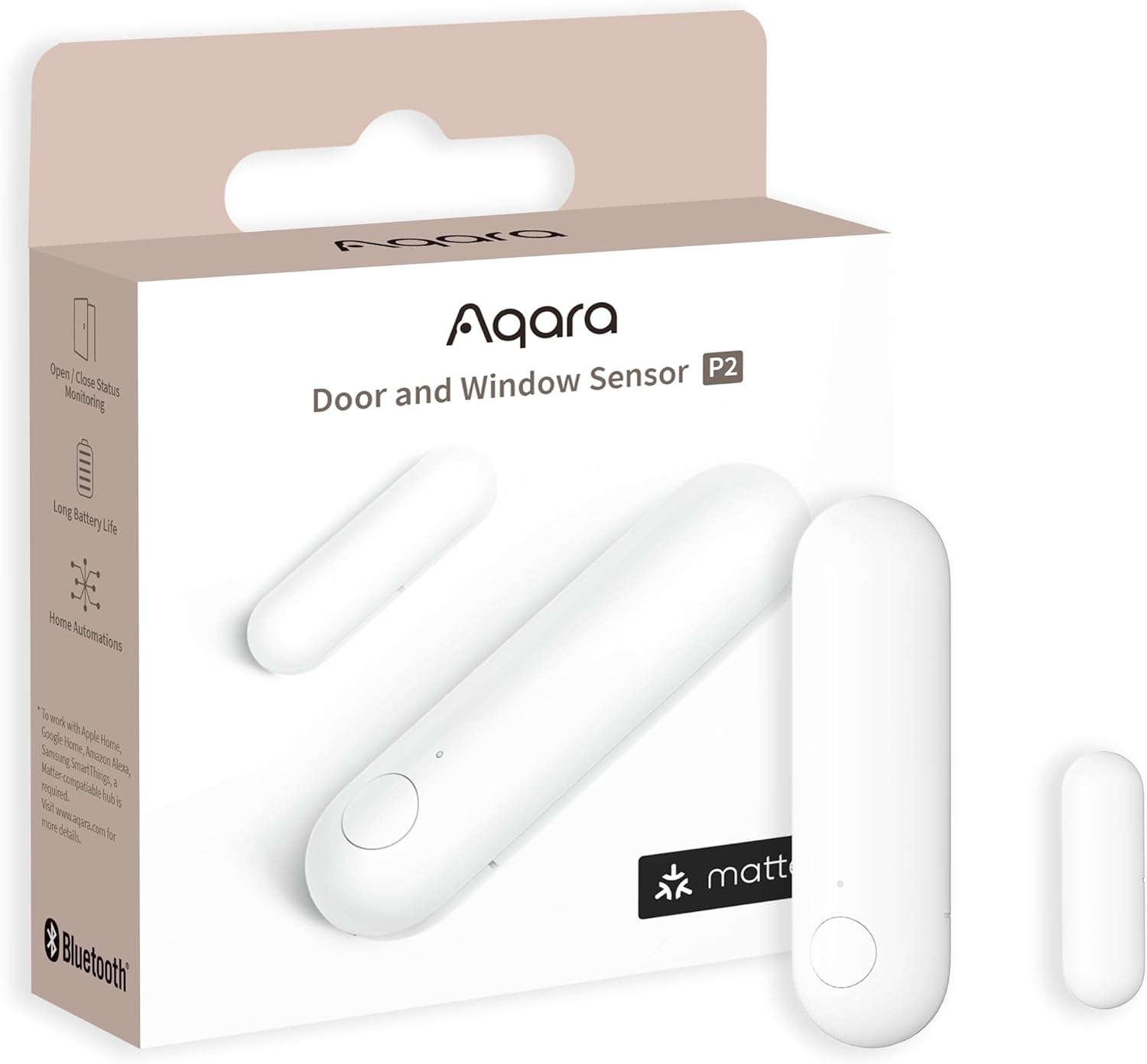
The Aqara P2 is our top pick because it does the one thing most sensors can’t: it works with everything. Thanks to Matter over Thread, the P2 connects natively to Apple Home, Google Home, Amazon Alexa, Samsung SmartThings, and Aqara’s own app — all from a single device. You’re not locked into one ecosystem, and if you switch phones or platforms down the road, your sensors come with you.
Thread is the reason this works so smoothly. It’s a low-power mesh radio that’s faster and more reliable than WiFi for tiny battery devices, and it doesn’t clog up your network. The tradeoff is that you need a Thread border router to use the P2 — but you may already own one. Apple HomePod mini, HomePod, Apple TV 4K, recent Echo (4th gen) devices, Nest Hub (2nd gen), and the Aqara Hub M3 all qualify.
Detection is rock-solid via a built-in Hall sensor, and you get real-time open/close alerts plus the ability to build local automations that keep working even if your internet drops. At around $23 for a single sensor, it’s a touch more than a bargain WiFi unit, but the platform flexibility and Thread reliability make it the one we’d buy first.
Key Features:
- Matter over Thread — works with Apple Home, Google Home, Alexa, SmartThings
- Requires a Thread border router (HomePod, Apple TV, Echo 4th gen, Nest Hub, Aqara M3)
- High-precision Hall sensor for accurate open/close detection
- Local automations run without the cloud
- Long battery life on a single CR2032
- Easy peel-and-stick install with included flat magnet
Pros:
- Truly platform-agnostic — no ecosystem lock-in
- Thread is more reliable than WiFi for battery sensors
- Future-proof thanks to Matter
- Compact, low-profile design
Cons:
- Needs a Thread border router (most smart homes already have one)
- Sold individually, not in multi-packs
- HomeKit secure features need an Apple border router
WiFi Door Sensor (Tuya Smart, No Hub) 4-Pack — Best No-Hub WiFi
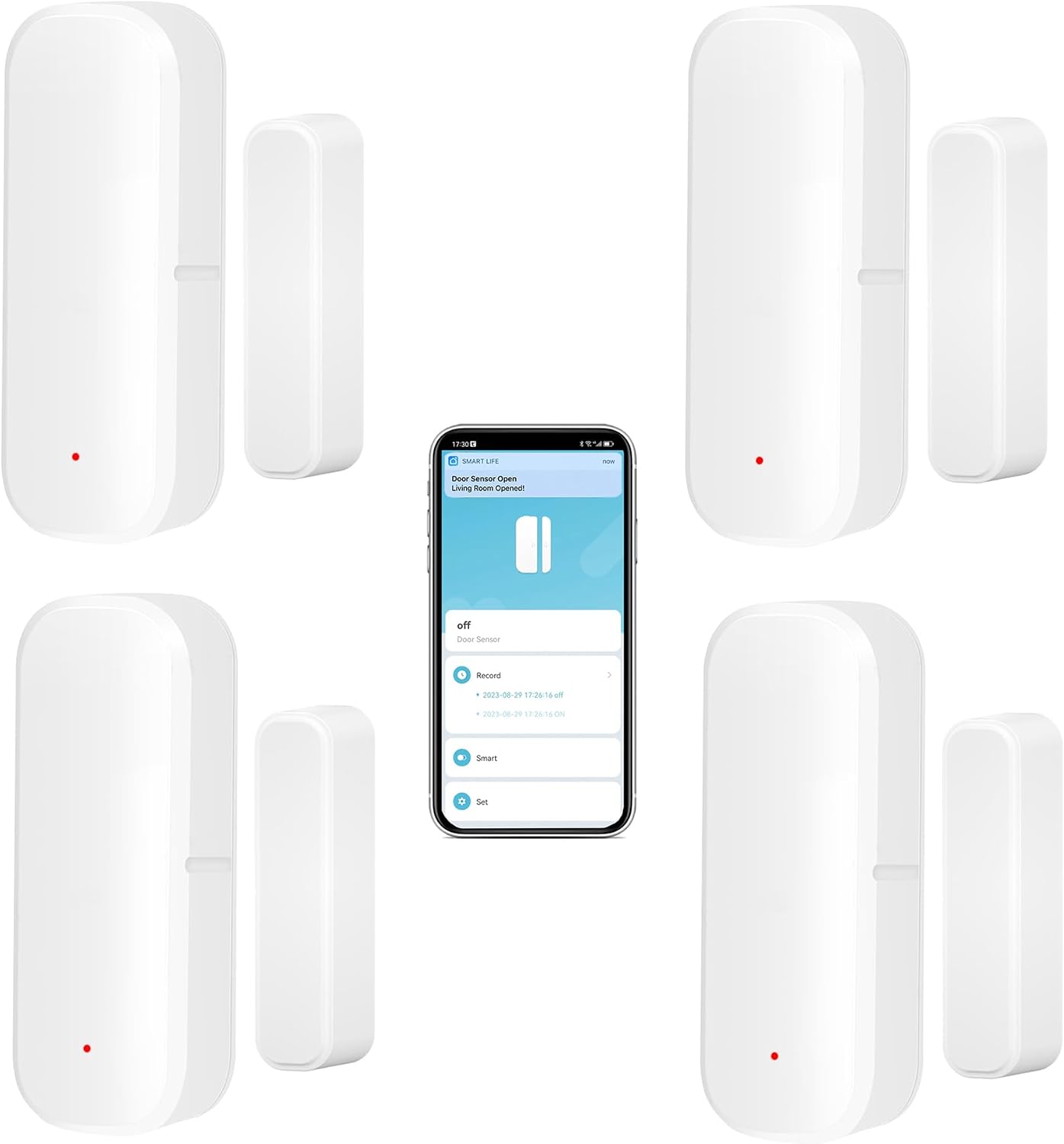
If you want the simplest possible setup with zero extra hardware, this is it. These sensors connect directly to your 2.4GHz WiFi — no hub, no bridge, no gateway to buy or plug in. Scan, pair in the Smart Life (Tuya) app, stick them on your doors and windows, and you’re done. For renters and first-timers who don’t want to commit to an ecosystem, that’s a big deal.
The 4-pack is the sweet spot at around $30, working out to roughly $7.50 per sensor — covering your front door, back door, and a couple of windows in one purchase. You get instant push notifications when a door or window opens, an activity log of every open/close event, and voice support through Alexa and Google Assistant so you can ask whether a door is open.
Because they run on the Tuya/Smart Life platform, you can also use them to trigger other Smart Life devices — open a door, turn on a smart plug or light. The honest tradeoff with cheap WiFi sensors is range and battery: they lean on your router’s coverage, and WiFi sips more power than Zigbee or Thread, so expect to swap the AAA batteries more often than premium options. For most apartments and average homes, though, the no-hub convenience wins.
Key Features:
- Direct 2.4GHz WiFi — no hub or gateway required
- 4-pack for whole-entry coverage at a low per-unit cost
- Instant app push notifications and open/close history
- Works with Alexa and Google Assistant
- Triggers other Tuya / Smart Life devices
- Peel-and-stick install, AAA batteries included
Pros:
- Easiest setup of any sensor here — nothing extra to buy
- Excellent value in the 4-pack
- Great for renters and beginners
- Voice assistant support built in
Cons:
- Range limited by your WiFi router
- Shorter battery life than Zigbee/Thread/LoRa sensors
- No Apple HomeKit support
- Generic brand — support is app-based, not premium
THIRDREALITY Zigbee Contact Sensor 4 Pack — Best Budget Multi-Pack
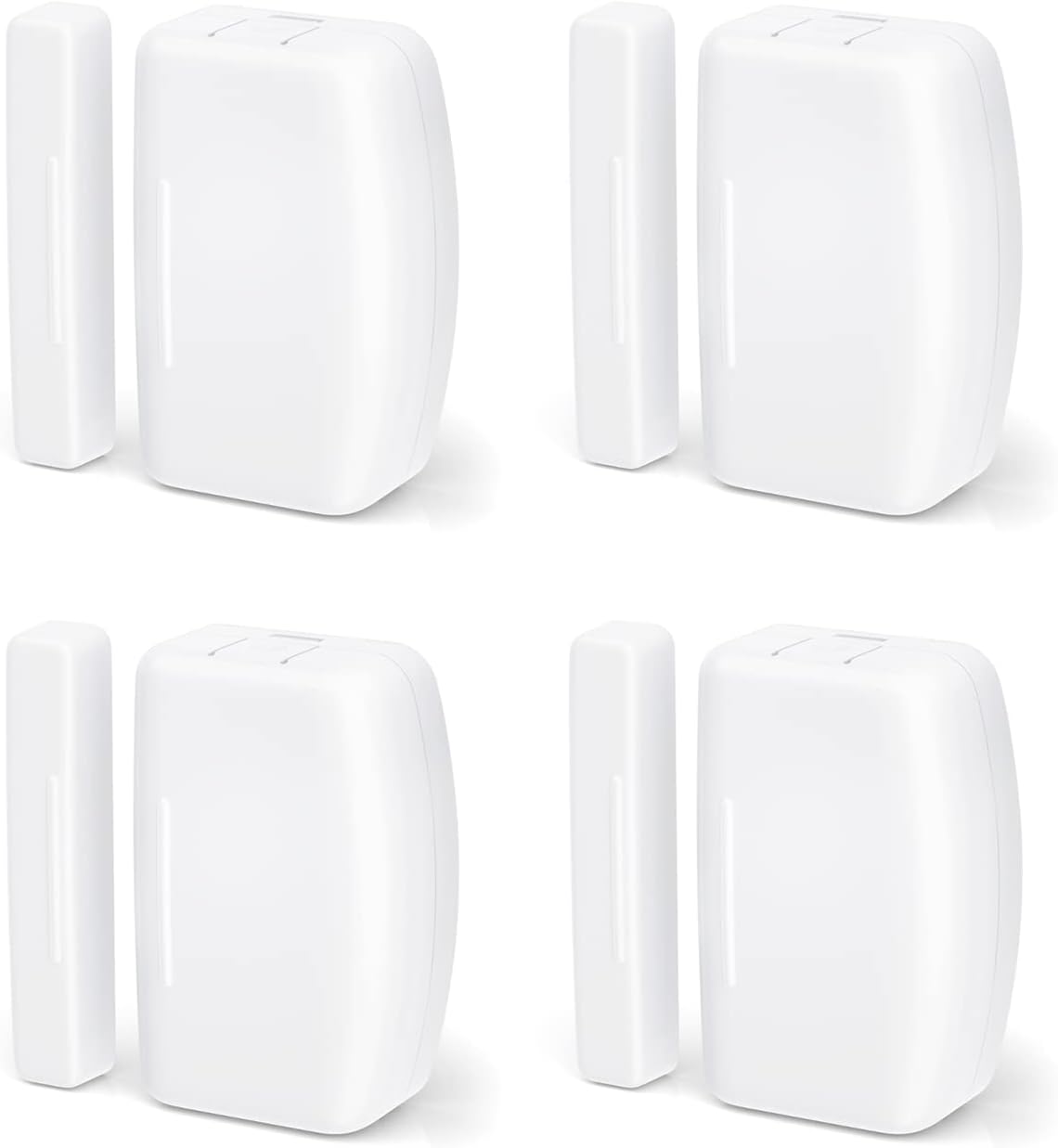
When you want to wire up a whole house on a budget, the THIRDREALITY 4-pack is hard to beat. At around $33 for four sensors — about $8 each — it gives you the reliability of Zigbee at WiFi-sensor prices. Zigbee is a low-power mesh protocol, so these sensors barely touch their batteries (rated up to 2 years on two AAAs) and don’t add traffic to your WiFi network.
The key requirement is a Zigbee hub, but you may not need to buy one. These pair with Home Assistant, Samsung SmartThings, Aeotec, Homey, Hubitat, and Echo devices that have a built-in Zigbee hub (like the Echo 4th gen and several Echo Show models). If you already own one of those, setup is genuinely a few seconds per sensor.
For the smart home tinkerer running Home Assistant or anyone leaning on an Echo with a built-in hub, this is the practical, no-nonsense choice. They’re indoor-only and shouldn’t be mounted on metal doors (which interfere with the Zigbee signal), but for typical interior and exterior wood/vinyl doors and windows, they just work.
Key Features:
- Zigbee mesh — minimal battery drain, no WiFi load
- 4-pack at a very low per-sensor cost
- Up to 2-year battery life (2x AAA per sensor)
- Works with Home Assistant, SmartThings, Aeotec, Homey, Hubitat, Echo with Zigbee
- Fast auto-discovery pairing
- Compact white design
Pros:
- Best price-per-sensor of any quality option here
- Zigbee reliability and battery efficiency
- Works with the most popular DIY hubs
- Great for Home Assistant builds
Cons:
- Requires a Zigbee hub (not included)
- Indoor use only; avoid metal doors/frames
- No built-in siren
- App experience varies by which hub you use
SwitchBot Door Alarm Contact Sensor (3-Pack) — Best for Automations
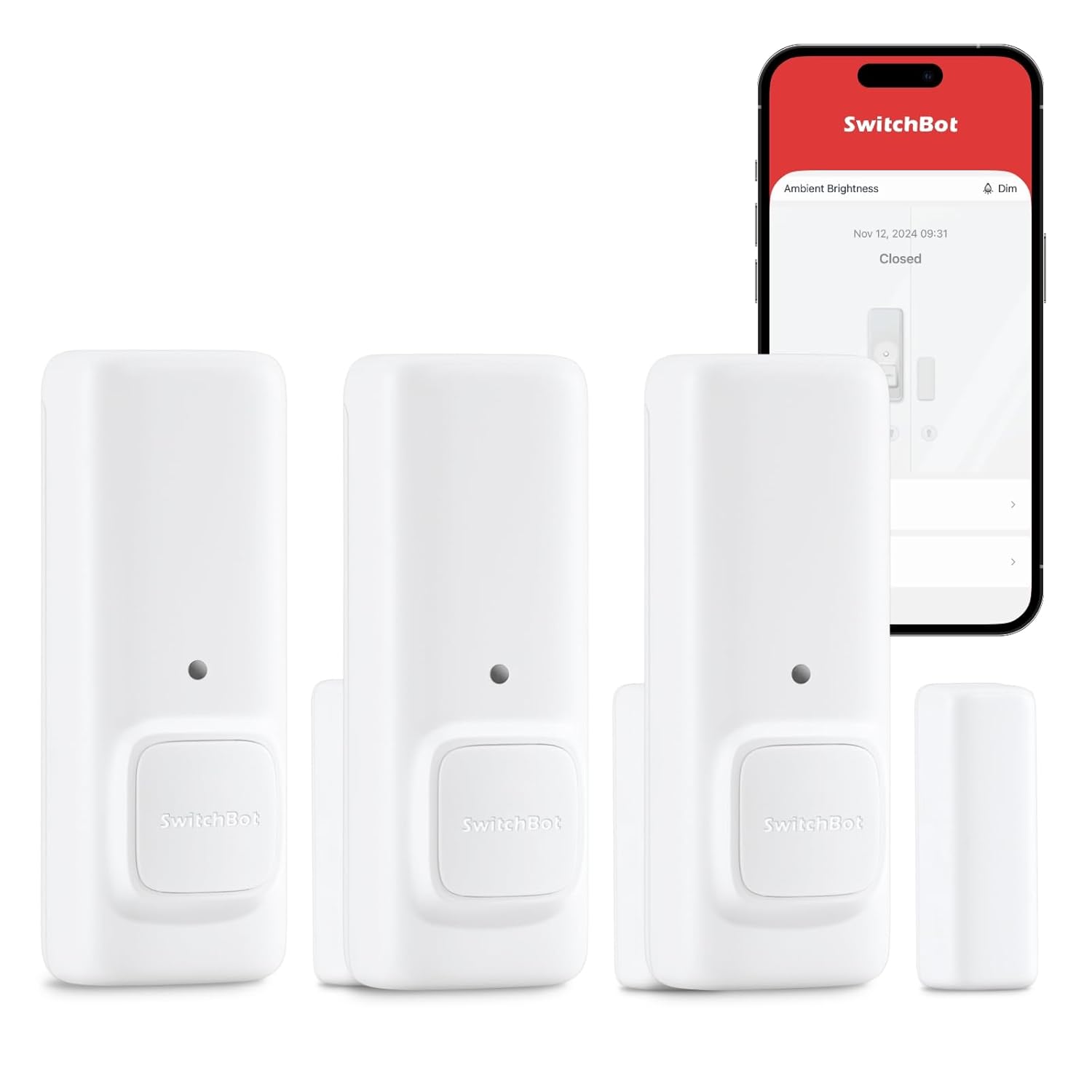
The SwitchBot contact sensor packs more than a basic open/close switch — it also has a built-in motion sensor and a light-level sensor, which makes it a tiny automation powerhouse. Because it can tell whether motion came from inside or outside, it can detect when you’re leaving versus arriving home and trigger different scenes: lights and appliances off when you head out, lights on when you return.
This 3-pack (around $40) is the smart buy if you’re building out a SwitchBot home, since SwitchBot’s real strength is how its devices work together. Pair these sensors with a SwitchBot Lock, Hub, or Curtain and you can do things like auto-lock the door when it closes, or open the curtains when the bedroom door opens in the morning. Add the SwitchBot Hub (sold separately) and the whole system becomes Alexa, Google Assistant, and Apple Home compatible.
Out of the box, each sensor also works as a standalone door alarm with a notification when triggered, so you get value even before you build automations. The detection cone reaches up to 16.4 feet, and the magnet only needs to be within about 1.2 inches of the body, giving you some flexibility on uneven frames.
Key Features:
- Built-in motion + light-level sensor (not just open/close)
- Detects entry/exit direction for arrive/leave automations
- 3-pack for multi-door coverage
- Works with SwitchBot Lock, Hub, Curtain, and more
- Add SwitchBot Hub for Alexa, Google, and Apple Home
- App alerts and standalone alarm mode
Pros:
- Most capable sensor here for automation triggers
- Motion + contact + light in one device
- Deep integration with the SwitchBot ecosystem
- Useful even without the hub
Cons:
- Needs the SwitchBot Hub for voice assistants and remote control
- Motion/light features aren’t exposed to Alexa/Google (IFTTT only)
- Larger than minimalist contact sensors
- Best value only if you’re in the SwitchBot ecosystem
Ring Alarm Contact Sensor 2-Pack (2nd Gen) — Best for a Ring Alarm System
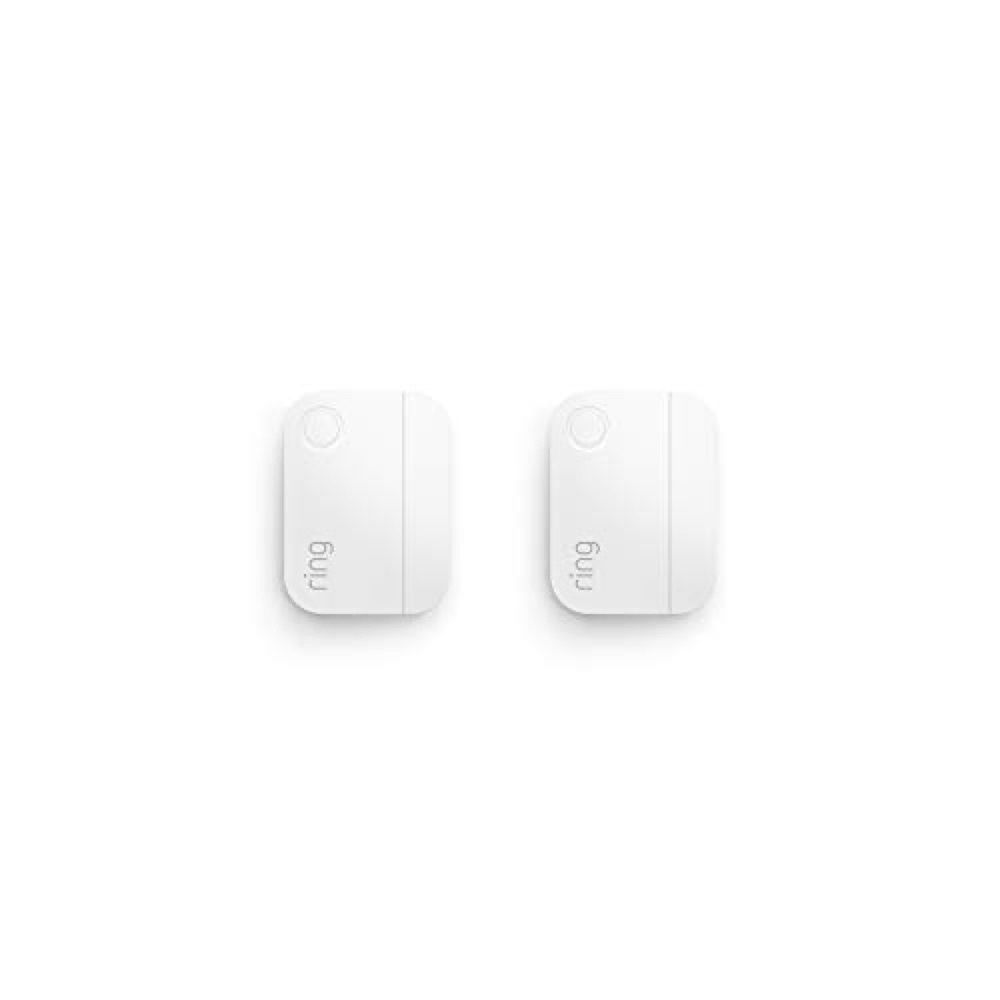
If you already run — or plan to build — a Ring Alarm security system, these are the contact sensors to get. The 2nd-gen Ring Alarm Contact Sensor is slimmer than the original so it fits cleanly on almost any door or window frame, and it ties directly into the Ring Alarm Base Station for real, monitored security rather than just a phone ping.
That’s the key distinction: paired with a Ring Alarm system, these sensors can arm and disarm with your security mode, sound the base station siren, and — with an optional Ring Protect Pro subscription — trigger professional monitoring that can dispatch emergency services. For a true DIY alarm system rather than a casual notification, that’s exactly what you want.
Battery life is excellent at roughly 3 years on the included CR2032 cells, and installation is genuinely tool-free with adhesive backing. The 2-pack at around $40 is the efficient way to add two more entry points to an existing setup. The one hard requirement is the Ring Alarm Base Station — these don’t work on their own, so they only make sense if you’re committed to Ring’s ecosystem.
Key Features:
- Purpose-built for the Ring Alarm security system
- Instant window/door alerts in the Ring app
- ~3-year battery life (2x CR2032 included)
- Slim 2nd-gen design fits most frames
- Tool-free adhesive installation
- Works with arm/disarm modes and the base station siren
Pros:
- Best choice for a real monitored DIY alarm
- Long battery life
- Clean, low-profile design
- Tight integration with Ring cameras and doorbells
Cons:
- Requires the Ring Alarm Base Station (sold separately)
- Full monitoring needs a Ring Protect subscription
- Locked to the Ring ecosystem
- Not useful as a standalone sensor
YoLink LoRa Smart Door & Window Sensor 3-Pack — Best Long Range
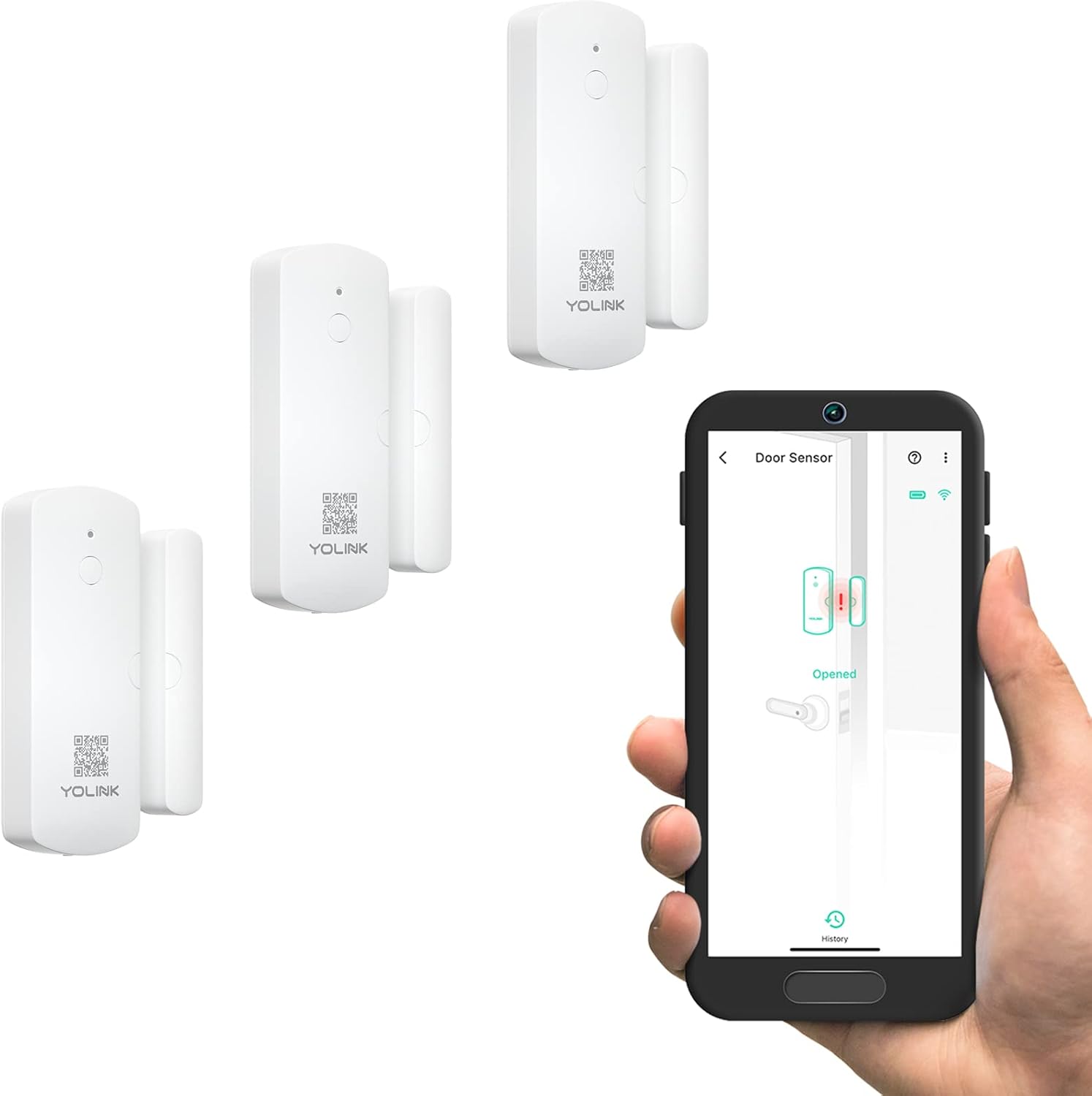
For big properties, outbuildings, and homes where WiFi simply doesn’t reach, nothing else here comes close to YoLink. These sensors use LoRa radio with up to 1/4 mile of open-air range, so a sensor on a detached garage, barn, shed, or far-corner window stays connected when a WiFi sensor would be stone dead. The signal punches through walls and across yards that defeat 2.4GHz networks.
The 3-pack runs around $60 and is built for serious coverage. You get door-left-open reminders (so you know when the garage has been cracked for an hour), up to 5-year battery life, and — through the YoLink Hub — text/SMS, email, and app alerts. SMS in particular is clutch for security, because a text gets through even when your phone is on Do Not Disturb. The system also works with Alexa, IFTTT, and Home Assistant.
The one requirement is the YoLink Hub, which is the brain that connects the LoRa sensors to your network and the cloud. If your needs are confined to one small apartment, that’s overkill. But for a house with a big lot, a basement that swallows WiFi, or any outbuilding you want to monitor, the range alone justifies it.
Key Features:
- LoRa radio — up to 1/4 mile open-air range
- 3-pack for multi-building or far-corner coverage
- Up to 5-year battery life
- Door-left-open reminders
- SMS, email, and app alerts (via hub)
- Works with Alexa, IFTTT, Home Assistant
Pros:
- Unmatched range — covers sheds, barns, and basements
- SMS alerts bypass Do Not Disturb
- Exceptional 5-year battery life
- Reliable where WiFi fails
Cons:
- Requires the YoLink Hub (sold separately)
- Overkill for small apartments
- No Apple HomeKit support
- Higher upfront cost than basic WiFi sensors
Comparison Table
| Sensor | Protocol | Hub Needed | Platforms | Battery | Best For | Price |
|---|---|---|---|---|---|---|
| Aqara P2 | Matter/Thread | Thread border router | Apple, Google, Alexa, SmartThings | CR2032 | Overall / no lock-in | ~$23 (1) |
| Tuya WiFi 4-Pack | WiFi | None | Alexa, Google | 2x AAA | Easiest no-hub setup | ~$30 (4) |
| THIRDREALITY 4-Pack | Zigbee | Zigbee hub | HA, SmartThings, Echo | 2x AAA (~2 yr) | Budget multi-pack | ~$33 (4) |
| SwitchBot 3-Pack | Bluetooth/SwitchBot | SwitchBot Hub (for voice) | Alexa, Google, Apple (via hub) | CR2032 | Automations | ~$40 (3) |
| Ring Alarm 2-Pack | Ring (Z-Wave) | Ring Alarm Base Station | Ring / Alexa | 2x CR2032 (~3 yr) | DIY alarm system | ~$40 (2) |
| YoLink 3-Pack | LoRa | YoLink Hub | Alexa, IFTTT, HA | 5-yr cell | Long range / outbuildings | ~$60 (3) |
Buying Guide: How to Choose a Smart Door and Window Sensor
Hub-Required vs. Standalone WiFi
This is the first fork in the road. Standalone WiFi sensors (like the Tuya 4-pack) connect straight to your home router — nothing else to buy. They’re the cheapest way to get started and the easiest for beginners and renters. The downsides are shorter battery life and range that’s tied to your WiFi coverage.
Hub-required sensors (Aqara, SwitchBot, Ring, YoLink, and Zigbee options like THIRDREALITY) need a separate device to talk to. That sounds like a hassle, but it buys you better battery life, more reliable mesh networking, and — for security systems — features like sirens and professional monitoring. If you’re building a real smart home, a hub is worth it. Not sure which way to go? Our guide to the best smart home hubs of 2026 breaks down what each one supports.
Matter, Thread, Zigbee, Z-Wave: Which Protocol?
- Matter / Thread (Aqara P2) is the future-proof choice. Matter is the universal smart home standard; Thread is the low-power mesh radio underneath it. Together they give you cross-platform compatibility and reliable, local control. If you want one sensor that works everywhere, this is it. We explain the whole standard in Matter smart home explained.
- Zigbee (THIRDREALITY) is a mature, low-power mesh used by Hue, SmartThings, and Home Assistant. Cheap, reliable, and battery-friendly — just needs a Zigbee hub.
- Z-Wave powers many dedicated security systems (Ring Alarm uses it under the hood). It’s robust and security-focused but locked to compatible systems.
- WiFi (Tuya) is the simplest — no hub — at the cost of battery and range.
- LoRa (YoLink) is the range king for large properties and outbuildings.
Battery Life
Battery life tracks closely with protocol. Low-power mesh radios sip power: Zigbee sensors last around 2 years, Ring’s Z-Wave sensors about 3 years, and YoLink’s LoRa sensors claim up to 5. WiFi sensors work hardest and drain fastest, so expect more frequent battery swaps. Check whether the sensor uses common cells (AAA or CR2032) so replacements are cheap and easy.
Range and Placement
WiFi sensors are only as good as your router’s reach — a sensor in a detached garage or far basement corner may keep dropping off. Mesh protocols (Zigbee, Thread) extend their range by hopping signals through other devices on the network. For anything truly remote — a shed, barn, gate, or outbuilding — LoRa is the only protocol here that reliably covers it. Also note that most contact sensors are indoor-rated and shouldn’t be mounted on metal doors, which interfere with the radio and magnet.
Voice Assistant and Platform Integration
Decide which ecosystem you live in before you buy:
- Apple HomeKit / Home: The Aqara P2 is your best bet here (via Thread). Most cheap WiFi sensors skip HomeKit entirely.
- Alexa and Google Assistant: Nearly everything supports these, including the no-hub Tuya sensors.
- SmartThings / Home Assistant: Zigbee sensors like THIRDREALITY and the Matter-based Aqara are ideal.
- Ring: Stay in-house with Ring Alarm Contact Sensors for full integration with Ring cameras and doorbells.
Use Cases: Security, Automation, and Energy
- Security: Get instant alerts when an entry point opens. Pair with a system that has a siren and monitoring (Ring) for real deterrence, or build a DIY smart home security system around sensors, cameras, and a hub.
- Automation: Use door/window state as a trigger — entry lights on, smart locks auto-locking when a door closes, “left the house” routines. Sensors with motion (SwitchBot) unlock even smarter scenes.
- Energy savings: A window or door sensor can pause your AC or heat when something’s left open, so you stop paying to condition the outdoors. This is one of the most underrated reasons to install them.
Multi-Pack Value
Most homes have at least four entry points worth monitoring — front door, back door, and a couple of accessible windows. Buying a multi-pack almost always beats buying singles: the THIRDREALITY 4-pack lands near $8 a sensor and the Tuya 4-pack around $7.50, versus paying full price one at a time. Decide how many doors and windows you actually want covered, then buy the pack size that fits — it’s the single easiest way to lower your cost per sensor.
FAQ
Do smart door sensors need WiFi or a hub?
It depends on the type. Standalone WiFi sensors (like the Tuya 4-pack) connect directly to your router with no hub. Most others — Aqara (Thread), THIRDREALITY (Zigbee), SwitchBot, Ring, and YoLink (LoRa) — need a compatible hub or base station to function. Hub-based sensors generally have better battery life and range, while no-hub WiFi sensors are simpler and cheaper to start with.
How long do the batteries last?
Low-power protocols last the longest: YoLink’s LoRa sensors claim up to 5 years, Ring’s about 3 years, and Zigbee sensors around 2 years. WiFi sensors work harder and drain faster — plan on more frequent swaps. Most use common AAA or CR2032 cells, so replacements are cheap.
Can I use these to trigger smart home automations?
Yes — that’s one of the best reasons to buy them. A door or window opening can trigger lights, locks, thermostats, sirens, and routines. Sensors with a built-in motion sensor (like SwitchBot) can even tell whether you’re arriving or leaving and run different scenes accordingly. If you’re new to this, our DIY smart home security guide shows how to chain sensors and devices together.
Will a door sensor work on a metal door?
Most contact sensors are designed for wood, vinyl, or fiberglass doors and windows. Metal frames can interfere with the magnet and the wireless signal, so many manufacturers (including THIRDREALITY) advise against installing on metal. If you must, look for a sensor specifically rated for metal doors, or use a spacer/riser to lift it off the surface.
Are smart door and window sensors worth it?
For the price, absolutely. At roughly $8–$25 per sensor, they’re one of the cheapest smart home upgrades, and they pay off in three ways: security alerts when something opens, automation triggers that make the rest of your home smarter, and energy savings by pausing HVAC when a window’s left open. They’re a natural addition alongside smart locks and cameras in any DIY security setup.