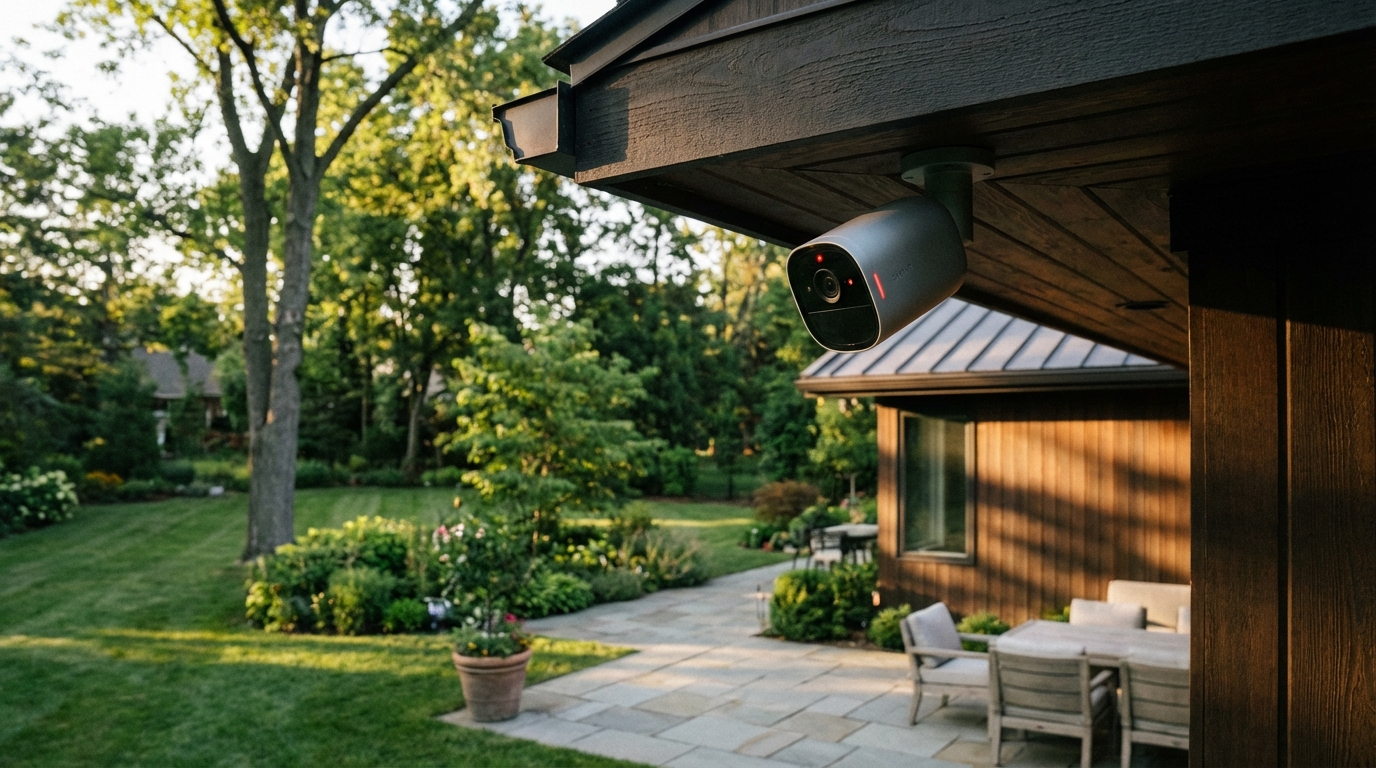
Your home’s outdoor security shouldn’t cost a fortune or require a tech degree to set up. With package theft on the rise and home security more important than ever, outdoor smart cameras have become essential for keeping tabs on your property when you’re not around.
But the market is flooded with options ranging from budget-friendly models to premium powerhouses. How do you choose the right one without breaking the bank or getting stuck with features you’ll never use?
This guide cuts through the marketing fluff to help you find the best outdoor smart camera for your specific needs. We’ve analyzed specifications, compared user reviews, and broken down what actually matters when protecting your home. Whether you’re watching for deliveries, deterring intruders, or just checking on the dog in the backyard, we’ll help you make the right choice.
Our Product Picks
Outdoor Smart Cameras – Best Overall
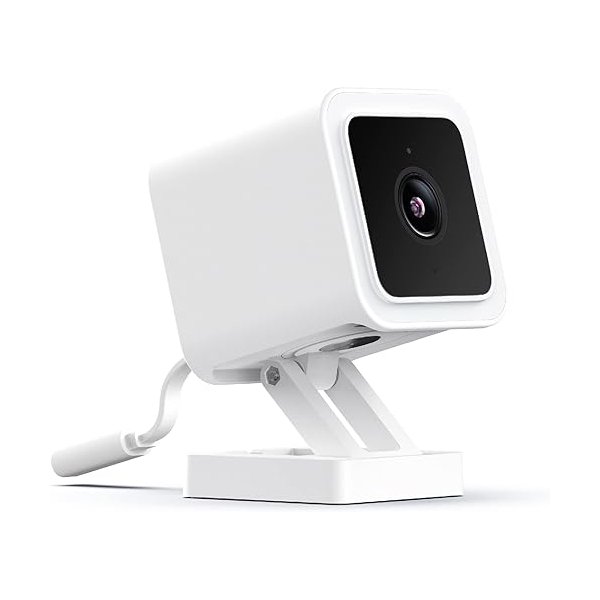
Wyze Cam v4
The Wyze Cam v4 delivers exceptional value with color night vision, weatherproof construction, and reliable performance that punches way above its price point. Based on thousands of user reviews, this camera consistently outperforms competitors that cost three times as much.
Key Features: – 2.5K QHD video with enhanced color night vision – IP65 weatherproof rating for all conditions – Two-way audio and motion detection zones – Works with Alexa and Google Assistant
Outdoor Smart Cameras – Best Budget Option
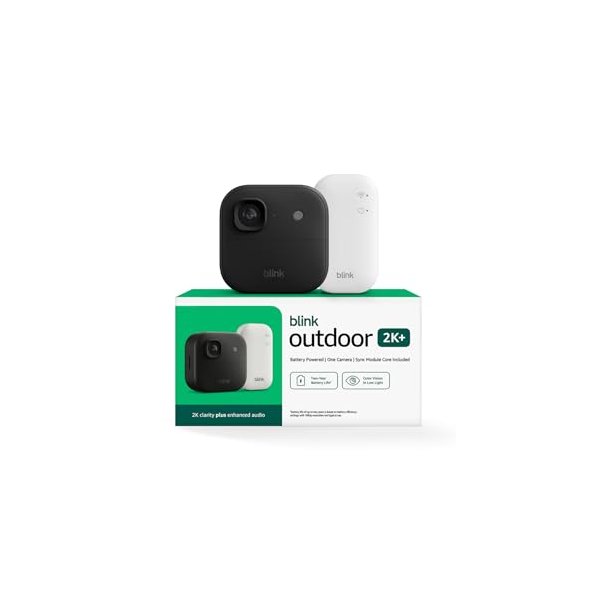
Blink Outdoor 2K+
If you’re looking for a truly wire-free experience without monthly fees, the Blink Outdoor 2K+ runs on batteries for up to two years and offers free cloud storage. It’s perfect for renters or anyone who wants simple installation without drilling holes for power cables.
Key Features: – Two-year battery life on AA batteries – 2K video with color vision in low light – Free cloud storage with local backup option – Enhanced motion detection with person alerts
Outdoor Smart Cameras – Best Premium Choice
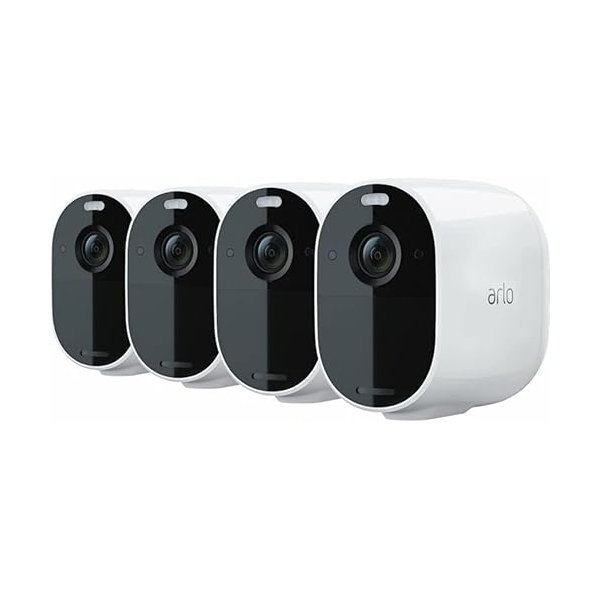
Arlo Pro 2K HDR (6th Gen) Spotlight Camera
For those who want the absolute best image quality and smart features, the Arlo Pro 2K HDR (6th Gen) delivers with 2K HDR video, integrated spotlight, and advanced AI detection that can distinguish between people, vehicles, animals, and packages.
Key Features: – 2K HDR video with color night vision – 160-degree field of view – Integrated spotlight and siren – Wire-free with optional solar panel charging
Check Latest Price on Amazon | View on Manufacturer Site
What Makes a Great Outdoor Smart Camera?
Not all outdoor cameras are created equal. The difference between a great camera and a frustrating one often comes down to a few critical features that actually matter in real-world use.
Weather resistance is non-negotiable. Look for cameras with an IP65 rating or higher—this means they can handle rain, snow, dust, and extreme temperatures without failing. Cheaper cameras often skimp here, and you’ll end up replacing them annually.
Night vision quality separates the good from the great. Traditional infrared night vision shows everything in black and white, which makes identifying details difficult. Color night vision (like on the Wyze Cam v4) uses ambient light to show actual colors at night, making it much easier to identify people, vehicles, or packages.
Video resolution matters, but it’s not everything. While 4K sounds impressive, 2K resolution has become the standard for most security needs and won’t eat up your storage or bandwidth. The sweet spot in 2026 is 2K resolution—it provides excellent detail without being overkill.
Power Options: Wired vs. Battery vs. Solar
How you power your outdoor camera dramatically affects where you can install it and how much maintenance it requires.
Wired cameras offer the most reliable power but require access to an outdoor outlet or professional installation. They’re ideal for permanent installations where you have power available. The Wyze Cam v4 uses this approach, plugging into a standard outlet with a weatherproof cable.
Battery-powered cameras provide maximum flexibility for installation anywhere on your property. The Blink Outdoor 2K+ exemplifies this category, running for up to two years on standard AA batteries. The trade-off is that most battery cameras record shorter clips to conserve power and may miss some events.
Solar-powered options split the difference, offering wire-free installation with minimal maintenance. Many premium cameras like the Arlo Pro 2K HDR (6th Gen) support optional solar panels that keep batteries topped off year-round. If your camera location gets decent sunlight, this approach offers the best of both worlds.
Smart Features That Actually Matter
Modern outdoor cameras pack dozens of “smart” features, but which ones will you actually use?
Motion detection zones let you define specific areas to monitor while ignoring others. This means you can watch your driveway without getting alerts every time a car drives by on the street. It’s one of the most useful features for reducing false alerts.
AI-powered detection has improved dramatically. Instead of alerting you to every moving shadow, newer cameras can distinguish between people, animals, vehicles, and packages. This feature alone justifies the slightly higher cost of mid-range cameras over basic models.
Two-way audio turns your camera into an intercom. You can warn off package thieves, tell delivery drivers where to leave packages, or just say hi to visitors. According to user reviews, audio quality varies widely between models, so check reviews specifically for this feature.
Smart home integration matters if you’re building an ecosystem. Cameras that work with Alexa, Google Assistant, or Apple HomeKit can trigger other smart devices—like turning on lights when motion is detected or displaying video on your smart display.
Storage Options: Cloud vs. Local
Where your camera stores footage affects both ongoing costs and how quickly you can access recorded video.
Cloud storage offers convenience and remote access from anywhere, but usually requires a monthly subscription. Blink offers the rare combination of free cloud storage with its cameras, while most competitors charge $3-10 per camera monthly.
Local storage uses SD cards or a base station to record footage directly without monthly fees. The downside is that if someone steals the camera or base station, you lose the footage. Some cameras like certain Wyze models offer both options, letting you choose based on your needs.
Hybrid approaches combine both storage types for maximum reliability. Premium systems record to local storage for instant playback while also backing up to the cloud for redundancy. This typically costs more upfront but provides the best security.
Installation Considerations
Where and how you install your outdoor cameras dramatically affects their effectiveness and longevity.
Height matters for security cameras. Mount them 8-10 feet high—high enough to prevent tampering but not so high that you lose facial detail. According to security experts, this height provides the best balance of coverage and identification capability.
Viewing angle determines coverage area. Most outdoor cameras offer 110-160 degree fields of view. Wider isn’t always better—ultra-wide angles can distort faces at the edges. For most homes, a 130-degree field of view provides excellent coverage without distortion.
Wi-Fi strength is critical for outdoor cameras. Check your Wi-Fi signal strength at your planned installation location before buying. Cameras typically need at least two bars of signal for reliable operation. If your signal is weak, consider a Wi-Fi extender or a camera system with its own base station.
Weatherproofing the connections often gets overlooked. Even with IP65-rated cameras, the power connection point can be vulnerable to moisture. Use weatherproof outlet covers and ensure cables have drip loops to prevent water from running into connections.
Subscription Costs: The Hidden Expense
The sticker price is just the beginning—monthly subscription fees can quickly exceed your initial camera investment.
Most major brands now require subscriptions for advanced features like AI detection, extended video history, or even basic cloud storage. Ring charges $3-10 per month per camera, while Nest starts at $6 monthly. These costs add up fast if you’re covering multiple areas.
Blink stands out by offering free cloud storage and local backup options without monthly fees. You’ll sacrifice some advanced AI features, but for basic security monitoring, it’s hard to beat free.
Wyze offers a middle ground with full functionality without subscriptions but optional Cam Plus service for $2 monthly that adds AI detection and unlimited video length. This à la carte approach lets you pay only for features you actually want.
Wyze Cam v4: Why It’s Our Top Pick
The Wyze Cam v4 has earned its reputation as the best value in outdoor security cameras through consistent performance and an unbeatable feature set for the price.
Pros: – Color night vision outperforms cameras costing 3x as much – Reliable performance in extreme temperatures (-4°F to 122°F) – No required subscriptions for basic features – Excellent app with intuitive controls – Smart home integration with major platforms – Strong user community for support and tips
Cons: – Requires wired power (no battery option) – 12-second recording clips on free tier (unlimited with subscription) – Cloud storage requires subscription – Motion detection can be oversensitive out of the box
According to thousands of user reviews, the v3’s color night vision is the standout feature. While most budget cameras switch to grainy black-and-white infrared at night, the v3’s Starlight sensor captures surprisingly detailed color video even in very low light. This makes identifying people, vehicles, or packages far easier.
The weatherproof construction has proven reliable across multiple years of use in harsh climates. Users report cameras still functioning perfectly after years of exposure to rain, snow, and extreme temperatures.
Blink Outdoor 2K+: Best for Wire-Free Installation
If you’re renting, can’t access outdoor power, or just want the simplest possible installation, the Blink Outdoor 2K+ delivers impressive performance without the wires.
Pros: – True wire-free with two-year battery life – Free cloud storage with no monthly fees – Quick and easy DIY installation – Affordable multi-camera kits – Works well with other Amazon smart home devices – Local storage option with Sync Module 2
Cons: – Infrared-only night vision (no color) – Shorter recording clips to preserve battery – Slight delay in live view startup – Limited advanced AI features compared to premium cameras
The two-year battery life is based on Amazon’s default settings of moderate use. Real-world results vary based on how many events trigger recording, but most users report 12-18 months between battery changes with normal activity levels.
Person detection was significantly improved in the Outdoor 4 compared to previous generations. While not as sophisticated as premium cameras, it does a decent job of filtering out false alerts from moving shadows or animals.
Arlo Pro 2K HDR (6th Gen): Premium Features Worth the Investment
For users who want the absolute best image quality and most advanced features, the Arlo Pro 2K HDR (6th Gen) justifies its premium price with genuinely superior performance.
Pros: – Exceptional 2K HDR video quality – Wire-free with excellent battery life – Integrated spotlight for color night vision and deterrence – Advanced AI distinguishes people, vehicles, animals, and packages – Optional solar panel for perpetual power – 160-degree field of view covers large areas
Cons: – Expensive upfront cost – Subscription required for most advanced features ($3-10 monthly) – Larger and more visible than budget options – Requires proprietary base station
The 2K HDR image quality is noticeably superior to 1080p cameras, especially when zooming in to identify details like faces or license plates. If you’ve tried budget cameras and found the video quality inadequate for identification, this upgrade makes a real difference.
Smart AI detection with the Arlo subscription can identify specific types of objects and even distinguish between familiar and unfamiliar people. This reduces false alerts dramatically compared to basic motion detection.
Additional Cameras Worth Considering
While our top three picks cover most users’ needs, a few other cameras deserve mention for specific use cases.
Ring Outdoor Cam Plus (Battery) offers excellent integration with Ring doorbells and other Ring devices. If you’re already invested in the Ring ecosystem, adding outdoor cameras is seamless. However, the subscription cost for cloud storage adds up quickly.
Google Nest Cam (Battery) Gen 2 provides superb integration with Google Home and Nest devices. The AI-powered detection is among the best available, but requires a Nest Aware subscription for most useful features. Image quality is excellent, but the price-to-value ratio doesn’t match our top picks.
eufy SoloCam S340 stands out for built-in solar power and dual cameras with both wide and telephoto lenses. It’s a unique approach that eliminates battery anxiety, but the higher price and occasional connectivity issues keep it from our top recommendations.
Who Is This For?
Budget-conscious homeowners will find the Wyze Cam v4 offers unbeatable value. If you’re comfortable with wired installation and don’t mind optional subscriptions for advanced features, it delivers premium performance at a budget price.
Renters and DIY installers should seriously consider the Blink Outdoor 2K+. The wire-free installation means no drilling or wiring, and you can take it with you when you move. The free cloud storage is a significant long-term cost savings.
Tech enthusiasts wanting the best will appreciate the Arlo Pro 2K HDR (6th Gen)’s advanced features and superior image quality. If you’re building a comprehensive smart home security system and want cameras that won’t require upgrades for years, the premium investment makes sense.
Apartment dwellers face unique challenges with outdoor cameras. Battery-powered options like the Blink or Arlo cameras work best since you probably can’t modify exterior walls or access outdoor power. Check your lease before installation—some apartments restrict outdoor cameras.
Rural property owners covering large areas should consider cameras with excellent night vision and long-range detection. The Wyze Cam v4’s color night vision works particularly well for monitoring driveways or outbuildings at night.
Smart Home Integration Capabilities
How your outdoor cameras work with your existing smart home ecosystem can make or break the user experience.
Amazon Alexa compatibility is nearly universal among outdoor cameras. You can view camera feeds on Echo Show devices, include cameras in Alexa routines, and use voice commands to check your cameras. The Wyze and Blink cameras naturally work seamlessly with Alexa since Amazon owns Blink.
Google Assistant integration is similarly common. View feeds on Nest Hub displays, ask Google to show specific cameras, and integrate cameras into Google Home routines. While the Google Nest Cam obviously excels here, both Wyze and Arlo offer solid Google integration as well.
Apple HomeKit support remains rare among outdoor cameras. If you’re deep in the Apple ecosystem, your options are limited. Some Arlo cameras and a few boutique brands support HomeKit Secure Video, but you’ll pay a premium for this compatibility.
IFTTT and advanced automation capabilities vary widely. Power users who want complex automations should verify specific camera compatibility before buying. Wyze offers particularly robust third-party integration options through its API and community support.
Security and Privacy Considerations
When you’re placing cameras around your home, security and privacy should be top priorities.
Encryption protects your video feeds from interception. All reputable cameras use encrypted transmission and storage, but implementation quality varies. Look for cameras that specifically mention end-to-end encryption in their specifications.
Two-factor authentication should be mandatory on your camera accounts. This prevents unauthorized access even if someone obtains your password. Enable it on whatever brand you choose—it’s a simple step that dramatically improves security.
Local processing for AI features keeps your video data on the device rather than sending it to cloud servers for analysis. This improves both privacy and response times. Some newer Wyze and Arlo models include local processing for basic AI features.
Privacy zones let you block out areas you don’t want recorded, like neighbor’s windows or public sidewalks. This feature helps you maintain good neighbor relations and respect others’ privacy while still monitoring your own property.
Maintenance and Long-Term Costs
Understanding the total cost of ownership helps you make a smarter buying decision.
Subscription costs are the biggest ongoing expense for most camera systems. A $10 monthly subscription costs $120 annually—after just two years, you’ve spent more on subscriptions than on budget cameras themselves. Factor these costs into your decision.
Battery replacements for wire-free cameras add up over time. The Blink Outdoor 2K+ uses standard AA batteries (typically 4 batteries per camera), costing $5-10 for quality batteries. Over the camera’s lifetime, budget $20-40 for battery replacements.
SD card replacement for cameras with local storage is an occasional expense. SD cards wear out with constant recording, typically needing replacement every 1-2 years. Budget $10-30 for a quality card with sufficient capacity.
Lens cleaning is often overlooked but essential for maintaining image quality. Outdoor cameras accumulate dust, pollen, and water spots on their lenses. Clean them monthly with a microfiber cloth for best results.
Frequently Asked Questions
Do outdoor smart cameras work without Wi-Fi?
Most outdoor smart cameras require Wi-Fi for live streaming and alerts, but many can record locally to SD cards without internet connectivity. The Wyze Cam v4 and many others continue recording to local storage during Wi-Fi outages, though you won’t receive real-time alerts or access live feeds until connectivity returns. For truly offline operation, look for cameras with cellular connectivity options, though these typically require their own data plans.
How much data do outdoor smart cameras use?
Data usage varies dramatically based on recording settings and activity levels. Cameras recording continuously in high resolution can use 60GB or more monthly per camera, while cameras using motion-triggered recording typically use 5-15GB monthly. To minimize data usage, reduce video quality, limit continuous recording, and use local storage instead of cloud backups. Most camera apps provide data usage statistics to help you monitor and adjust settings.
Can outdoor cameras work in extreme temperatures?
Quality outdoor cameras are designed for extreme temperatures, typically operating from -4°F to 122°F (-20°C to 50°C). However, battery performance degrades significantly in extreme cold, with battery-powered cameras potentially lasting only weeks instead of months in winter conditions. Wired cameras like the Wyze Cam v4 perform more reliably in extreme temperatures since they don’t rely on batteries. Always check the manufacturer’s temperature ratings for your specific climate.
How do I prevent my outdoor camera from being stolen?
Mount cameras high enough (8-10 feet) to make them difficult to reach without a ladder. Use security screws or mounting plates that require special tools to remove. Position cameras so they monitor each other when possible—thieves are less likely to steal a camera being recorded by another. Some cameras like the Arlo Pro 2K HDR (6th Gen) include tamper detection that sends immediate alerts if someone tries to remove them. Finally, ensure cameras are clearly visible—the deterrent effect only works if potential thieves can see them.
Do I need a subscription for outdoor smart cameras to work?
Basic functionality like live viewing and motion detection work without subscriptions on most cameras, but advanced features typically require paid plans. The Blink Outdoor 2K+ offers free cloud storage making it the best subscription-free option. Wyze cameras work fully without subscriptions but offer enhanced AI detection and unlimited recording length for $2 monthly. Premium brands like Arlo and Ring lock significant features behind subscriptions, though they still function at a basic level without them.
Conclusion
Choosing the best outdoor smart camera comes down to balancing features, price, and your specific security needs.
For most homeowners, the Wyze Cam v4 offers the best combination of features and value. Its color night vision, reliable performance, and optional subscription model make it our top overall recommendation. If you have access to outdoor power and want exceptional image quality without breaking the bank, start here.
Renters and anyone wanting wire-free installation should choose the Blink Outdoor 2K+. The two-year battery life, free cloud storage, and simple installation make it ideal for temporary setups or locations without power access.
Those wanting premium features and best-in-class image quality will find the Arlo Pro 2K HDR (6th Gen) worth its higher price. The 2K video, advanced AI detection, and integrated spotlight deliver a truly premium experience that justifies the investment for demanding users.
Whatever you choose, outdoor smart cameras have become affordable enough that every homeowner can add this important security layer. Start with one camera at your most vulnerable entry point, learn what features matter to you, then expand your coverage from there.
Remember to check your Wi-Fi signal strength before installation, enable two-factor authentication on your accounts, and clean your camera lenses monthly for best performance. With the right camera properly installed, you’ll gain peace of mind knowing what’s happening around your home—whether you’re there or not.
For more smart home security guidance, check out our articles on smart doorbells and complete home security systems.
Related Articles
- Best Video Doorbells of 2026: Ring vs. Nest vs. Wyze Compared
- Complete Guide to Building a Smart Home Security System
- Smart Home Hub Comparison: Which Platform Is Right for You?
Category: DIY & Security